

About Cobalt Tools
Before exploring alternatives to Cobalt Tools, let’s take a closer look at this tool together.
What Is Cobalt Tools
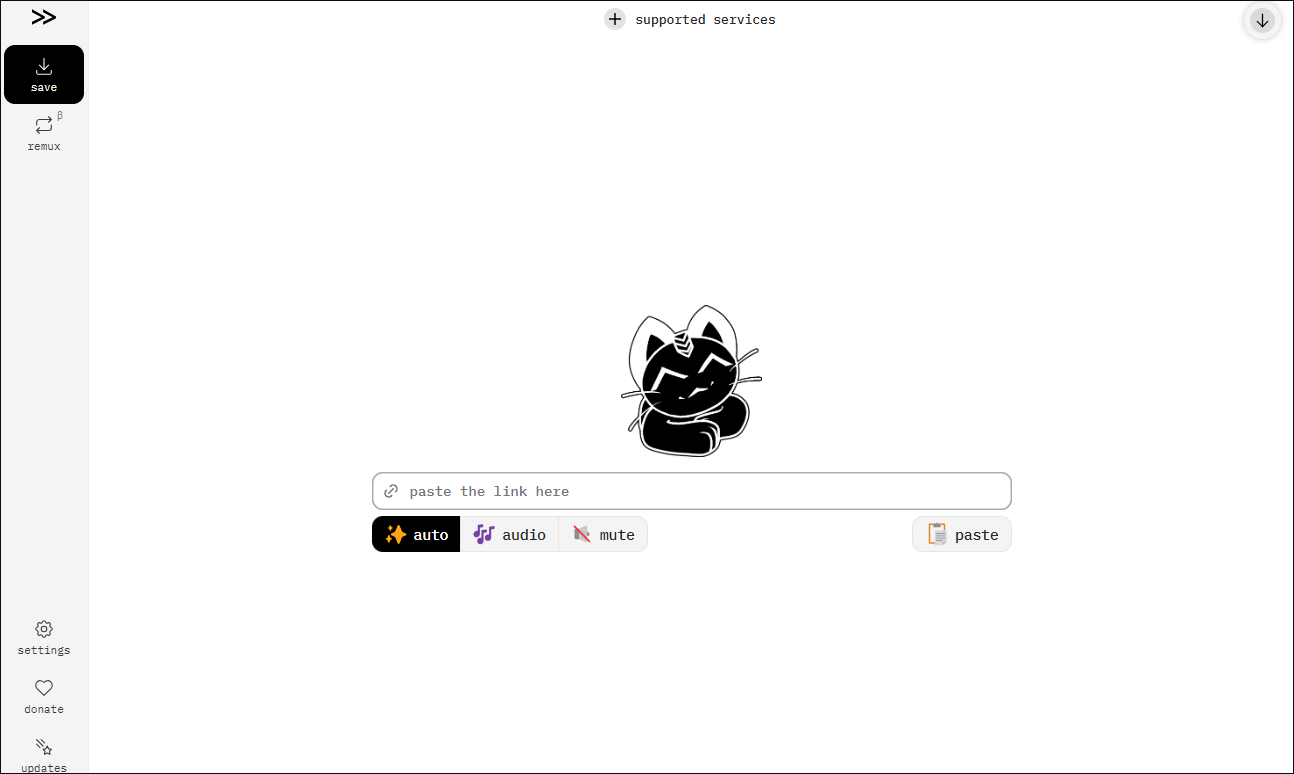
Cobalt Tools is a free, browser-based media downloader that has earned widespread praise for being ad-free and privacy-focused. It supports downloading audio, video, and images from over 20 popular platforms, including YouTube, Instagram, TikTok, Facebook, Loom, Reddit, and more. Using Cobalt Tools is very simple: just copy and paste the link, and download the content with a single click.
Is Cobalt Tools Safe
There’s absolutely no need to worry. In all the years I’ve been using Cobalt Tools, I’ve never encountered any ads or suspicious links. Furthermore, the software uses HTTPS encryption, so I’ve never experienced any privacy breaches either.
The only thing to watch out for is that there are currently many third-party websites impersonating Cobalt Tools; these sites often contain malicious ads or links designed to steal users’ personal information.
Is Cobalt Tools Not Working
According to my experience, Cobalt Tools occasionally fails to load certain pages or the download button becomes unresponsive, problems that can usually be resolved by switching browsers or clearing the cache.
However, due to YouTube’s platform restrictions, Cobalt Tools cannot save YouTube videos now. As such, I’ve had to rely on alternative tools to accomplish this task.
4 Best Cobalt Tools Alternatives
After some research, I’ve selected four reliable alternatives to Cobalt Tools, covering both web-based and desktop versions. Below is a detailed overview of each tool’s features.
Option 1: viddown.net
viddown.net is also a browser-based video downloader that supports getting YouTube playlists, podcasts, music, and more. Of course, it can also download videos from Twitter, Facebook, Instagram, TikTok, and Vimeo.
The main reason I chose viddown.net is its excellent compatibility; it runs smoothly on major browsers such as Opera, Safari, Google Chrome, Firefox, and Edge. This fully meets my needs for cross-device use. Meanwhile, viddown.net is free of ads and malware. Best of all, I discovered that this tool can also save YouTube video thumbnails directly via a link.
Option 2: MiniTool Video Converter
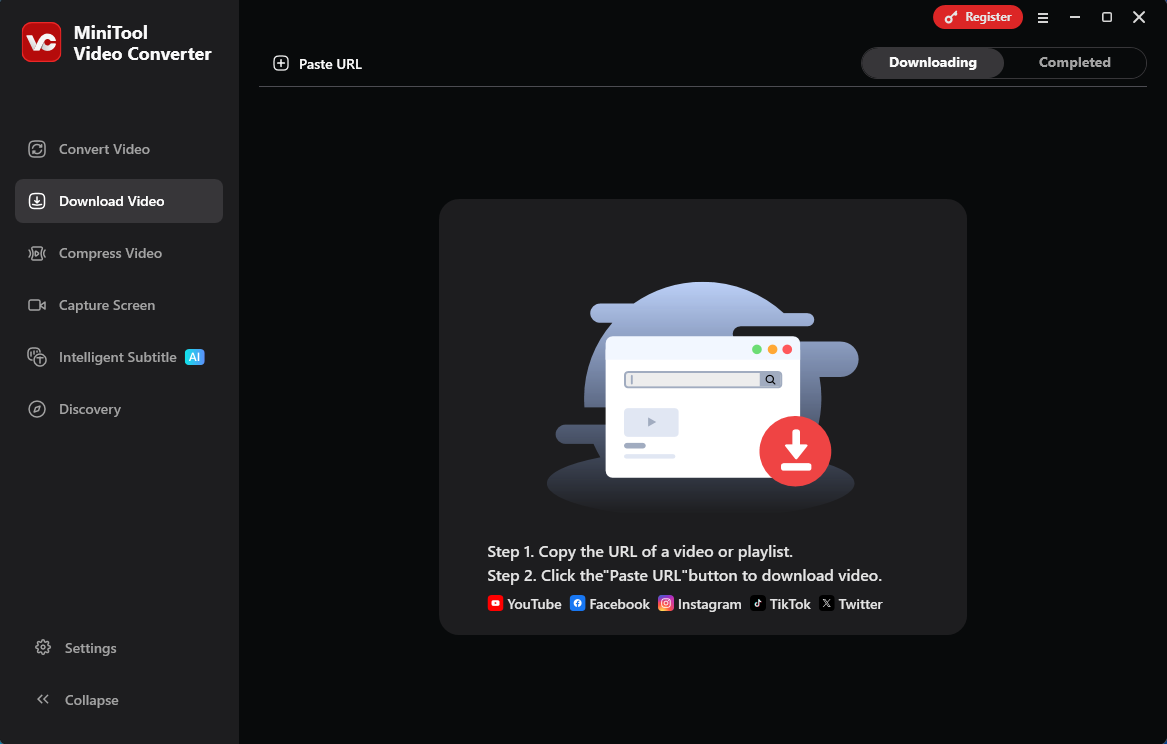
In my opinion, MiniTool Video Converter is the best alternative to Cobalt Tools. It’s a desktop-based video downloader. So why do I recommend MiniTool Video Converter? Because it’s not only free, but also free of ads and malware.
In addition to getting videos from YouTube and other major platforms, MiniTool Video Converter addresses a shortcoming of Cobalt Tools: the inability to batch-download YouTube playlists. Moreover, this tool can save YouTube video subtitles and transcribe videos.
What’s more, when using MiniTool Video Converter, I found that it allows me to save TikTok and Instagram videos without watermarks, which saves me time on post-processing. Even more impressive is that MiniTool Video Converter also offers compression and conversion features. This makes it the best choice for handling multiple tasks.
MiniTool uTube DownloaderClick to Download100%Clean & Safe
Option 3: YTDown
YTDown is another free online YouTube video downloader. Like Cobalt Tools, it has a clean, simple interface, so I could start using it right away without having to spend time learning how to use it.
YTDown offers powerful download features, which is why I recommend it. In addition to saving YouTube videos and Shorts, YTDown also lets me save images from YouTube posts. Furthermore, when downloading videos, the tool allows me to preview them to ensure I’ve selected the right one, and lets me choose the video format and resolution.
Option 4: TurboScribe
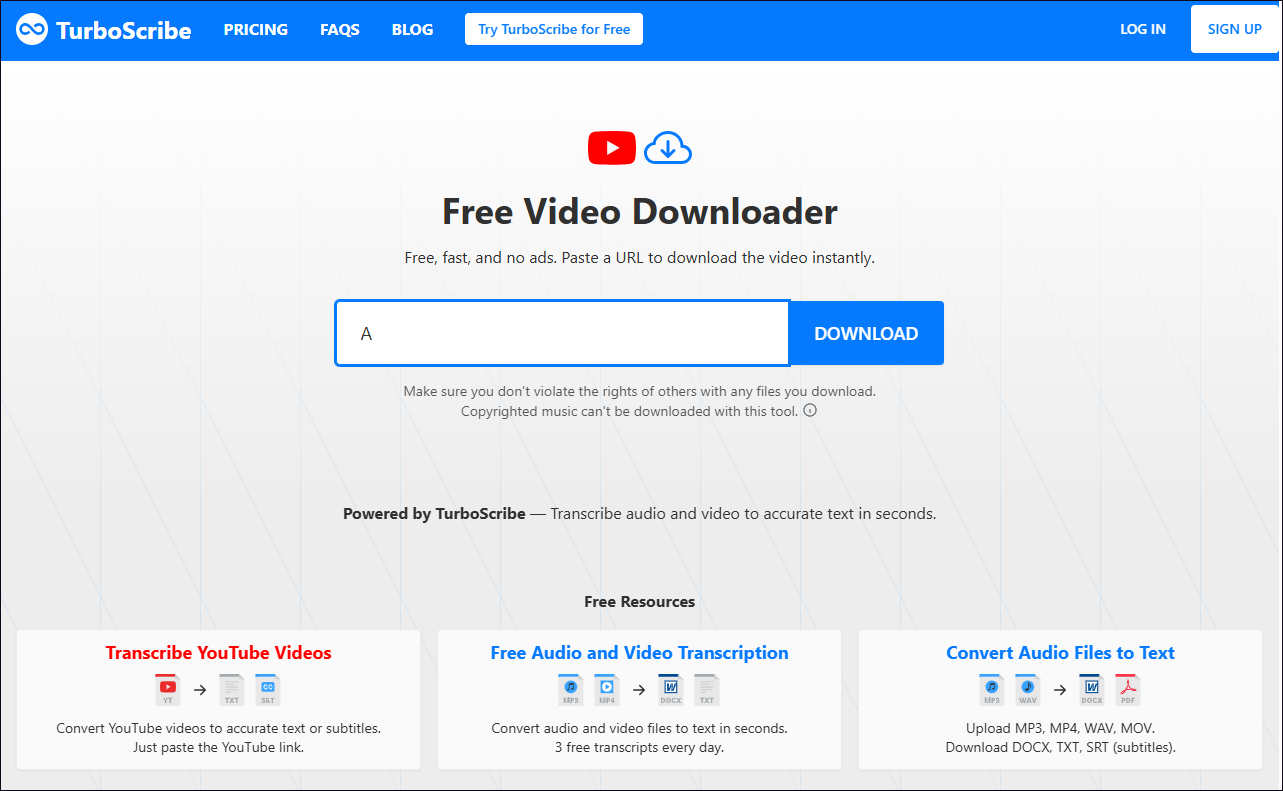
TurboScribe is an AI-powered video download site. It saves downloaded videos directly in the highly compatible MP4 format without adding any watermarks. Furthermore, after testing it, I found that TurboScribe contains neither ads nor malware.
The main reason I chose TurboScribe is that it’s more than just a simple download tool. This tool offers powerful transcription capabilities. After downloading a video, I can extract the subtitles directly on the website and save them in various formats, including SRT, TXT, and PDF.
Furthermore, TurboScribe can translate the extracted text into multiple languages, which is useful for both my daily needs and creative projects.
All four of these Cobalt Tools alternatives can easily save YouTube videos, but each has its own strengths in different areas. Therefore, choose the one that best suits your needs.
Final Words
Although Cobalt Tools is a convenient video downloader, it currently has stability issues when saving YouTube videos. The four Cobalt Tools alternatives listed in this article are capable of handling this task and offer greater stability. I hope these tools will help you easily download videos for offline viewing.
About The Author

Position: Columnist
Jade is an experienced multimedia tech writer who has authored hundreds of guides on screen recording, video editing, and software troubleshooting. Dedicated to bridging the gap between complex technical concepts and user-friendly solutions, she specializes in providing clear, actionable advice.