Go Beyond Downloading Instagram Videos

Enjoy advanced video downloads with MiniTool Video Converter!

Download videos from Instagram, TikTok, Facebook, and X
Download video playlist
Download audio
Download subtitles
Resolution
Format
Ease of use
Speed
Stability
Premium extras

Online Video Downloader

Up to 720p
MP4
Multi-step manual saving
Basic stability
None

MiniTool Video Converter

Up to 4K
Original format
One-click direct download
Rock-solid stability

Convert & Compress videos

Enhance & Transcribe videos

How to Download Instagram Videos Online?

Download Step 1: </br>Copy Instagram Video URL

Step 1:
Copy Instagram Video URL

Locate the target video, click the Share icon, and select Copy link.
Download Step 2: </br>Paste Instagram Video Link

Step 2:
Paste Instagram Video Link

Paste the Instagram video link into the Link Input Field above. Then, click Download to start video parsing.
Download Step 3: </br>Select Video to Download

Step 3:
Select Video to Download

When the available video is listed, click the Download button to save the Instagram content.

Note: If the video plays instead of be downloaded after clicking the Download button, further operations needed:

  • For Windows, macOS, and Android, click the vertical three dots icon () in the player and click Download.
  • For iOS, click the horizontal three dots icon () or () at the bottom of the browser and select Save to Files or Download.
banner-img
Get your favorite clips effortlessly with MiniTool Video Converter – download videos in one click!

Why Choose Us to Save Instagram Videos?

Diverse Instagram Media Support

Diverse Instagram Media Support

With MiniTool free online Instagram video downloader, you can save both reel videos and story videos for offline playback.
High-Quality MP4 Downloads

High-Quality MP4 Downloads

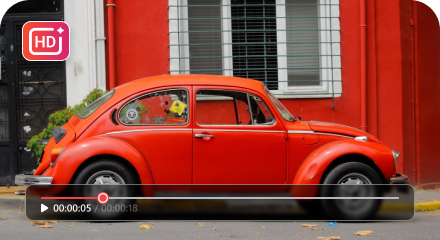
You are able to save online videos in HD quality. Besides, the default MP4 format makes it possible to play the downloaded video on any device.
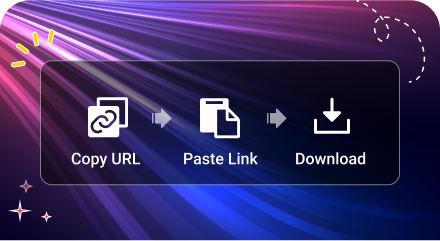
Quick Download & Easy Steps

Quick Download & Easy Steps

Using this free Instagram video downloader, you can easily get your desired Instagram media files in seconds.
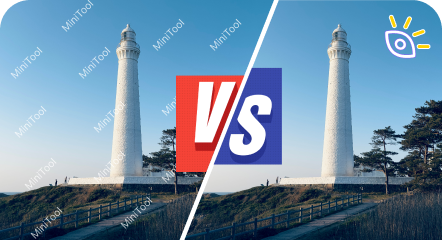
Completely Free & No Watermark

Completely Free & No Watermark

Our online service is 100% free of charge. You can use it as much as you prefer. Additionally, there won’t be any watermarks on your saved videos.
No Installation, No Registration

No Installation, No Registration

As the best Instagram video downloader online, there is no need for App download and installation. Also, you can direct enjoy this service without login (privacy preserved).
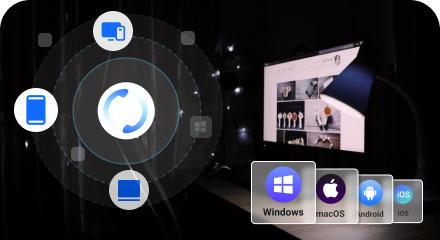
Multi-Platform Support

Multi-Platform Support

Enjoy seamless access across various devices, including desktops, laptops, and mobile phones. Support major operating systems such as Windows, macOS, Android, and iOS.

Instagram Video Download Online FAQ

  • Where can I find the downloaded Instagram videos?

    The downloaded Instagram videos are stored in your browser’s Downloads folder by default. If you are using a computer, just press Ctrl + J (for Windows) or Cmd + Option + L (for Mac) to check your browser’s download history. If you are using a smartphone, check your Files app or Camera Roll.
  • Can I download private Instagram videos?

    Sorry. Our online Instagram video saver can’t help you get private videos from Instagram due to privacy and copyright.
  • Is it legal to download videos from Instagram?

    It depends. Generally, if you download other’s Instagram videos for private use like play offline, it is legal. However, if you remake the downloaded video for distribution and even for making money, you are in risk of legal disputes.
  • Is it safe to save from Instagram online?

    It is completely safe to get Instagram videos with our service. We adopt safe network connection to process the downloading tasks. Also, there is no requirement for providing personal information. Moreover, we won’t save your download history.