Not Only a Facebook Video Downloader

Get more download features with MiniTool Video Converter!

Download videos from Facebook, Instagram, TikTok, and X
Download video playlist
Download audio
Download subtitles
Resolution
Format
Ease of use
Speed
Stability
Premium extras

Online Video Downloader

Up to HD (720p)
MP4
Multi-step manual saving
Basic stability
None

MiniTool Video Converter

Up to Ultra HD (4K)
Original format
One-click direct download
Rock-solid stability

Convert & Compress videos

Enhance & Transcribe videos

How to Download Facebook Videos Online?

Download Step 1: </br>Copy Facebook Video Link

Step 1:
Copy Facebook Video Link

Play the target video, click the Share option, and then choose Copy link.
Download Step 2: </br>Paste Facebook Video Link

Step 2:
Paste Facebook Video Link

Paste the copied Facebook video URL into the link input area above. Next, click Download to start video parsing.
Download Step 3: </br>Download Facebook Video

Step 3:
Download Facebook Video

When video parsing ends, click the Download button next to the target Facebook video.

Note: If the target Facebook video plays but not be downloaded after clicking on the Download button, simply follow the steps shown below:

  • For Windows, macOS, and Android, click the vertical three dots icon () in the player and click Download.
  • For iOS, click the horizontal three dots icon () or () at the bottom of the browser and select Save to Files or Download.
banner-img
Download Facebook videos and audio with MiniTool Video Converter – easy, fast, and stable!

Why Choose This Online Facebook Video Downloader?

Regular & Reel Video Download

Regular & Reel Video Download

Our free online Facebook video downloader enables you to download a video from Facebook online, no matter it is a regular video or reels video.
HD MP4 Video Download

HD MP4 Video Download

Facebook video download online HD in MP4 format is available on this website. The smaller SD quality is also at your choice if you have limited storage.
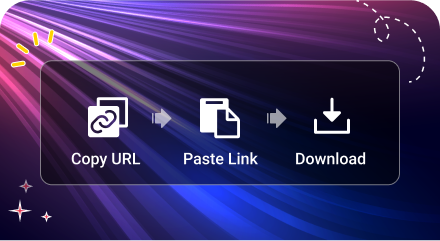
Clear & Easy Steps

Clear & Easy Steps

Facebook video downloader online simplifies the downloading process to save your time. Even for unexperienced beginners, you can complete the task in a few steps.
Completely Free & Safe

Completely Free & Safe

This Facebook online video downloader is absolutely free and safe. It won’t save your download history. Feel free to use it with confidence.
No Installation, No Registration

No Installation, No Registration

This Facebook video download online website helps you get the target video without downloading and installing any software. You also don’t need to sign up to use its services.
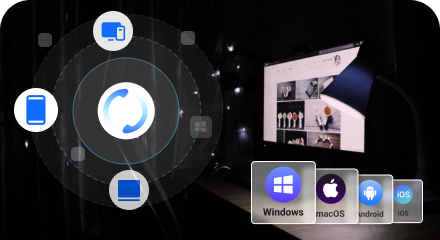
Multiple Devices Support

Multiple Devices Support

This video downloader for FB can be used on top systems like Windows, macOS, Android, and iOS. It also applies for PCs, laptops, and mobile phones.

Facebook Videos Download Online FAQ

  • Where Do the downloaded Facebook videos Go?

    The saved Facebook videos are located in the Downloads folder of the browser. For a computer, you need to press Ctrl + J (for Windows) or Cmd + Option + L (for Mac) to check the download history. For a mobile phone, have a look at the Files App or the Camera Roll.
  • Is it legal to download video from Facebook online?

    In general, it is acceptable to get public videos for private usage. However, re-uploading or making money from the copyrighted content without permission do violate terms and policies.
  • Why Can’t I download videos from Facebook?

    Downloading your own videos is easy, but videos from others may have restrictions. Here are the reasons and solutions:

    • Deleted content: you can’t download the videos deleted by their owner.
    • Private content: Facebook doesn’t allow download of private videos.
    • Copyright audio: If there is copyrighted audio in the target video, Facebook may restrict downloads. Still, you can rely on video downloader for Facebook online to get this problem solved.
  • Does Facebook notify when you download its videos?

    No, Facebook doesn’t notify the owner or the user when you download a video. No matter you use Facebook built-in download feature or third-party video download site or software, the process remains absolutely anonymous.