

About EzMP3
Before we go to find EzMP3 alternatives, let’s have a basic understanding of it.
What’s EzMP3
EzMP3 is a simple, fast, and reliable tool that lets you download and convert YouTube videos to MP3 or MP4 without any hassle. This tool is totally online and free. You don’t need to register and log in to your account when you use it. It offers customizable bitrate options (64kbps, 128kbps, 192kbps, 320kbps, and 256kbps) and video resolution (240p, 360p, 480p, 720p, and 1080p).
Additionally, EzMP3 has excellent compatibility. Whether you’re using Android, iOS, Windows, or Mac, you’ll have full access to every feature without limitations. Unlimited YouTube videos/music can be downloaded as long as you have enough storage space.
Is EzMP3 Safe
Due to EzMP3 is totally free, do you have a similar question to me: Is EzMP3 safe to use? The answer is yes. EzMP3 is relatively safe as an audio converter. A major safety advantage is that EzMP3 operates entirely in your web browser, requiring no software download or account creation, which reduces the risk of installing malware on your device.
How to Convert YouTube to MP3
EzMP3 provides an easy way to convert YouTube videos into high-quality MP3 files. In this section, we’ll guide you through the simple steps to use EzMP3 to download YouTube links to MP3 format.
Step 1. Copy the YouTube Video Link
Go to YouTube.com and copy the URL of the video you want to convert from the address bar.
Step 2. Download the YouTube Video
1. Visit https://ezmp3.lat/, enter the video URL or type in the name of the song in the converter box.
2. Click on Convert.
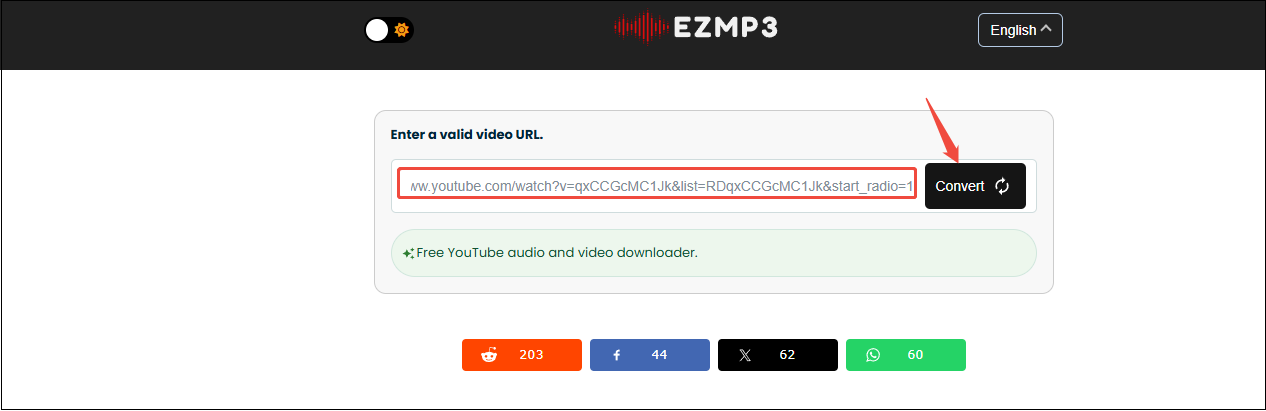
3. The site will process the video. This may take a few seconds, depending on the video length and load speed. When it’s ready, just click the Download button to save the MP3 or MP4 file directly to your device.
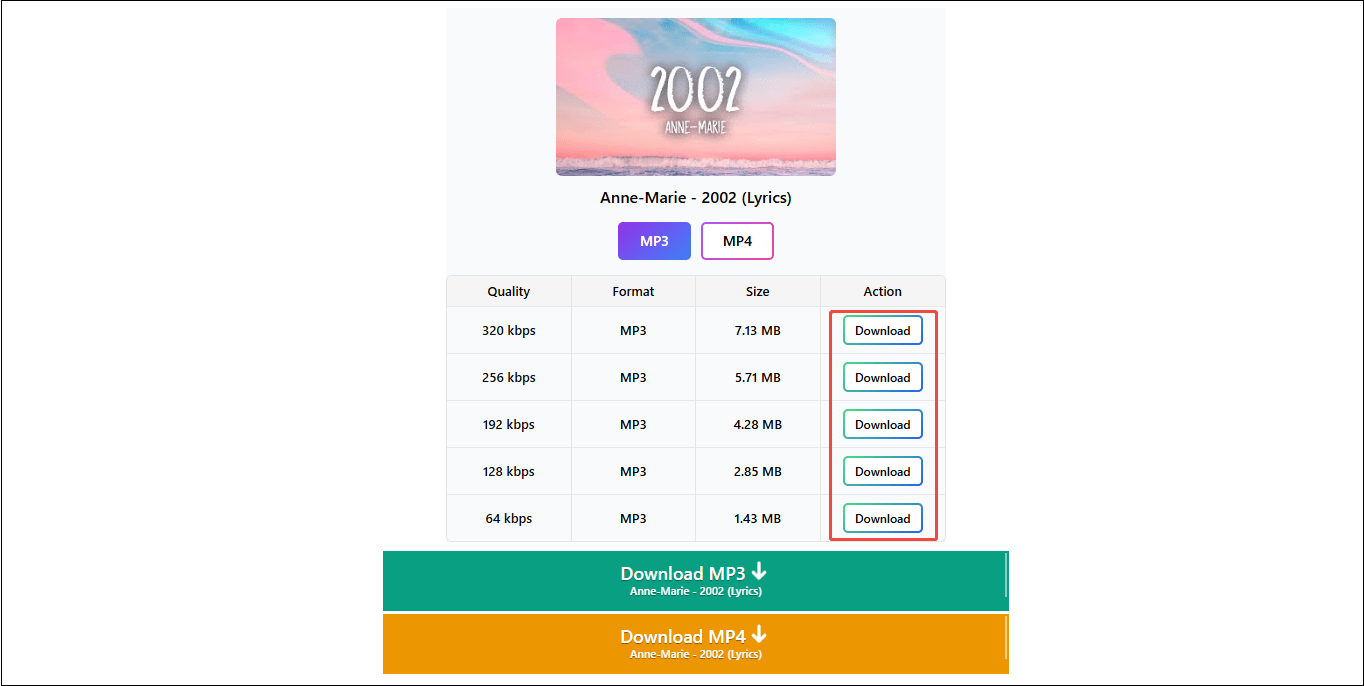
Step 3. Find the Downloaded YouTube Video
The downloaded YouTube video will be found in Downloads on your computer.
4 Free EzMP3 Alternatives
Although EzMP3 is a handy online tool, it may not meet your preferences as it does not offer the desired output formats, support downloading from multiple websites, or allow batch downloads. If you’re looking for EzMP3 alternatives to meet your needs, continue to read this post.
9xbuddy
One of the best EzMP3 alternatives I want to share with you is 9xbuddy. It is a smart and free online downloader, which allows users to save videos and audio from popular sites like YouTube, Twitter, Facebook, Dailymotion, and many other sites with ease for offline watching or listening. The user-friendly interface makes the download process easy.
9xbuddy has the basic function of EzMP3 and newly adds more advanced features. For example, it can save videos and audio in multiple formats, including MP3, MP4, and M4A. Plus, if you want to download the video thumbnail and subtitles, 9xbuddy can satisfy you.

Ummy
Ummy is the best EzMP3 alternative free. Once you paste the video link, the tool will automatically analyze it and give you the downloadable options. The analyzed videos can be downloaded in a variety of high-quality resolutions and in MP4 or MP3 formats.
Now, YouTube, Facebook, Instagram, Twitter, Vimeo, Dailymotion, and VK videos will be saved with the help of Ummy. You have unlimited free downloads as you want. Plus, Ummy has an application that provides a better download experience. If you need, you can also download it.
YTMP3
YTMP3 is a famous web-based downloader for YouTube. As the name suggests, it allows you to convert YouTube to MP3 format. Additionally, it is also able to download YouTube videos in MP4 if you need to. It is available on computers, tablets, and mobiles as an online downloader.
Also, this free online tool doesn’t require any software or registration. The conversion process is simple. Just copy the YouTube video link into this downloader, choose a video or audio format, and click the Convert button.
MiniTool Video Converter
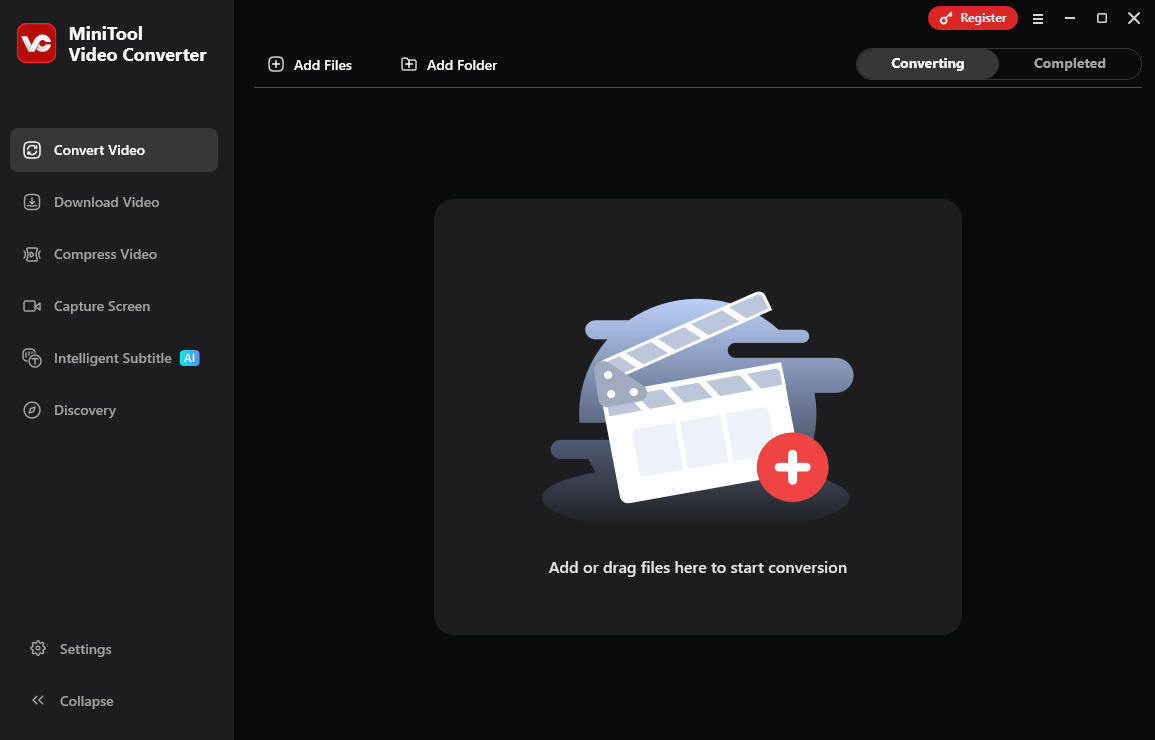
The last alternative to EzMP3 is MiniTool Video Converter. It is a free offline video and audio downloader. Why do I want to recommend MiniTool Video Converter, although it is a Windows-based application? Because it can meet all your needs that EzMP3 can’t meet, such as batch downloading, supporting multiple output formats, downloading subtitles, downloading videos from multiple platforms, and multiple functions etc.
For the YouTube platform, MiniTool Video Converter allows users to download long videos, music songs, podcasts, movies, and even Shorts in MP3, MP4, WebM, and WAV formats without any watermarks. Batching downloading files tasks is up to 10. More functions like video conversion and video compression are waiting for you to unlock!
MiniTool Video ConverterClick to Download100%Clean & Safe
Final Verdict
EzMP3 provides a convenient way to save YouTube videos in MP3 and MP4 formats, but its limitations may prompt users to explore better alternatives. Find the top 4 EzMP3 alternative tools mentioned in this article for a better downloading experience.