
More than Just a TikTok Downloader

Download videos from multiple platforms with MiniTool Video Converter!

Download videos from TikTok, Instagram, Facebook, and X
Download video playlist
Download audio
Download subtitles
Resolution
Format
Ease of use
Speed
Stability
Premium extras

Online Video Downloader

Up to 720p
MP4
Multi-step manual saving
Basic stability
None

MiniTool Video Converter

Up to 4K
Original format
One-click direct download
Rock-solid stability

Convert & Compress videos

Enhance & Transcribe videos

How to Download TikTok Videos Online?

Download Step 1: </br>Get TikTok Video Link

Step 1:
Get TikTok Video Link

Find the target video clip, click on the Share arrow, and choose the Copy option.
Download Step 2: </br>Input TikTok Video Link

Step 2:
Input TikTok Video Link

Type in the target TikTok video URL into the URL Input Field above. Next, start video parsing by clicking the Download button.
Download Step 3: </br>Choose Video to Save

Step 3:
Choose Video to Save

The detected videos will be displayed. Just pick a video format and click Download.

Note: If the target TikTok video plays itself other than be downloaded after clicking Download, you need to continue with the following steps:

  • For Windows, macOS, and Android, click the vertical three dots icon () in the player and click Download.
  • For iOS, click the horizontal three dots icon () or () at the bottom of the browser and select Save to Files or Download.

banner-img
Save TikTok videos in high quality by MiniTool Video Converter – TikTok video downloader no watermark!

Why Choose Our TikTok Online Video Downloader?

Reliable TikTok Video Saver

Reliable TikTok Video Saver

Our online TikTok downloader is highly trusted by users worldwide, helping them successfully download videos directly from TikTok.

TikTok MP4 Downloads

TikTok MP4 Downloads

Conduct TikTok link download to MP4 for wide compatibility. Besides, the HD quality of the saved video can satisfy most user needs.
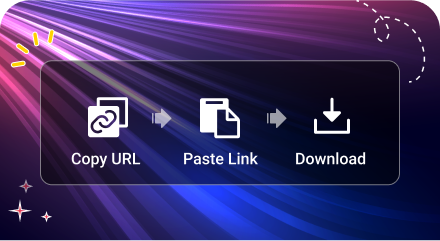
Easy Download Steps

Easy Download Steps

In only three steps, MiniTool free online TikTok video downloader can get your favorite TikTok videos offline. Then, just play them anywhere anytime you prefer.

Free TikTok Downloader No Watermark

Free TikTok Downloader No Watermark

Our online TikTok video downloader is complete free. There is no hidden fee. Also, there is no watermark on the downloaded videos.
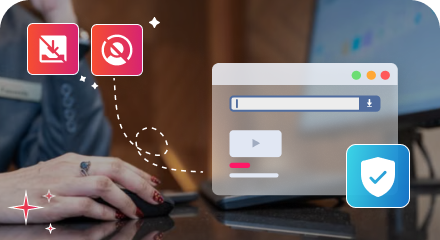
No Installation & No Login

No Installation & No Login

Our TikTok video download service requires no App download and installation. It also asks for no personal information for usage, which protects your privacy.
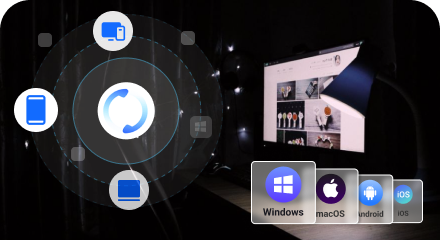
Flexible Compatibility

Flexible Compatibility

Easily access our services on Windows, macOS, Android, or iOS, no matter you are using a desktop, laptop, or smartphone.

Download TikTok Videos Online FAQ

  • Where to find the downloaded TikTok videos?

    Generally, the downloaded TikTok videos are located in your browser’s Downloads folder. On a computer, press Ctrl + J (for Windows) or Cmd + Option + L (for Mac) to view your browser’s download history. On a phone, check your Files app or Camera Roll.
  • Can I download TikTok video to watch offline?

    Yes, you can. TikTok itself allows you to save videos to your local devices. However, the saved videos have watermarks. To get TikTok videos without watermarks, you need a professional tool like our online TikTok video downloader.
  • Will the creator know if I save their video?

    No, he won’t. TikTok will not send a notification to the video owner if you download his video using our free TikTok video downloader online.
  • How to download a TikTok video that don’t have a save button?

    A TikTok video with the save button disabled by its creator can’t be downloaded officially. However, you can rely on third-party TikTok downloader like us to completed the task. With our watermark-free TikTok video downloader, you can quickly get your desired videos in only three steps.