

What’s CnvMP3
CnvMP3 is a free tool that allows you to download videos and audio into MP3 and MP4 formats, simply by copying and pasting a URL from a YouTube video. It supports audio quality up to 320kbps while video quality is up to 1080p. Videos are supported for downloading up to 180 minutes in length. With it, you can listen to songs and podcasts on your device offline, and where you can’t access YouTube.
Is CnvMP3 safe? Of course! There is no need for users to register or log in to convert YouTube videos. it also doesn’t have suspicious pop-ups or excessive ads.
What’s more, you can download YouTube Shorts, TikTok videos, Reddit videos & GIFs, Instagram Reels, Facebook videos, and Twitter clips, in addition to YouTube videos, using this free downloader.
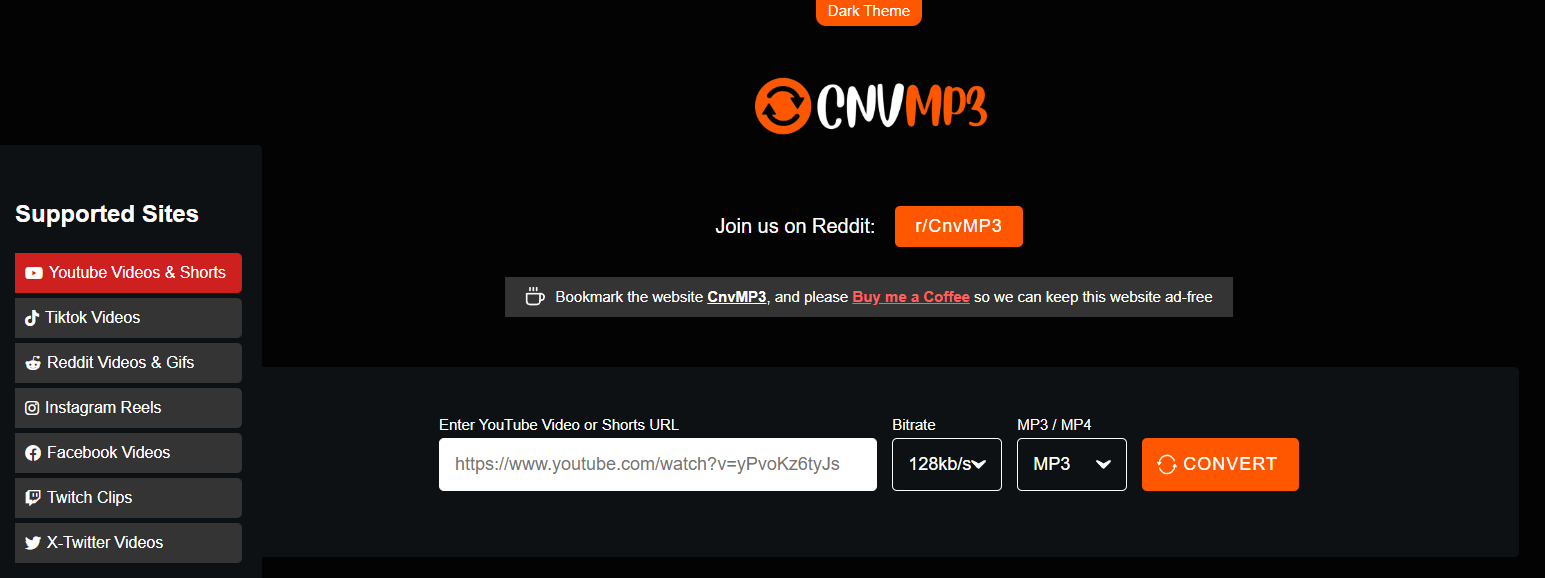
However, some users provided feedback on the official CnvMP3 community on Reddit that CnvMP3 failed to download videos, and they don’t know how to fix it. You can try the following solutions.
How to Fix CnvMP3 Failed to Download
Here are solutions for CnvMP3 not working.
Method 1. Use a VPN
CnvMP3 may not be available in all countries due to blocks. For example, I found a comment from Reddit that said: “Can’t use this in the UK, blocks me.” So, try to use a YouTube VPN to switch to another IP address for a supported region. Then, you can use CnvMP3 or watch YouTube without blocking. Here are some free and versatile VPN: PureVPN, VyprVPN, and Proton VPN.
Method 2. Try a Different Browser or Device
Trying a different browser or device can also be a great solution for the CnvMP3 error failed to download. If you are using Google Chrome to download videos from CnvMP3, switching from Chrome to Firefox or Safari immediately may help. Alternatively, try to open an incognito tab in Chrome or other browsers.
Method 3. Check the Link Again
Some users reflect that the CnvMP3 not working due to the link they used has expired. So, carefully copy the YouTube video link again from the address bar.
If the CnvMP3 is still not working for downloading videos from YouTube and other websites after you try all the solutions above, how about using a free CnvMP3 alternative? In addition, CnvMP3 can only convert one song at a time and download videos and audio in 2 formats.
Method 4. Use a Free CnvMP3 Alternative
To break these limitations above, using a more advanced download tool is better. Here, I recommend trying MiniTool Video Converter.
MiniTool Video Converter is a free and professional video downloader that not only supports the platform YouTube but also Facebook, Twitter, Instagram, and TikTok. Especially YouTube, this tool breaks the CnvMP3 limitation. MiniTool Video Converter can save multiple videos simultaneously and save a single video and music in MP4, MP3, WAV, and WebM formats.
Additionally, you can download video subtitles along with the video. Some more advanced features include video conversion, video compression, screen recording, and video-to-text conversion provided by MiniTool Video Converter.
Here’s the guide on how to use MiniTool Video Converter to download videos.
Step 1. Install and Launch MiniTool Video Converter
1. Click on the button below to download and install the latest version of MiniTool Video Converter and follow the on-screen instructions to install it.
MiniTool Video ConverterClick to Download100%Clean & Safe
2. Then, launch it.
Step 2. Get a YouTube Video Link
- Open your browser and visit the official website of YouTube.
- Find the video you want to download and copy the video link from the address bar.
Step 3. Analyze the YouTube Link
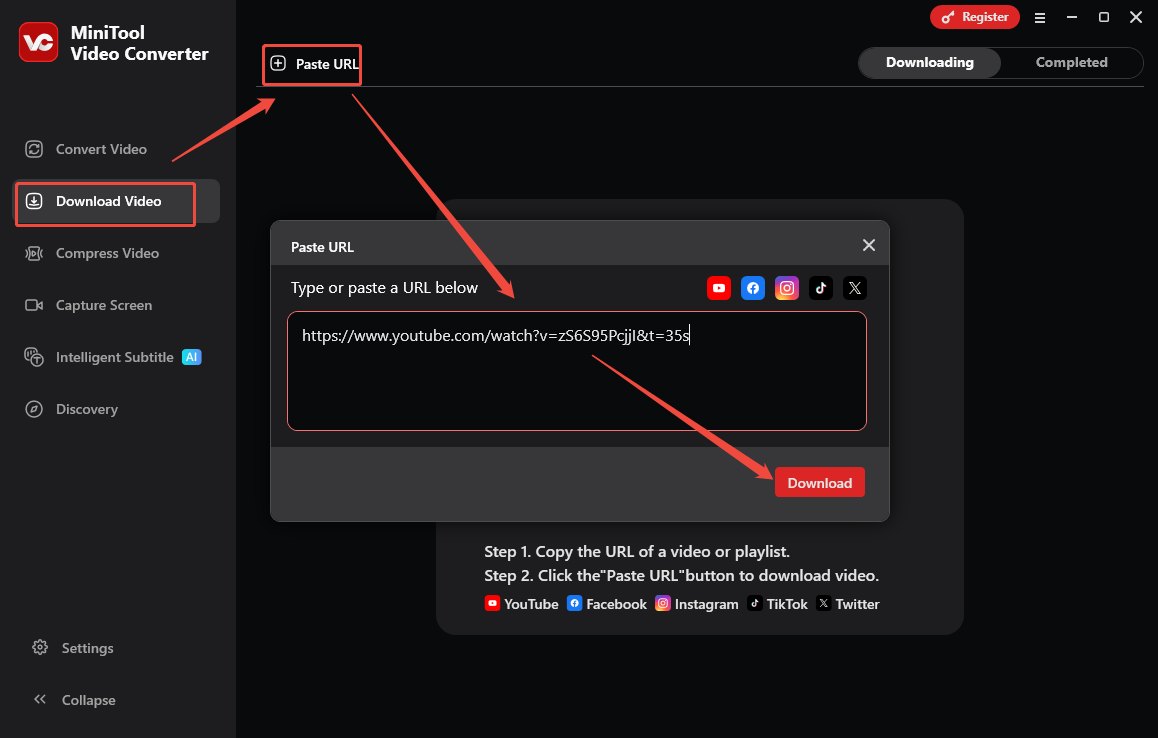
- In MiniTool Video Converter, switch to Download Video.
- Click on Paste URL, paste the copied video link into the given box, and click on Download.
Step 4. Download the YouTube Video
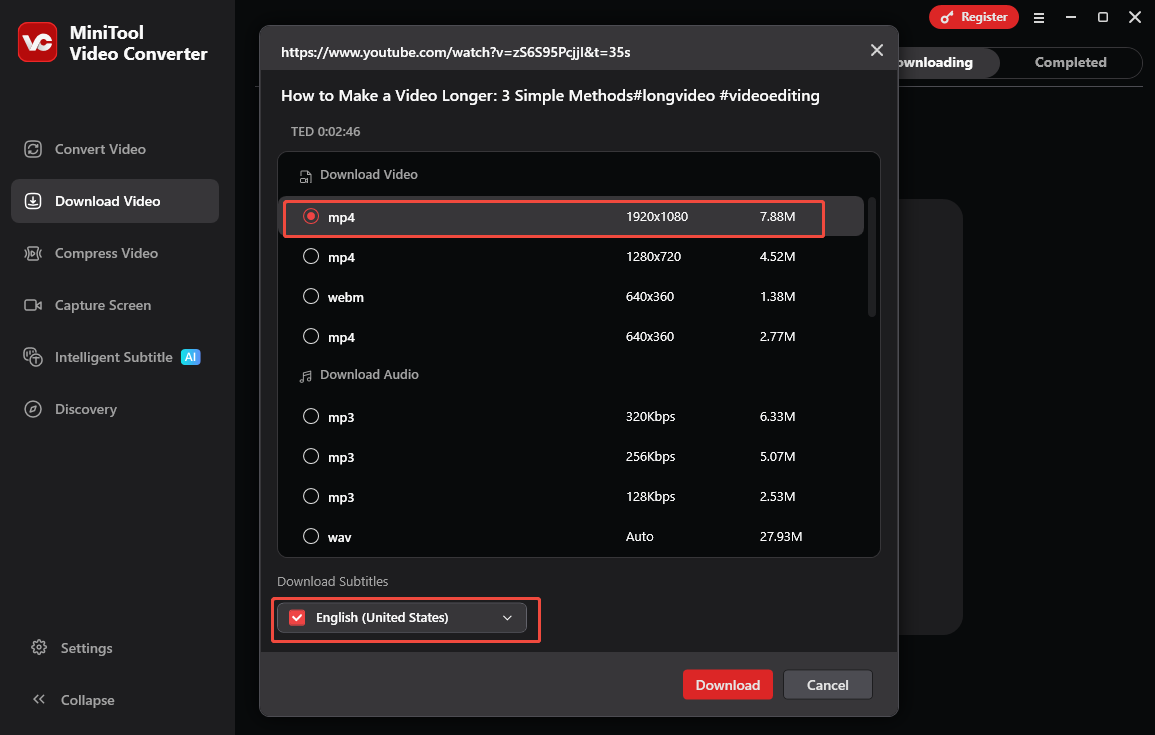
- In the pop-up window, choose an output format and resolution.
- Choose whether to download the video subtitles.
- Click on Download to initiate saving the YouTube video.
Step 5. Check the Downloaded YouTube Video
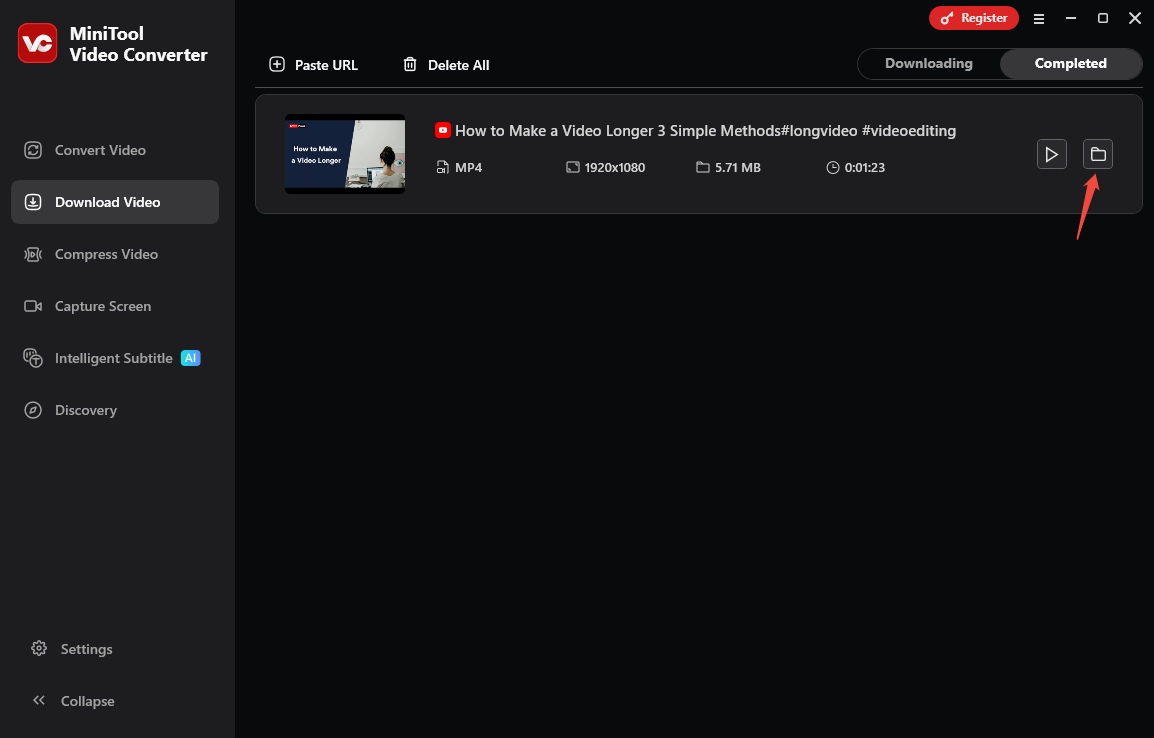
- When the download process ends, you will be taken to Completed from Downloading.
- Click on the folder icon to check the downloaded video’s place.
Wrap Things Up
For the issue of CnvMP3 failed to download, 4 troubleshooting solutions are outlined in this post, including using a VPN, changing the browser, checking the video link, and using an alternative. For those seeking a higher-quality, batch-capable, and more, MiniTool Video Converter is a reliable alternative.