

This article has provided 2 quick steps to convert YouTube to 3GP, including saving the YT videos with video downloaders and converting the YouTube videos to the 3GP format. The general steps to save the YT videos involve inputting the YouTube URL, selecting the output format, and starting the download process.
3GP is a container format that can store videos and audio files. It’s used on 3G mobile phones and some 2G/ 4G phones. Recently, I wanted to convert YouTube to 3GP for offline watching. Based on my investigation, I found that there isn’t a direct YouTube to 3GP converter. Fortunately, I have grasped another method. Next, I will share the detailed steps with you.
Step 1. How to Save YT Videos
- Input the YouTube URL.
- Select the output format.
- Save the YT video.
To convert YouTube to 3GP, it is necessary to save the YTB videos first. Here, I highly recommend MiniTool Video Converter (offline) and viddown.net (online).
Option 1. MiniTool Video Converter
MiniTool Video Converter is a watermark-free 4K YT downloader that enables you to save up to 10 YT videos simultaneously. Meanwhile, it supports other popular video platforms, including Facebook, TikTok, Instagram, and X. Since this tool features an intuitive interface, it is easy to use for beginners.
1. Get MiniTool Video Converter
 MiniTool Video Converter
-
 Download YT videos for offline playback.
 - Save Instagram Reels to watch privately.
- Get online TikTok clips for remake or combination.
- Download Facebook and X videos easily.

Download, install, and run MiniTool Video Converter.
2. Analyze the YouTube Link
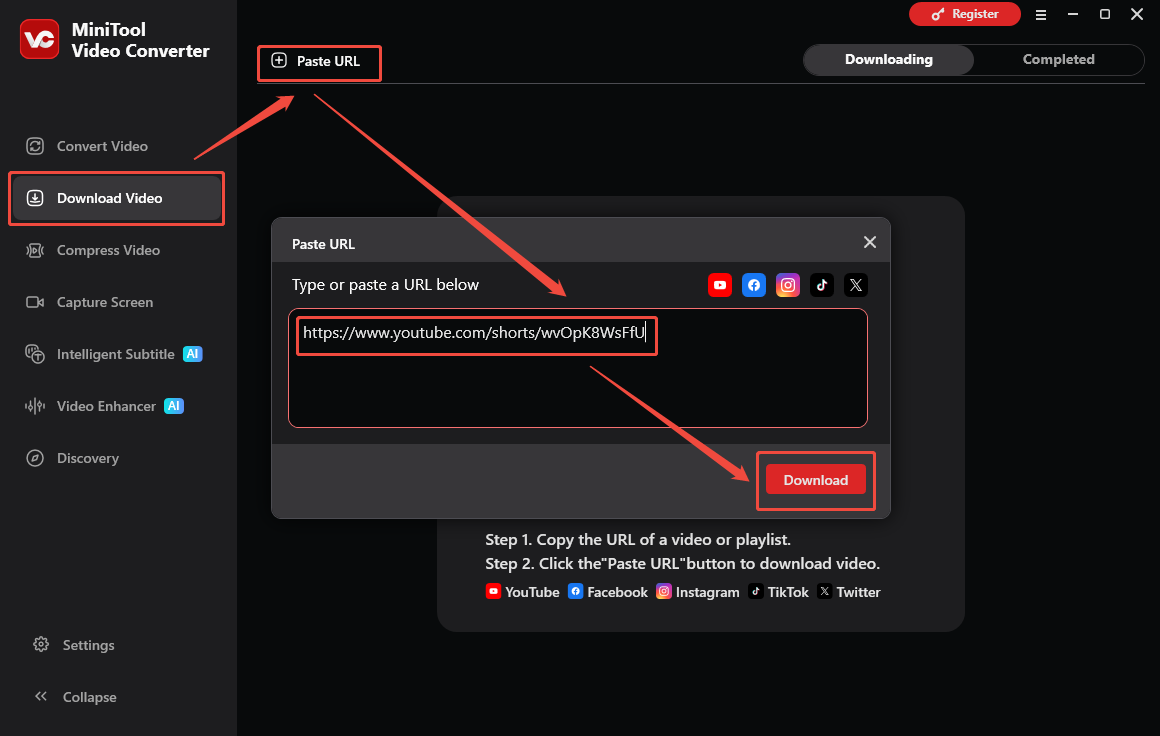
Go to YouTube and find the YTB video you want to save. Next, copy its URL. Go to the Download Video section of MiniTool Video Converter and click the upper-left Paste URL option and paste the YouTube link. Then click the Download option to begin the link analysis process.
3. Choose 3GP as the Output Format and Begin Download
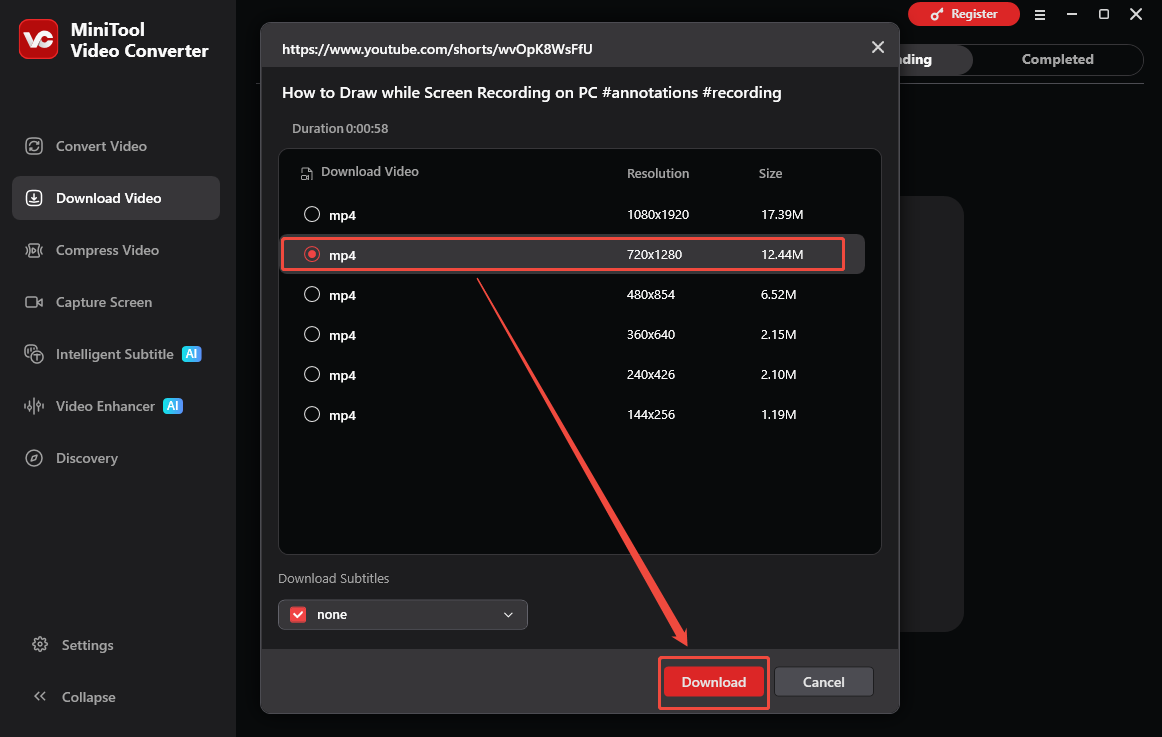
Select a desired output format in the output format window. Next, click the Download option to start the download process.
4. Check the Output Video
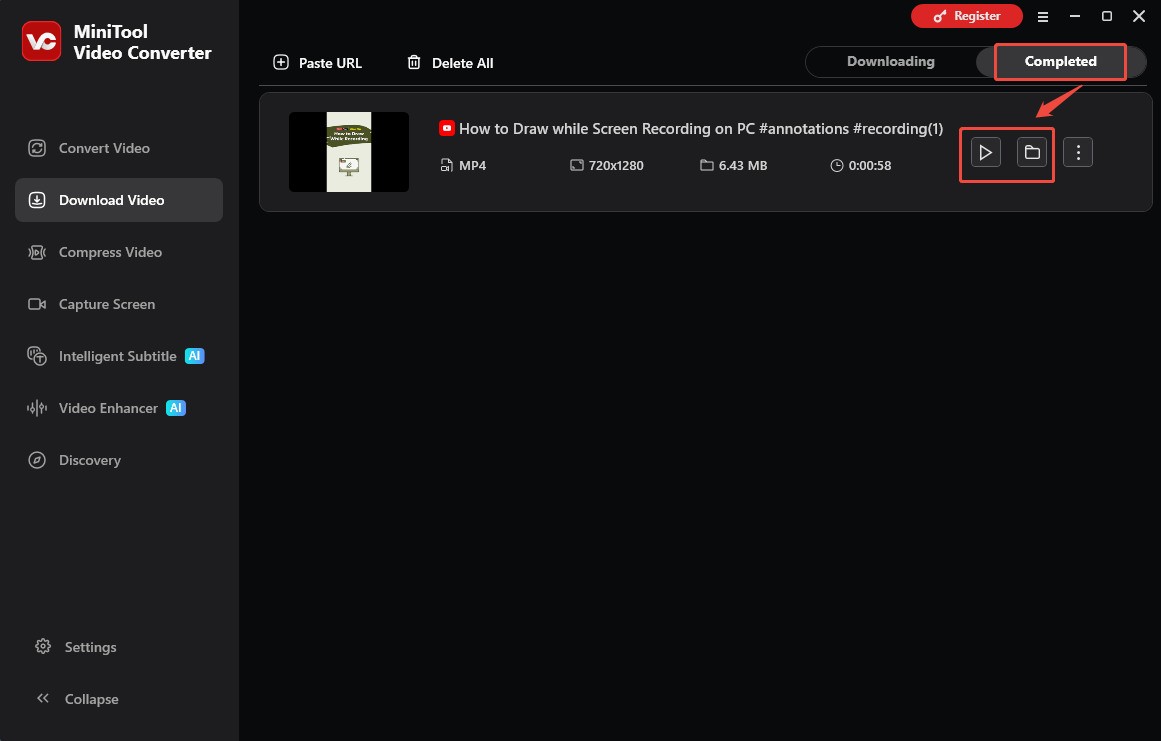
When the download process ends, this program will automatically switch to the Completed section. Then, click on the Play icon to view the output video. To locate the output video, just click on the Folder icon.
Now, you have learnt more about how to convert YouTube to 3GP.

Option 2 Viddown.net
The Online Video Downloader on viddown.net that doesn’t require any installation or payment is another great choice for you. This online tool is completely watermark-free and is 100% safe to use. If you want to convert YouTube to 3GP across different operating systems, never miss viddown.net.
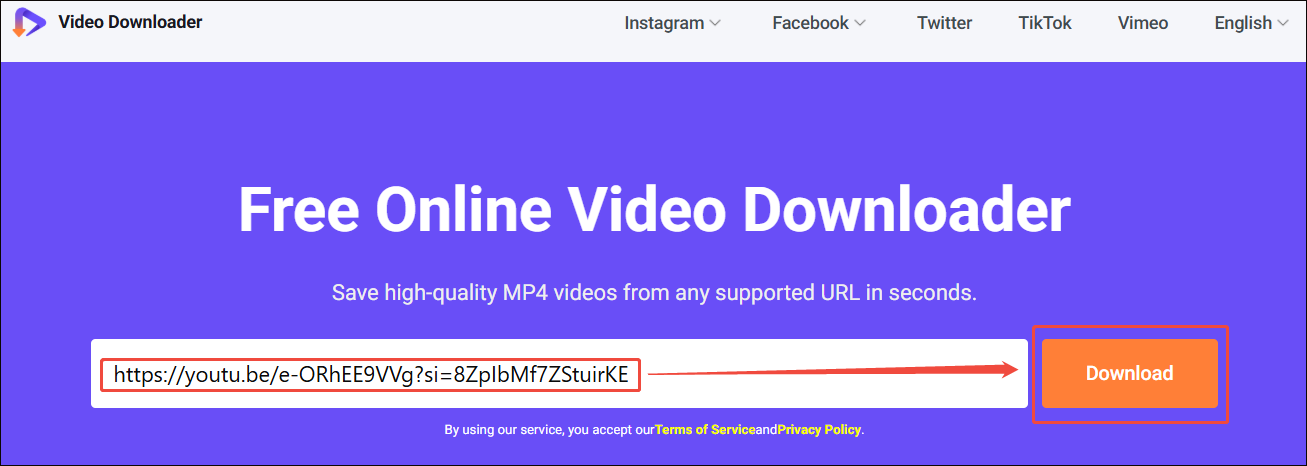
1. Copy YouTube URL
2. Analyze the YouTube URL
Go to https://www.viddown.net/. Paste the YouTube link into the URL box. Then, click on the Download option to analyze the YouTube URL.
3. Select Output Format and Start Download
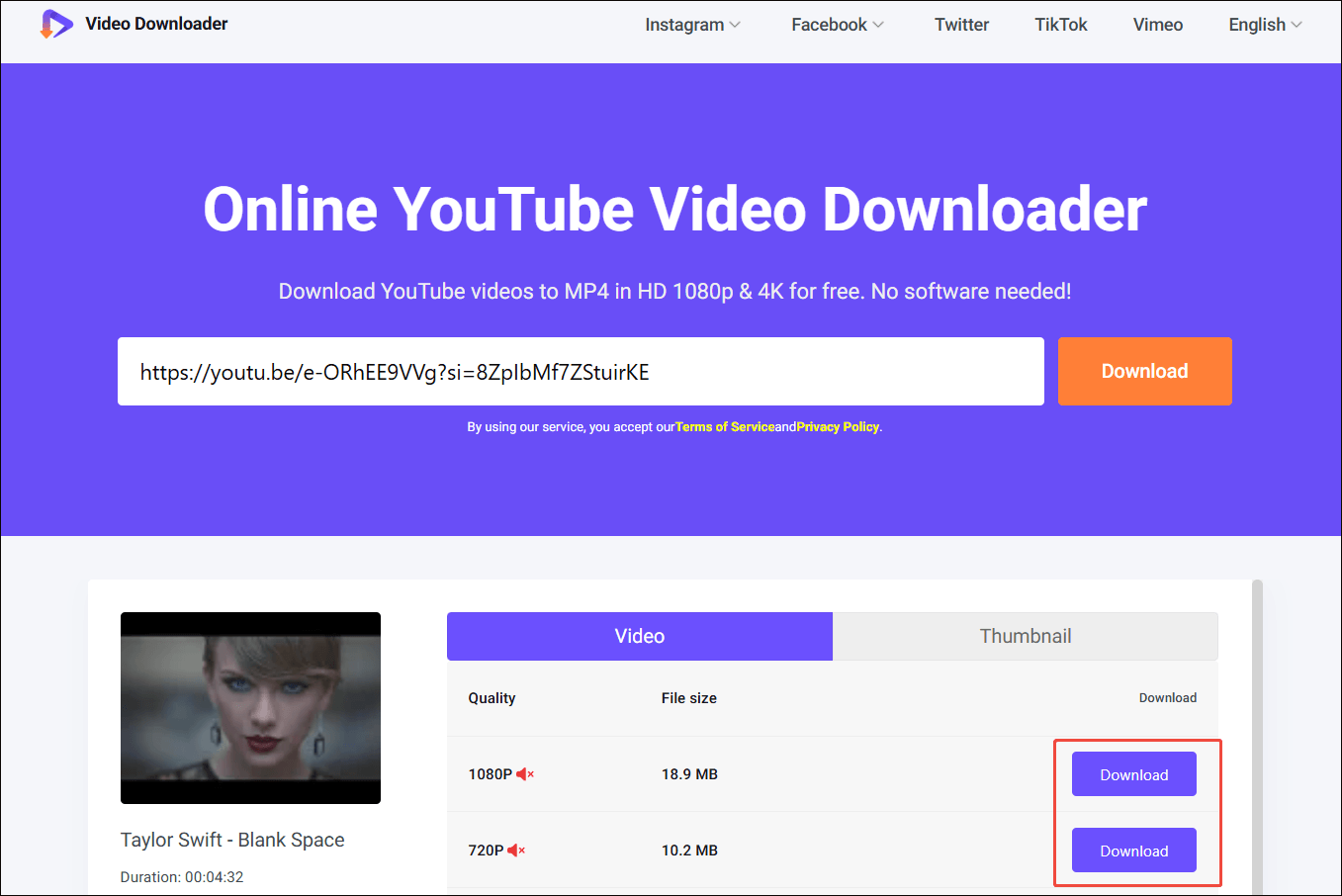
After selecting the desired resolution, click on the Download option to begin the download process.
4. Check the Output Video
When the download process completes, go to the Downloads section of the web browser to check the output video.
With viddown.net, it is a piece of cake to save YT videos online.
Step 2. How to Convert YouTube Videos to 3GP
- Import the YouTube Video.
- Set 3GP as the output format.
- Start the conversion process.
Now, it’s time to convert YouTube videos to 3GP. To accomplish the conversion task, MiniTool Video Converter, which serves as a great 3GP converter, can still help. It enables you to convert up to 5 YouTube videos to 3GP at the same time.
1. Import the YouTube Video
MiniTool Video ConverterClick to Download100%Clean & Safe
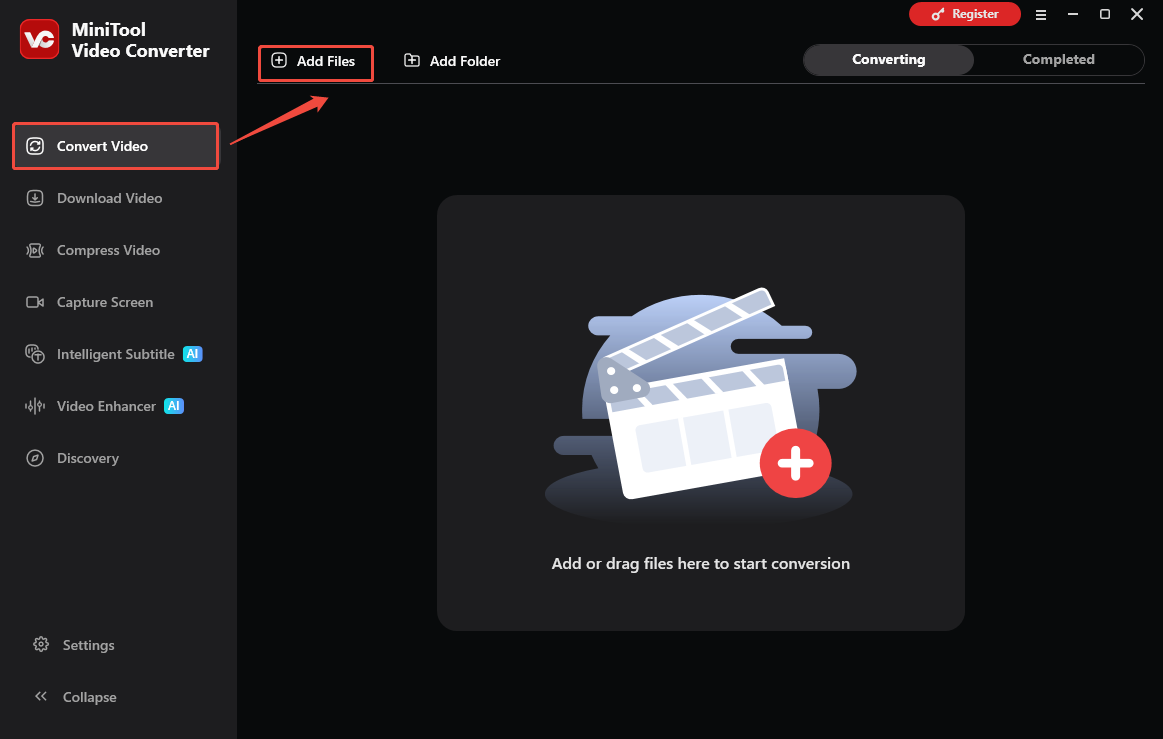
Run MiniTool Video Converter and go to the Convert Video section. There, click on the Add Files option to import the saved YT video.
2. Set 3GP as the Output Format
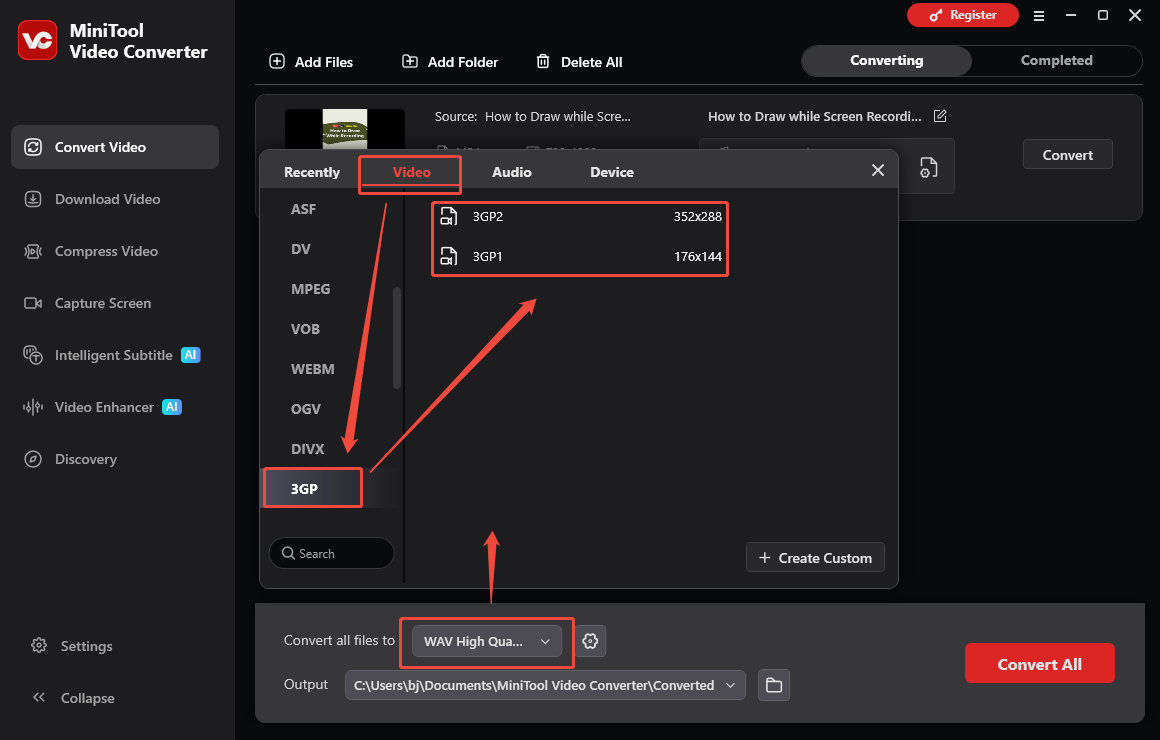
Expand the bottom Convert all files to option. There, navigate to the Video tab and click on 3GP. Next, select the desired resolution.
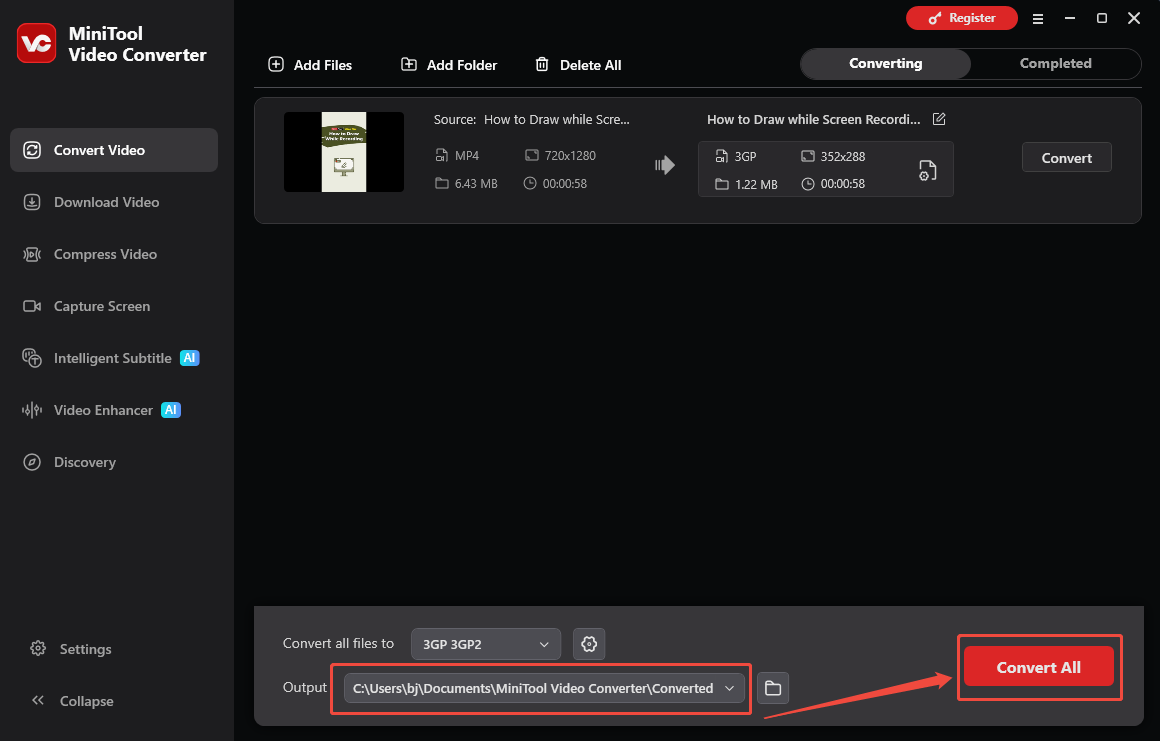
3. Choose an Output Folder and Start Conversion
Expand the bottom Output option to set an output folder path for the converted file. Then, click on the Convert All option to start the conversion process.
4. Check the Output Video
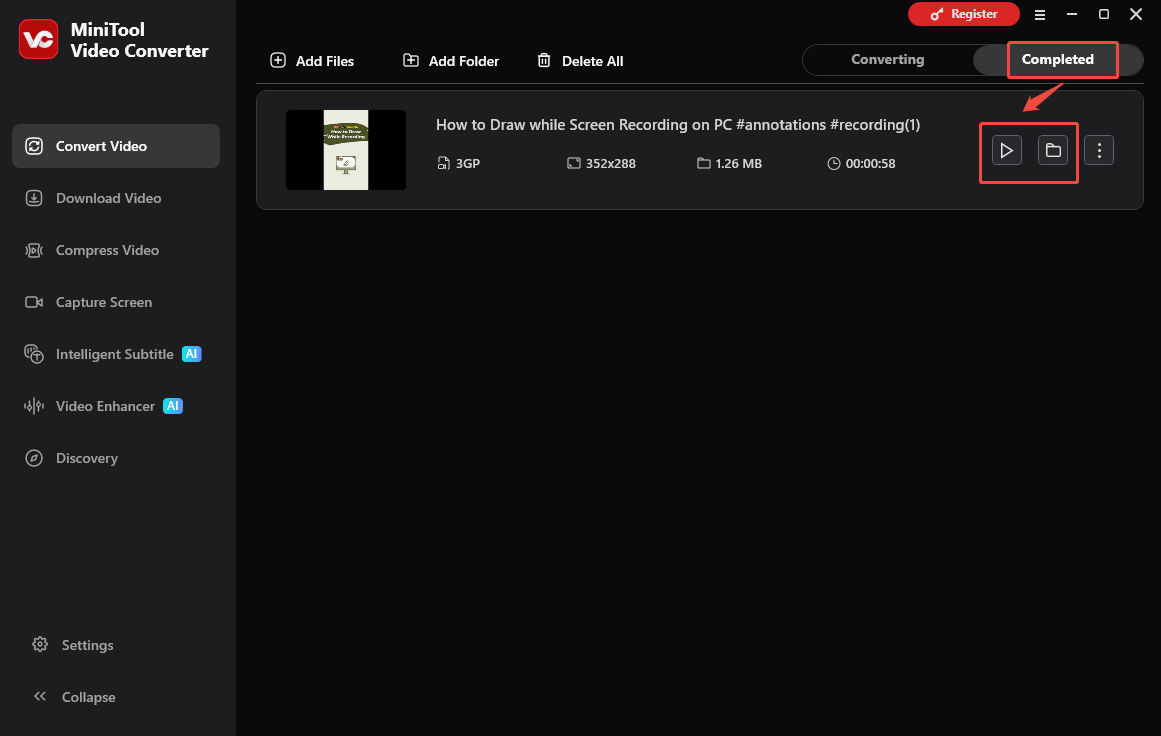
When the conversion process ends, this tool will automatically switch to the Completed section. To view the output video, click on the Play icon. Or click the Folder icon to locate the output file.
Wrapping Up
To convert YouTube to 3GP, save the YTB videos first. Then use a third-party converter to save the YT videos in the 3GP format. If you have any problems when using MiniTool Video Converter, just send an email to support@minitool.com for further assistance.