

As a loyal YouTube user, I frequently watch its TV shows, podcasts, movies, and other content. I've found that the background audio in some of these videos is perfect for offline listening in my spare time. Therefore, I've searched for and compiled a list of 5 YouTube audio converters to help me easily extract audio from YouTube videos:
- MiniTool Video Converter
- ClipGrab
- YTD Video Downloader
- SnapDownloader
- Viddown.net
These five tools encompass both desktop and online options, each possessing its own unique characteristics.
![7 Powerful YouTube Audio Downloaders for You [2026 Update]](https://images.minitool.com/youtubedownload.minitool.com/images/uploads/2023/07/youtube-audio-downloader-thumbnail.jpg)
#1 MiniTool Video Converter
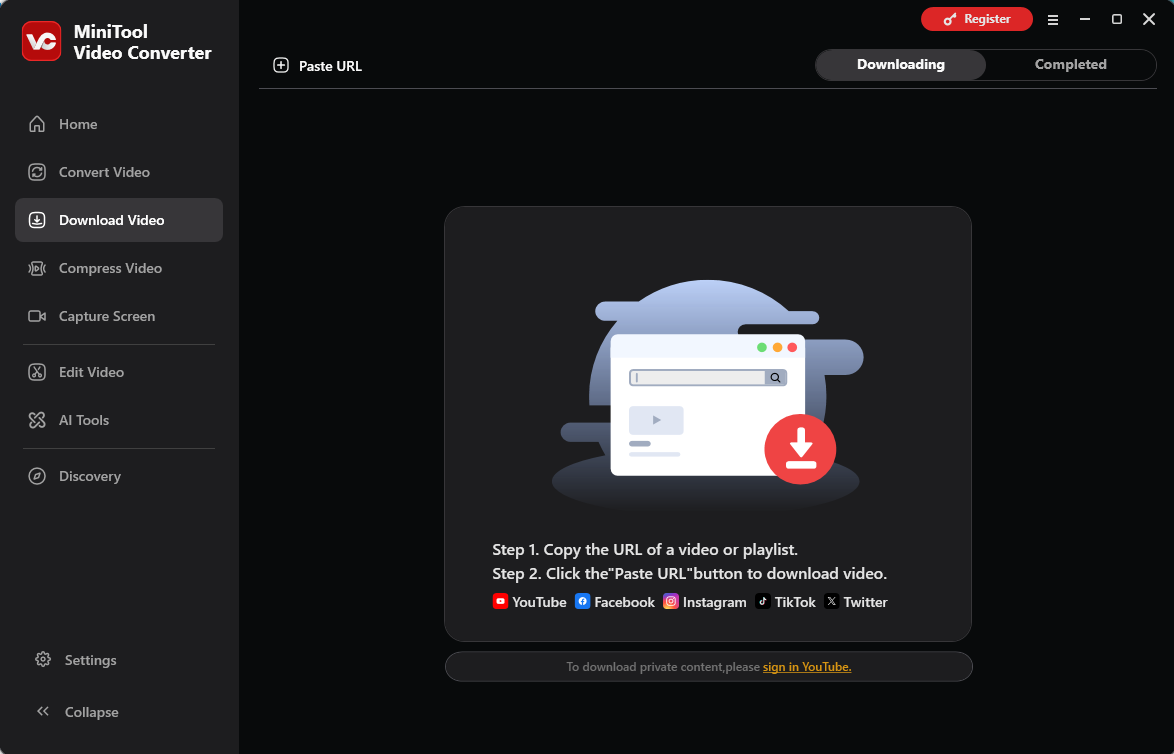
MiniTool Video Converter is a Windows-based tool YT audio downloader. I chose this tool because it not only saves YT audio and video but also supports batch processing of up to 10 tasks at once. It also lets me save videos from platforms like Instagram, TikTok, Twitter, and Facebook.
What I appreciate most, however, is its ability to preserve the original audio quality. Moreover, MiniTool Video Converter significantly boosts productivity; for instance, I can complete the entire download process simply by using the link to a YouTube video.
Pros:
- Free, no bundle, no watermarks, and no ads
- Supports saving videos and audio from YT, Facebook, Twitter, TikTok, and Instagram
- Supports 4K video downloading
- Supports extracting subtitles from YT videos
- Provides batch audio/video downloading tasks
Cons:
- Only for Windows users
 MiniTool Video Converter
-
 Download YT videos for offline playback.
 - Save Instagram Reels to watch privately.
- Get online TikTok clips for remake or combination.
- Download Facebook and X videos easily.
#2 ClipGrab
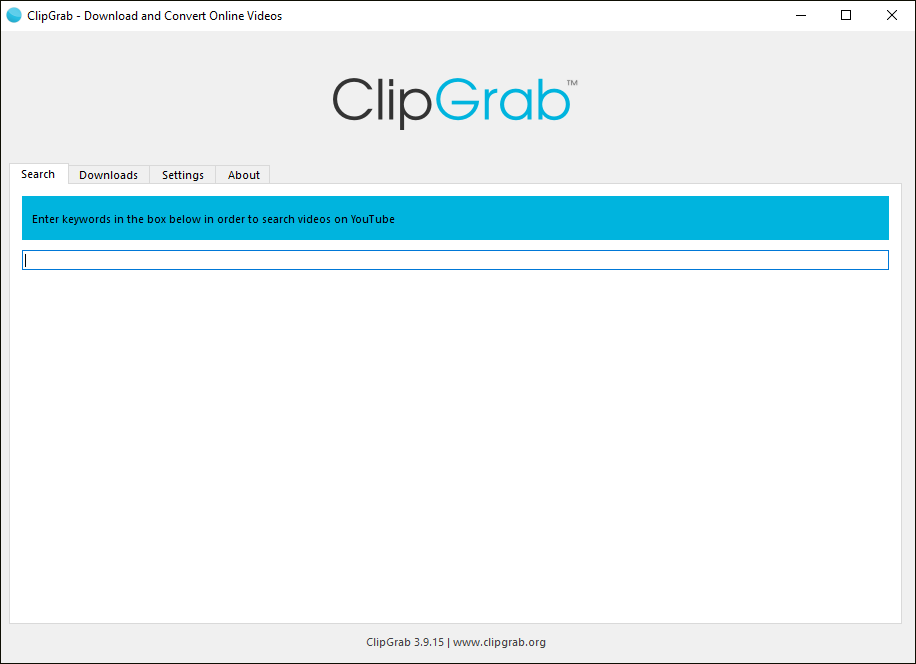
ClipGrab is another free YouTube audio converter. Compared to MiniTool Video Converter, it offers broader compatibility, supporting use across Windows, macOS, and Linux. The application allows me to download background music directly from YT videos via a link and save it in either MP3 or OGG format.
Furthermore, ClipGrab enables me to save videos from other platforms, such as Vimeo, Dailymotion, and Facebook. Perhaps its most notable feature, however, is the built-in search bar; I can search for relevant keywords directly within the software to find and download the audio or video content I want to save.
Pros:
- Completely free
- Supports saving YT audio in MP3 or OGG format
- Supports saving videos from YT, Vimeo, Facebook, Dailymotion, and more
- Supports downloading videos via links or by searching
Cons:
- Does not support batch downloading
- Does not support extracting subtitles from YT videos
#3 YTD Video Downloader
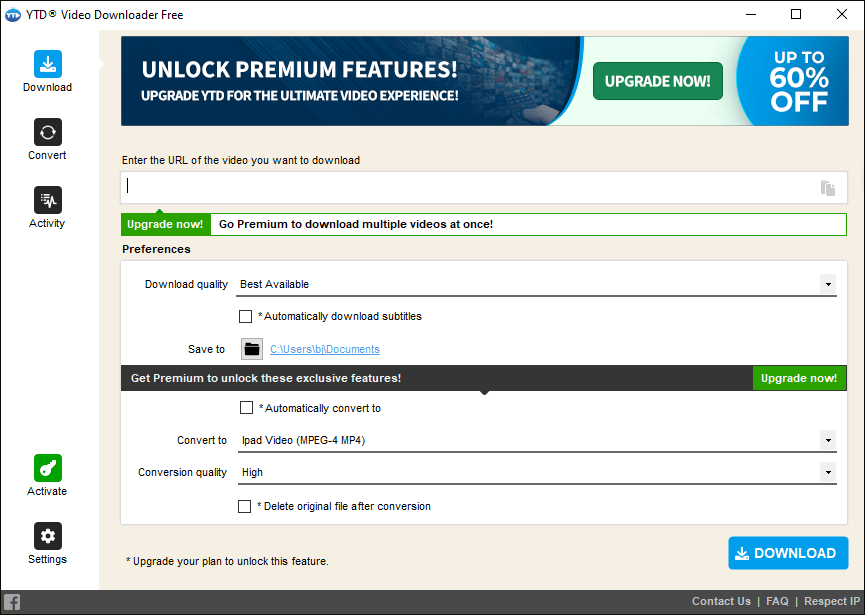
YTD Video Downloader is a tool specifically designed for saving audio and video content from YT. As far as I am aware, it now supports downloading audio or video from over 50 different platforms. One reason to choose this tool is its straightforward interface, which allows new users to get started quickly.
Furthermore, the application offers a range of video quality options, including 1080p, 4K, and 8K. In my view, its most convenient feature is the ability to select file formats tailored to specific devices when downloading audio or video. However, the free version of YTD Video Downloader imposes limitations on both download speeds and the number of download tasks.
Pros:
- Supports saving audio or video from over 50 platforms.
- Supports 4K and 8K video downloading
- Provides resume and retry features
- Supports multiple formats, such as MP3, MP4, AVI, WMV, and more.
Cons:
- It’s not completely free
- The free version has limits on download tasks and download speeds.
#4 SnapDownloader
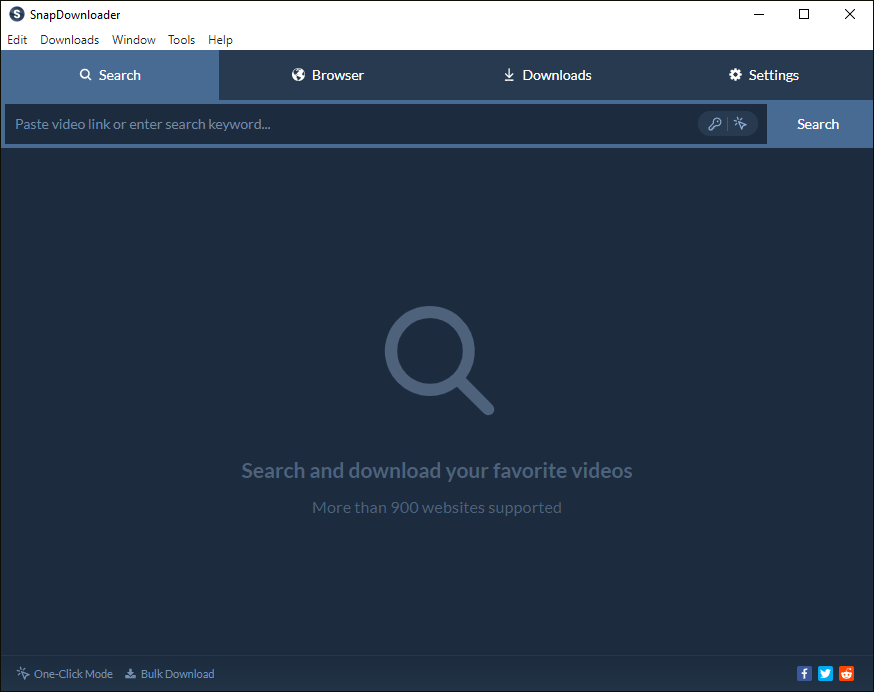
Unlike the first three options, SnapDownloader is a paid YouTube to MP3 converter; it offers only a 48-hour free trial, though I believe its features are well worth the cost. This tool allows me to save YT audio in a variety of formats, including MP3, M4A, AAC, WAV, and FLAC. Furthermore, SnapDownloader currently supports saving audio and video from over 900 different platforms.
Moreover, the application’s batch-downloading capability is highly robust, enabling users to save the entire contents of a YT playlist or channel via a single link.
Pros:
- No bundle and no ads
- Supports saving YT audio in multiple formats
- Supports saving audio and video from over 900 platforms
- Supports extracting subtitles from videos
Cons:
- It’s not free
- Only for Windows and macOS users
#5 viddown.net
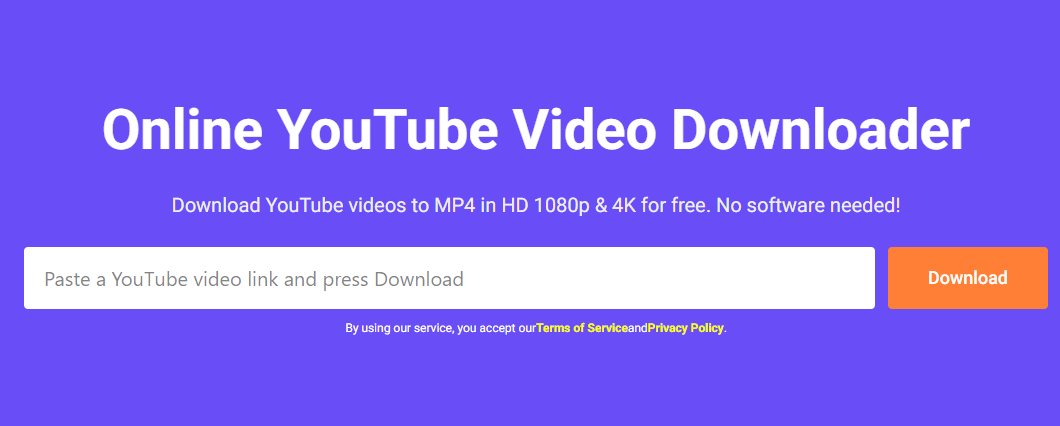
viddown.net is a YouTube audio converter online tool that I’ve found to be quite useful. It is a secure tool, and I can start using it immediately without needing to register or log in. Furthermore, this tool allows for the saving of YT audio and video content simply by using a link.
viddown.net also supports downloading videos from Facebook, TikTok, Twitter, Vimeo, and Instagram. It offers features not found in the other four tools I’ve looked at: it allows users to save YT thumbnails separately and provides options for downloading content in various resolutions.
Pros:
- Free to use with no registration required
- Offers HD, 2K, and 4K video quality when available
- Works across multiple browsers
- Supports saving YT audio in MP3 format
- Supports saving YT video thumbnail
Cons:
- Does not support extracting the video subtitles
Testing confirms that the 5 YouTube audio converters mentioned above can easily convert YouTube to MP3, AVI, AAC, and other audio formats. However, you should try them out yourself before deciding which one to choose.
How to Use the YouTube Audio Converter
All five tools mentioned above follow a similar operational workflow; in this section, we will use MiniTool Video Converter as an example to demonstrate how to convert YouTube videos into audio.
Fast Track Steps:
- Open the YouTube audio converter
- Paste the YouTube video link
- Analyze the video link
- Save the TY audio
- Check the downloaded YT audio
MiniTool uTube DownloaderClick to Download100%Clean & Safe
1. Click the button above to download and install MiniTool Video Converter.
2. Go to the YouTube website and find the video that needs to be converted to audio. Then, copy its link from the address bar.
3. Launch MiniTool Video Converter and navigate to the Download Video section. Then, click the Paste URL option. Next, paste the YouTube video URL into the box and click the Download button to analyze the link.
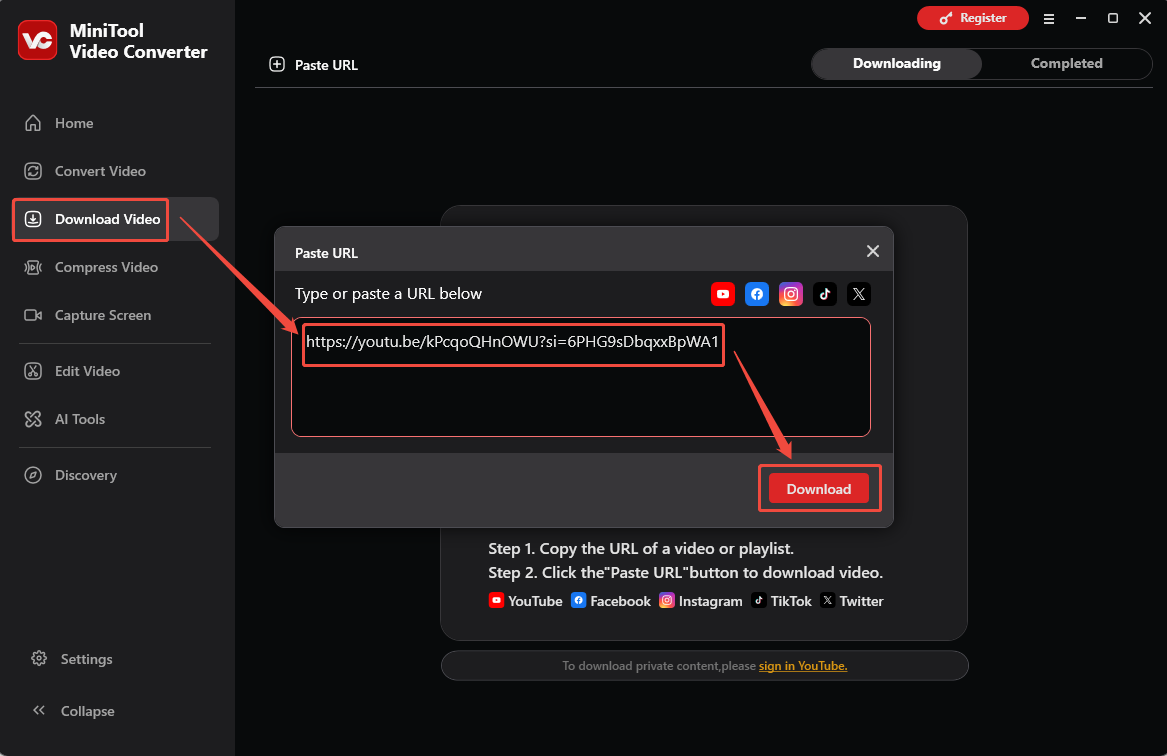
4. When a window pops up, choose a suitable audio format and bitrate for the YouTube audio. Then, click the Download button again to begin the downloading process.
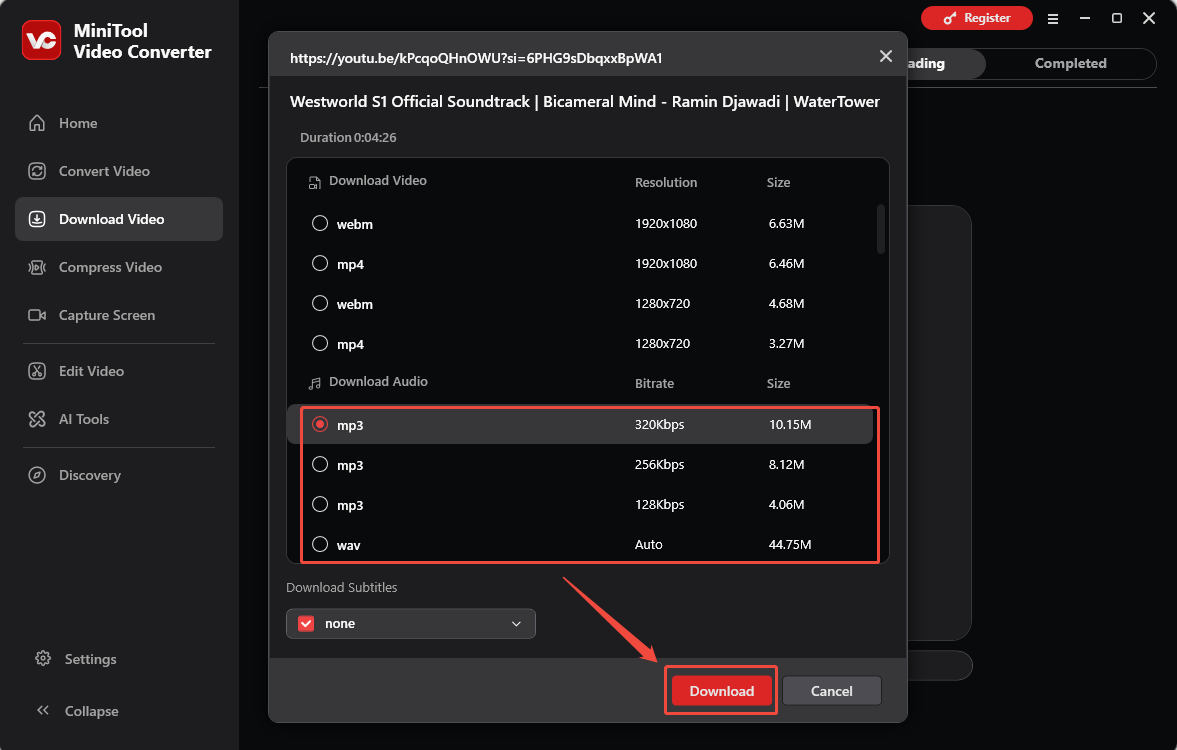
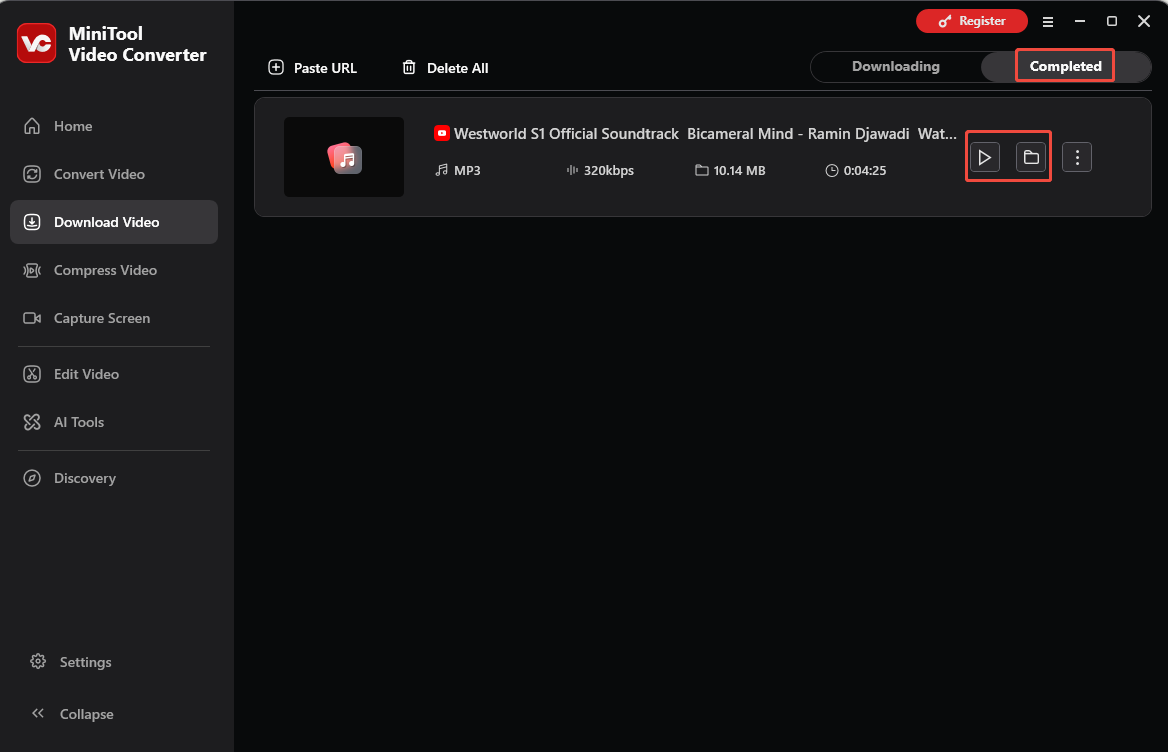
5. When the download ends, the tool will automatically switch to the Completed tab. Then, click the Play icon to listen to the downloaded YT audio or click the Folder icon to locate it on the computer.
Final Words
This article presents 5 YouTube audio converters. Each has its own unique features and can cater to a variety of YT audio downloading needs. You can compare their respective functions and drawbacks to choose the one that best suits you.
If you encounter problems while using MiniTool Video Converter, please send an email to support@minitool.com for assistance.
People Also Ask
About The Author

Position: Columnist
Jade is an experienced multimedia tech writer who has authored hundreds of guides on screen recording, video editing, and software troubleshooting. Dedicated to bridging the gap between complex technical concepts and user-friendly solutions, she specializes in providing clear, actionable advice.