

This article recommends 2 top-grade video downloaders to accomplish the story download, including an offline tool and Online Video Downloader. The general steps include inputting the Instagram URL, selecting the output format, and starting the download process.
I am a big fan of Instagram Story and have viewed a lot of interesting Instagram stories. However, when there is an internet connection issue, my happiness disappears. To enjoy the Instagram content without hassle, I consider downloading Instagram stories directly for offline watching.
I have used 2 tools to complete the Instagram download story, including MiniTool Video Converter and Online Video Converter. How did I finish the download step by step? Please read the content below to find out.
How to Complete the Instagram Story Download Offline
- Input the Instagram URL.
- Select the output format.
- Save the Instagram story.
MiniTool Video Converter is the first Instagram Story downloader that leaves me a deep impression.
What Is MiniTool Video Converter
MiniTool Video Converter is a video downloader that enables to save various Instagram videos without any watermarks. Meanwhile, it also supports other popular platforms like YouTube, Facebook, Twitter, and TikTok. All the videos can be saved in a high resolution. For example, I have used MiniTool Video Converter to save 4K YouTube videos for so many times.
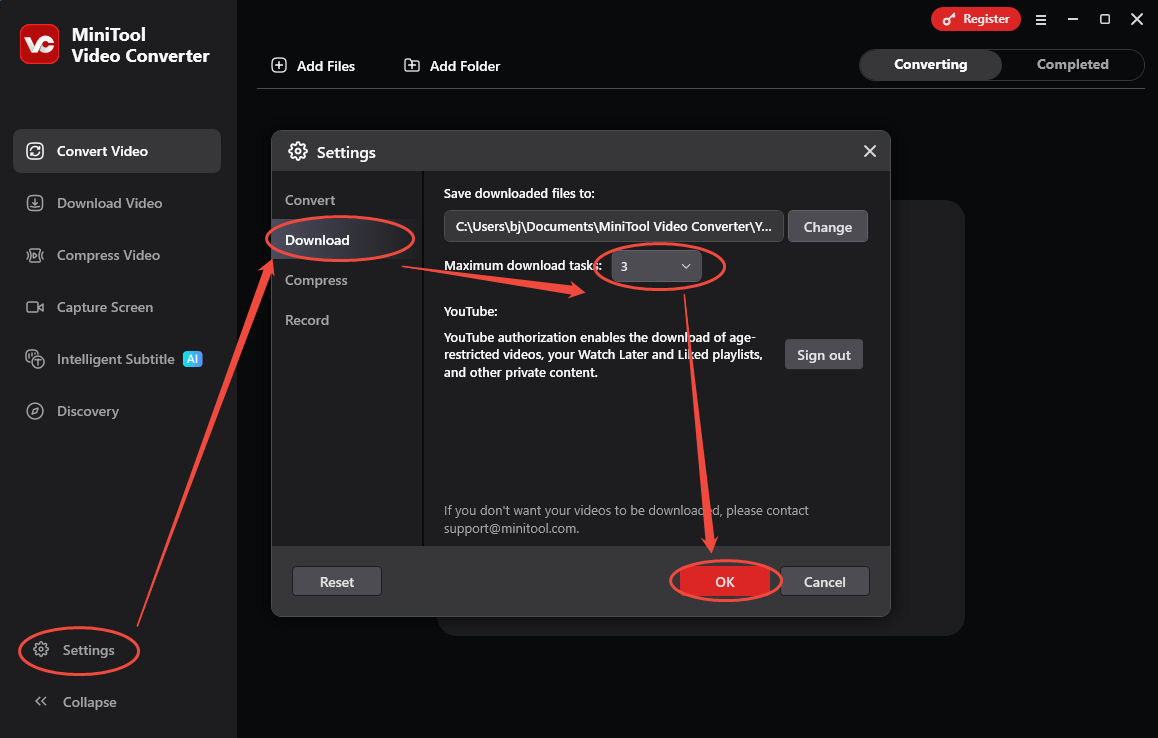
MiniTool Video Converter also supports batch download, allowing me to save up to 10 Instagram videos simultaneously. I really love its high download efficiency. One time, I just spent about 10 seconds downloading 3 Instagram videos without any interruption. Furthermore, MiniTool Video Converter features a well-organized interface, making it suitable for all novices.
How to save Instagram Stories with MiniTool Video Converter
Below is a step-by-step tutorial on how to download Instagram Story with MiniTool Video Converter.
Step 1. Download and install MiniTool Video Converter.
 MiniTool Video Converter
-
 Download YT videos for offline playback.
-
Save Instagram Reels to watch privately.
-
Get online TikTok clips for remake or combination.
-
Download Facebook and X videos easily.
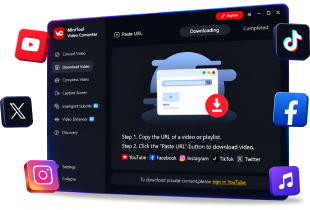
Download MiniTool Video Converter by clicking on the download button above. Then follow the on-screen instructions to install this software on the PC. Next, run MiniTool Video Converter.
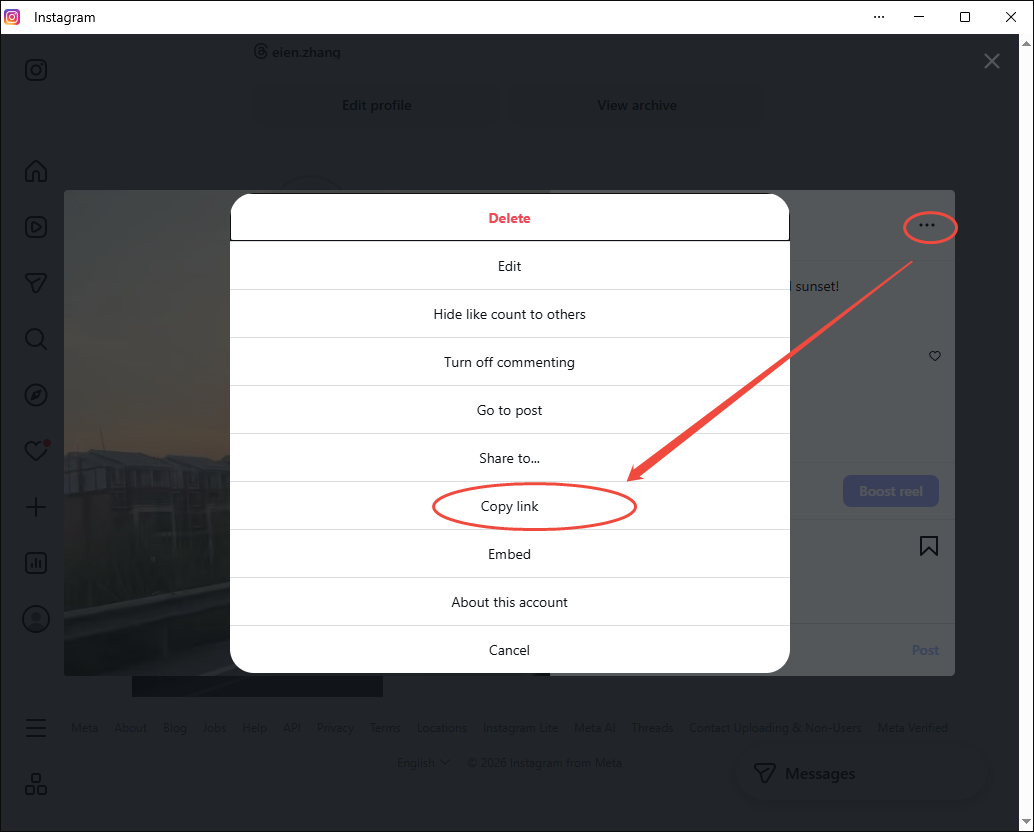
Step 2. Copy the link of the Instagram video.
Run Instagram and locate the target story. Then, click on the upper-right More icon and choose the Copy Link option to copy the Instagram story link.
Step 3. Analyze the video link.
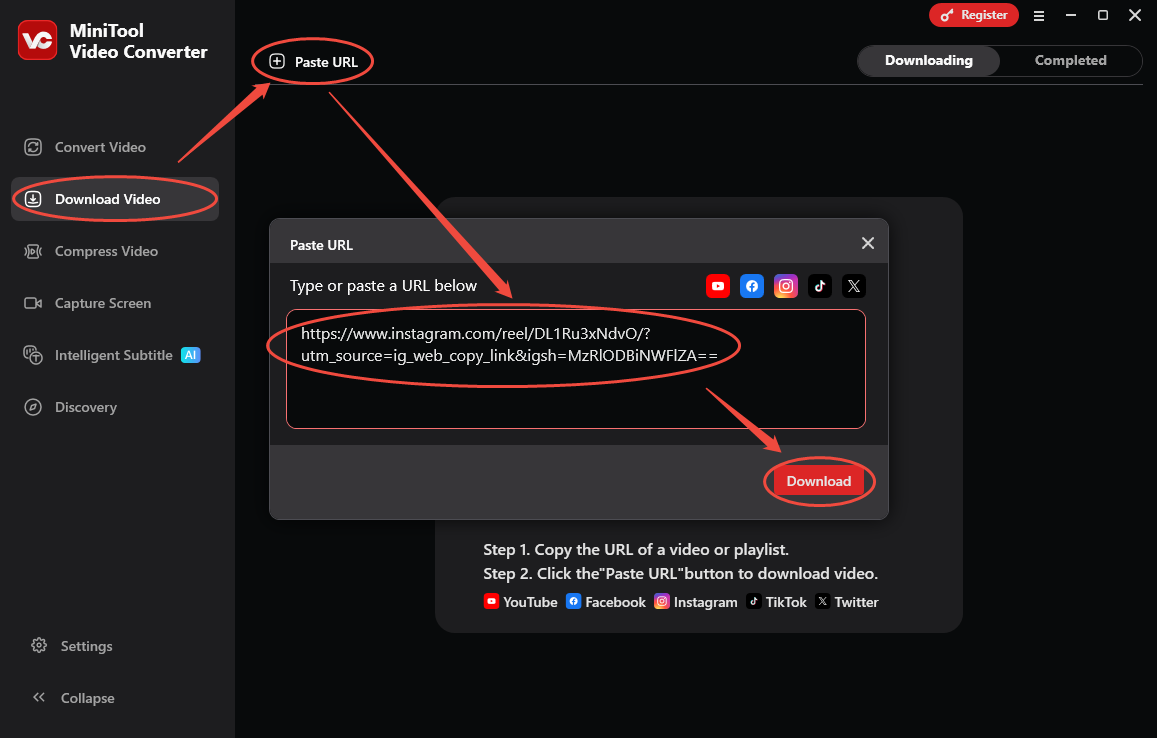
Redirect to the MiniTool Video Converter interface. There, switch to the Download Video section and click on the upper-left Paste URL option to open the URL box. Then, paste the link into the box and click on the Download option to begin the video link analysis process.
Step 4. Configure the output formats and begin the download.
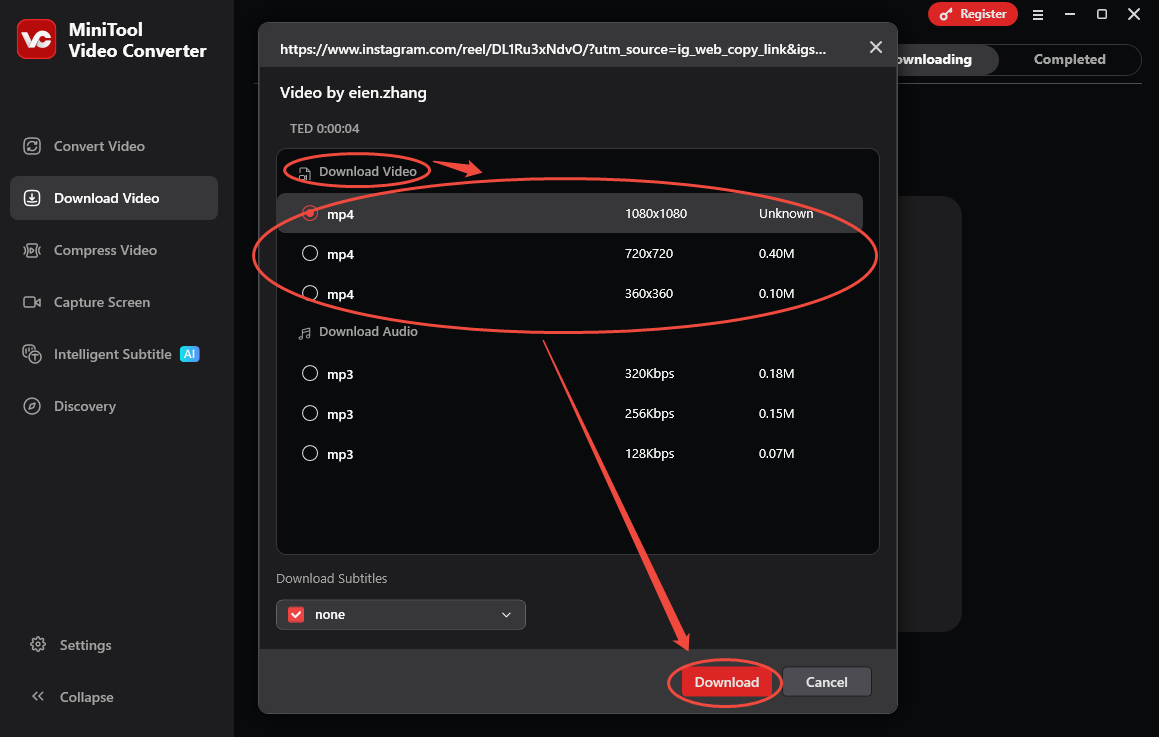
Once the video link analysis process ends, a pop-up output format window will appear. There, under the Download Video section, choose the format and resolution you want. Next, click on the Download option to start the download process.
Step 5. Check the output video.
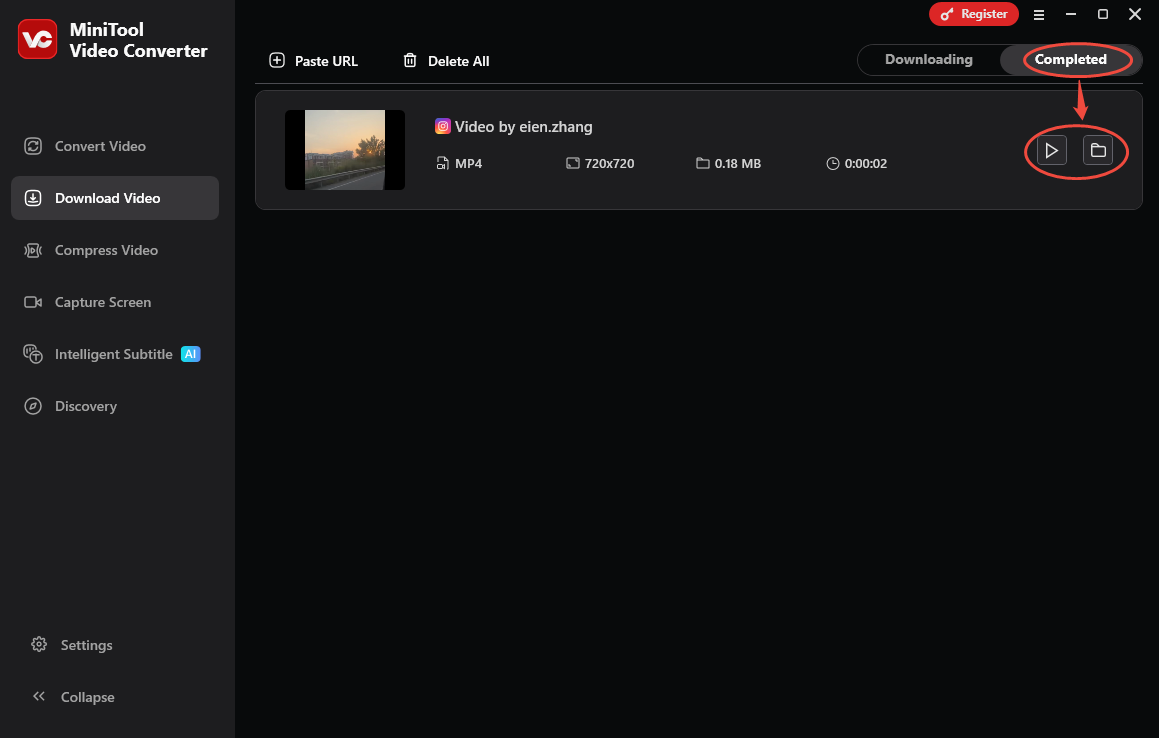
When the download process completes, this Instagram Story downloader will automatically switch to the Completed section. There, click on the Play icon to directly view the saved video. To locate the output video, click on the Folder icon.
With the above-detailed steps, it’s just a piece of cake to grasp how to download Instagram Story from link. MiniTool Video Converter also enables you to convert, compress, or transcribe Instagram stories.

How to Complete the Instagram Story Download Online
If you trust an online tool more, try Online Video Downloader.
What Makes Online Video Downloader Remarkable
With a 100% clean interface, Online Video Downloader supports multiple platforms. I have used this tool to save a wide range of watermark-free videos from Instagram, Facebook, Twitter, and TikTok without any payment. By the way, Online Video Downloader never sets a limit for the download times.
How to Get an Instagram Story Step by Step
Below is the detailed guidance on how to use Online Video Downloader to finish the download.
Step 1. Copy the Instagram video link.
Go to Instagram. Then, find the target video and copy its URL.
Step 2. Analyze the Instagram video link.
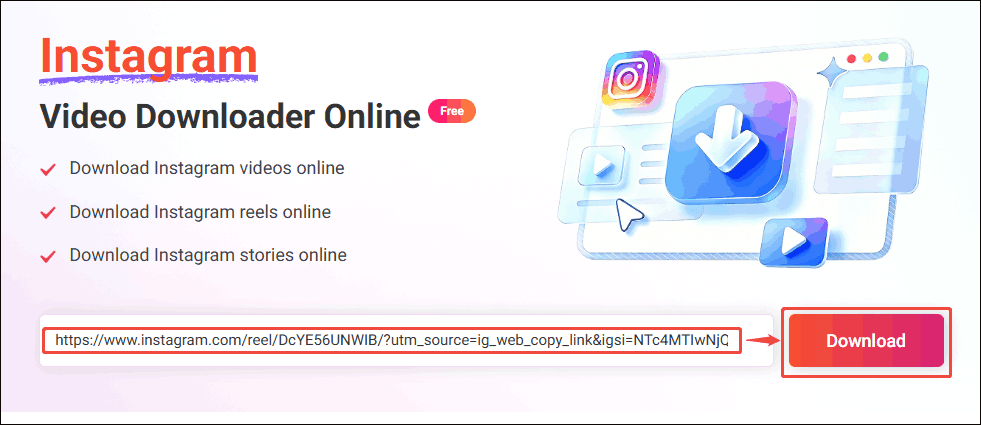
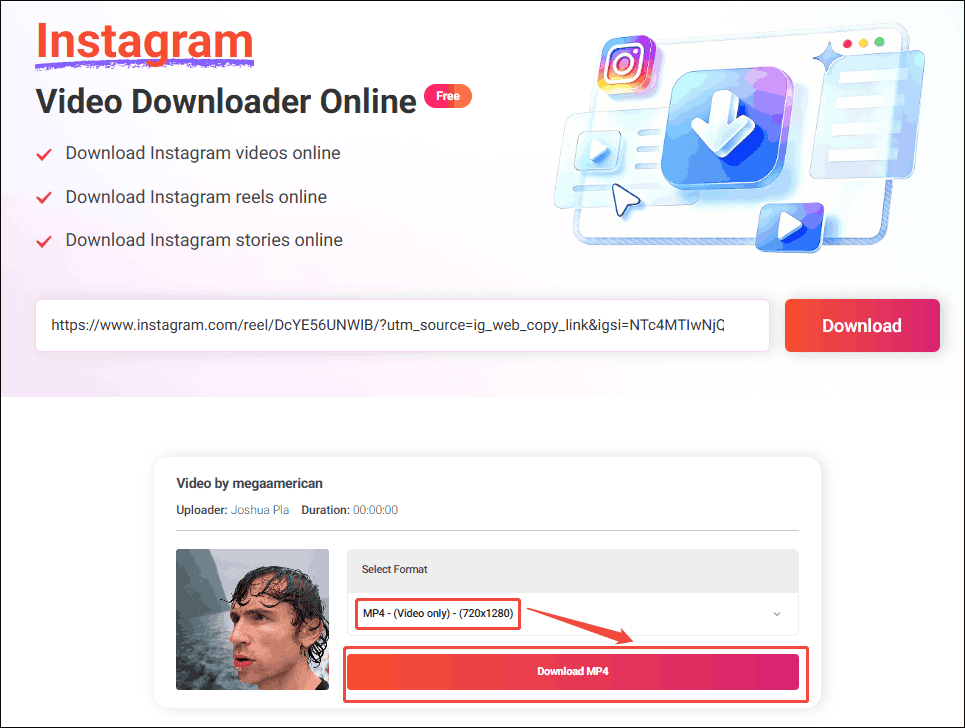
Open the web browser and go to the Online Instagram video downloader. Paste the video link into the text box and click on the Download option to analyze the video link.
Step 3. Configure the output format.
Once the link analysis completes, this online tool will switch to the page with an output format list. There, set the output format. Finally, click on the Download MP4 option to preview the video.
Step 4. Begin Download
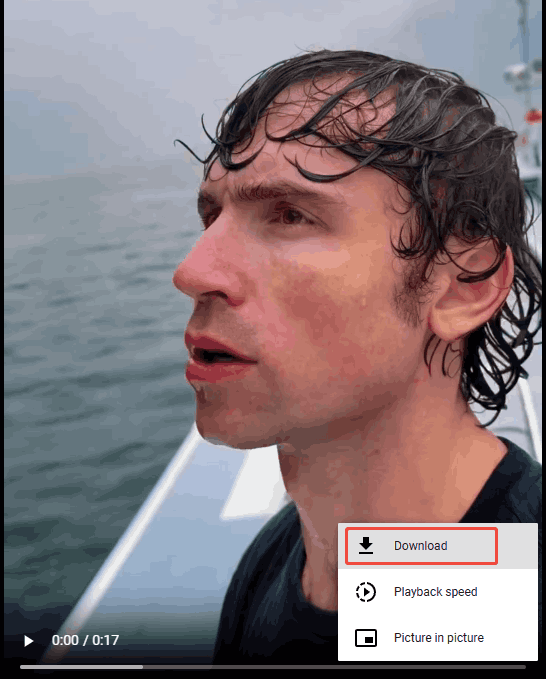
Click on the bottom-right More icon and select the Download option to begin the download process.
Step 5. Check the output video.
When the download process finishes, go to the Downloads section of the browser to check the output video.
As you can see, with Online Video Downloader, you can download stories from Instagram with simple clicks.
Final Thoughts
Which tool to choose for finishing the Instagram story download? Both MiniTool Video Converter and Online Video Downloader can help. If you are bothered by any problems when using MiniTool Video Converter, just send the problem description to support@minitool.com to ask for help.