

Y2Down is a free video downloader that supports multiple video platforms. This article answers the question “Is Y2Down safe?” while outlining two similar and even more advanced alternatives for you to choose, including viddown.net and MiniTool Video Converter.
What Is Y2Down
Y2Down is a free web-based video downloader for YouTube. Whether you want to save videos for offline watching or extract audio from videos for listening, this online tool can assist you a lot. It supports a variety of video and audio output formats, such as MP4, MP3, M4A, WebM, AAC, OGG, FLAC, WAV, etc., and allows you to download videos in high quality.
What’s more, Y2Down supports cross-platform use. Whether you are using Android, iPhone, Windows, macOS, or Linux, you can easily download your favorite videos through any modern web browser. Plus, Y2Down supports multiple services, in addition to YouTube, as well as Facebook, Dailymotion, Vimeo, Instagram, Twitter, etc. You can download unlimited videos as long as you have enough storage space.
Is Y2Down Safe
Y2Down features excellent compatibility and a versatile download function. Some people may ask: Is Y2Down safe to use? In this section, we’ll dive into the safety of Y2Down.
You can start downloading all the videos by visiting the official website, no account required, which means it does not collect personal information. Y2Down itself does not contain malware.
When I use ScamAdviser to evaluate the risk of its website, the trust score is 91 out of 100. All the information tells us Y2Down is safe to use. However, you should pay attention to the fact that there are some ads; it is recommended to use an ad blocker.
In short, Y2Down is currently safe to use, but since the website contains ads, it is advised that users avoid clicking on suspicious links when using it. It is also worth everyone to use if you want to download videos without Premium.
How to Download Videos with Y2Down
After knowing the safety of Y2Down, I believe you wonder how to use it to download your favorite videos from YouTube for free. Follow the 3 steps below.
Step 1. Go to Y2Down, Paste, and Analyze the YouTube Link
1. Open YouTube, locate the video you want to download, and copy the video link from the address bar.
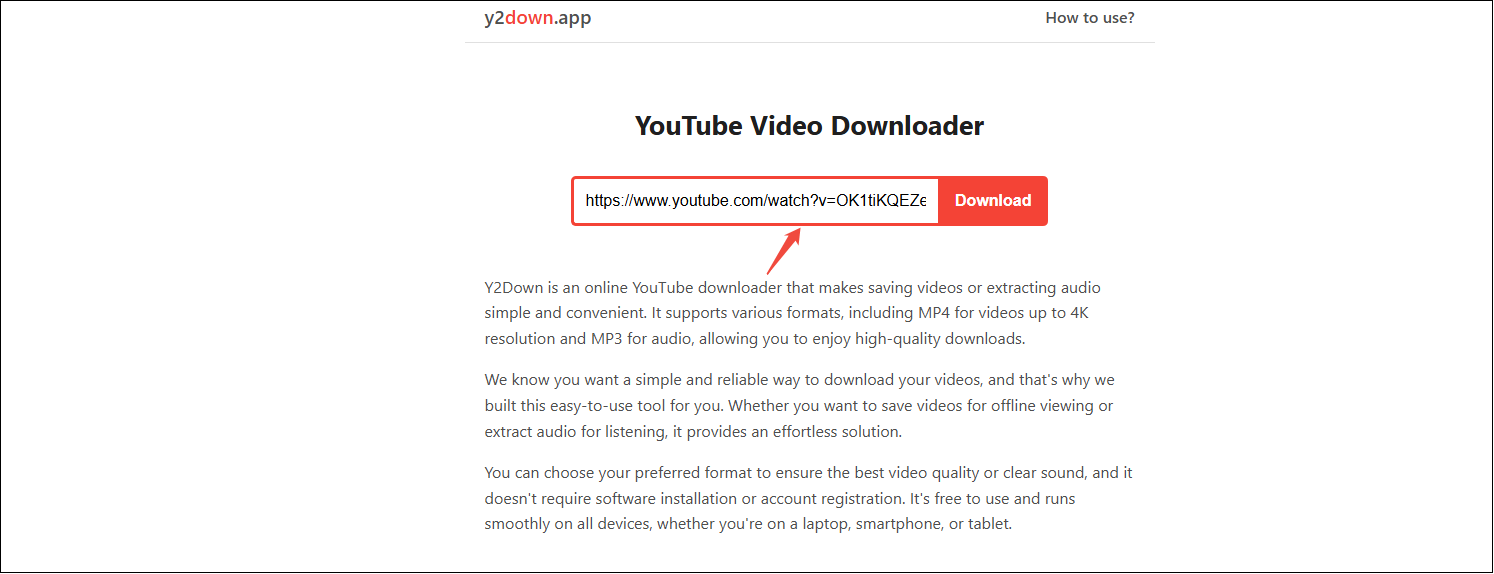
2. Visit https://en.y2down.app/, paste the link into the designated input field, and click on Download to analyze the link.
Step 2. Select the Format and Start Downloading
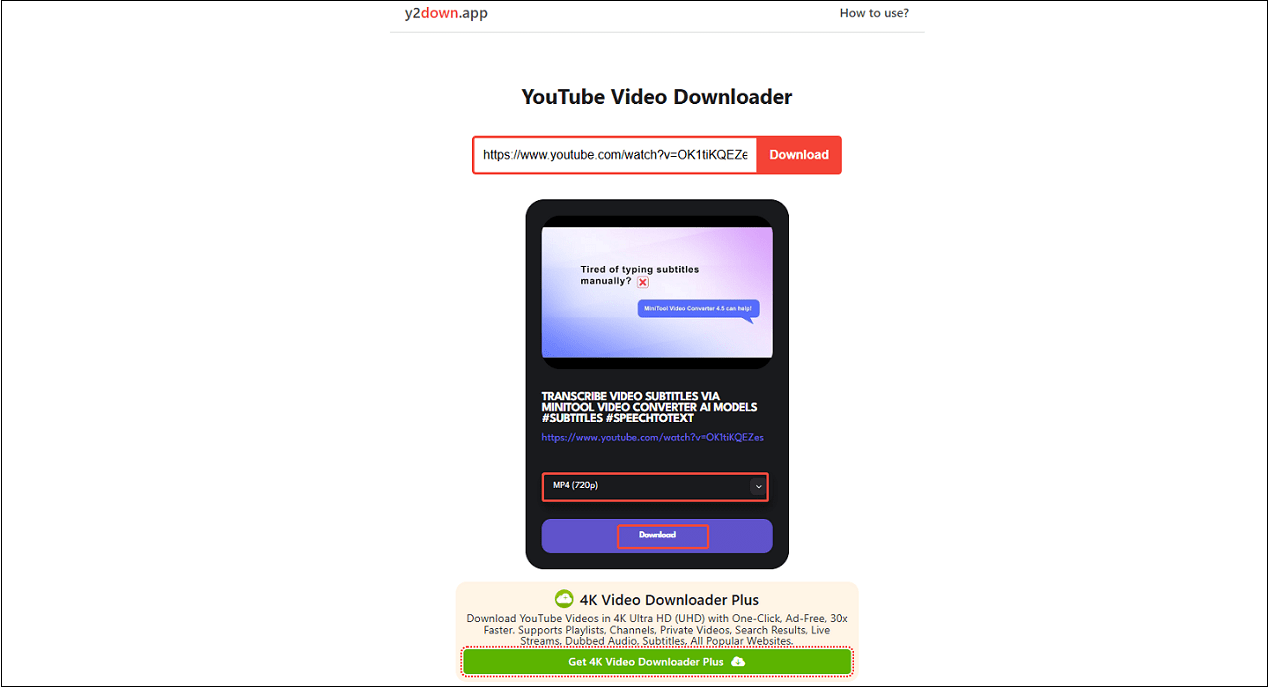
1. Select a preferred video or audio format from the drop-down menu.
2. Click on Download to start getting the video.
Step 3. Locate the Downloaded Video
The downloaded YouTube video will be saved in Downloads on your browser.
What Are the Best Y2Down Alternatives
When I use Y2Down to download videos from YouTube, there is an annoying thing that bothers me. Here are some pop-ups or redirects. If you think the same way I do, consider using more advanced and user-friendly Y2Down alternatives.
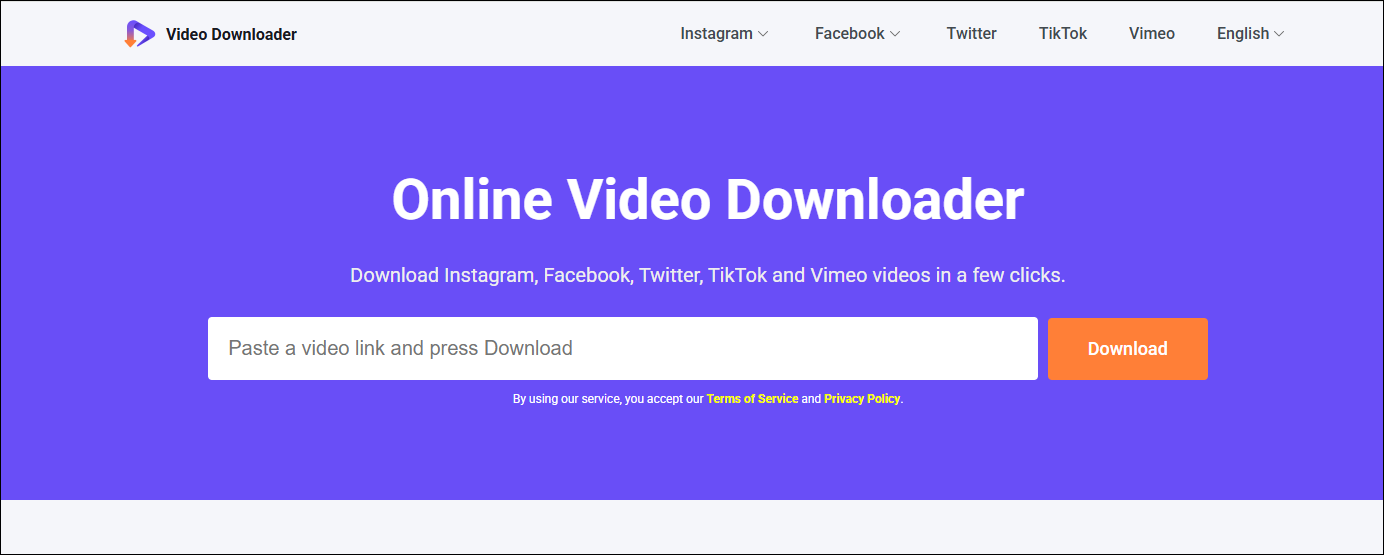
1. Online Video Downloader on viddown.net
Similar to Y2Down, viddown.net is also a free yet effective video downloader supporting YouTube, Facebook, Twitter, Instagram, Vimeo, and TikTok platforms. What makes me choose viddown.net rather than Y2Down is that viddown.net doesn’t contain any ads and redirects me to other websites. The clear interface enables me to save videos easily.
Additionally, there is no limit to the number of videos that can be saved. It is highly compatible and can run on most common browsers such as Google Chrome, Safari, Edge, Firefox, Opera, etc. One of the brilliant features of viddown.net is that you can download the YouTube thumbnail when you save the video in its original resolution.
2. MiniTool Video Converter
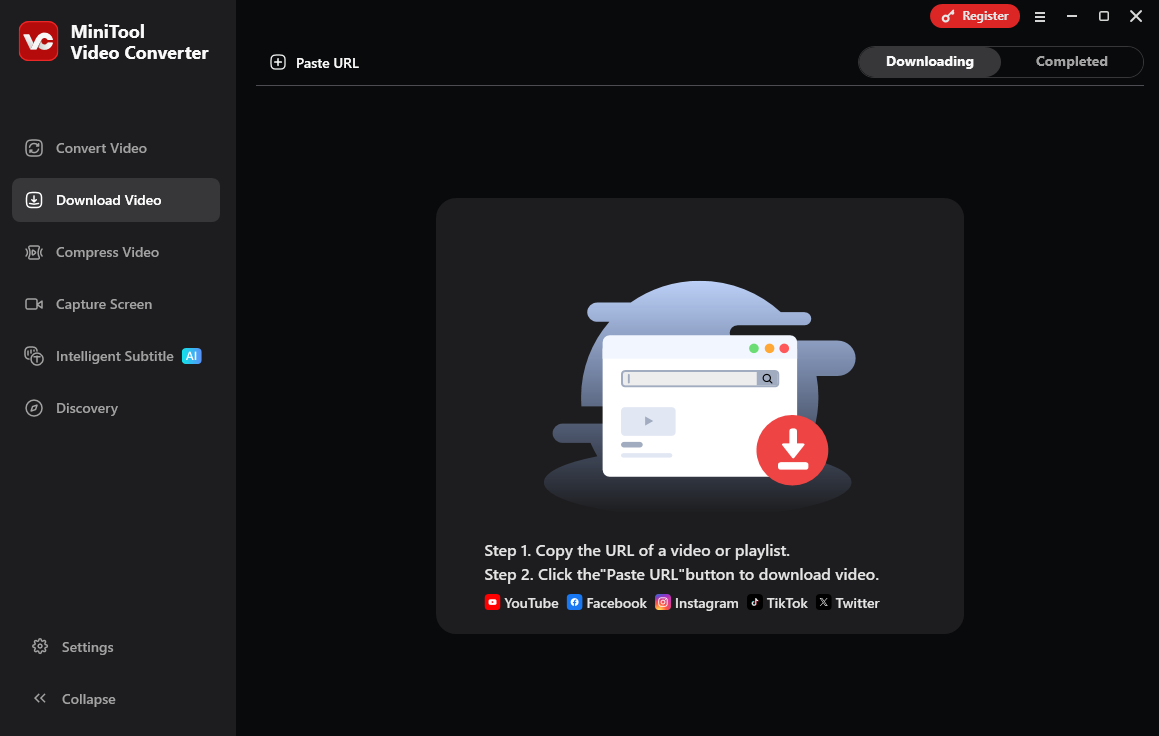
Y2Down and viddown.net are both free and handy to use. However, do you notice that neither of them can download videos in batches? It’s time-consuming to download a playlist by pasting the video link one by one, which is why MiniTool Video Converter comes in.
I use MiniTool Video Converter in my daily life. The maximum number of downloads is up to 10 simultaneously. You can download videos, long videos, Shorts, podcasts, and more from YouTube in MP4, MP3, WAV, and WebM formats. Even the video subtitles can be downloaded along with the video, too.
Plus, as a versatile and ad-free downloader, MiniTool Video Converter can save videos from Facebook, Twitter, Instagram, and TikTok for free. All the downloads were made without adding watermarks.
Click on the button below to try this brilliant downloader for free.
MiniTool Video ConverterClick to Download100%Clean & Safe
Final Thoughts
Is Y2Down safe to use? Yes. However, you should also avoid clicking on suspicious links when using it. If you are not satisfied with the pop-up ads and the lack of batch-downloading function, try viddown.net or MiniTool Video Converter.