

This article shows how to download video from Facebook to computer with MiniTool Video Converter or FDOWN Online Facebook Video Downloader. The detailed steps involve copying the Facebook video links, pasting them into the tools, and starting the download process.
As a big fan of Facebook, I always want to store some Facebook videos on my PC for offline viewing. However, the question of how to download video from Facebook to computer really bothers me. Can I save videos from Facebook to computer? Yes. I have gotten the answer from the Internet. Next, I will share the answer with you.
How to Select a Video Downloader
When choosing a video downloader, you can pay attention to these things:
- The downloader should be safe and dependable.
- The downloader should be user-friendly.
- Supporting multiple formats and resolutions.
- Download multiple videos in bulk.

How to Download Video from Facebook to Computer
- Copy the Facebook URL
- Paste the URL into a downloader.
- Start the download process.
To save videos from Facebook to computer, I highly recommend 2 robust and top-grade downloaders (offline & online). With them, you can get videos from Facebook to computer with ease.
Way 1: MiniTool Video Converter
The first tool for saving Facebook videos is MiniTool Video Converter.
Introducing MiniTool Video Converter
MiniTool Video Converter is a user-friendly, all-in-one desktop application that offers three primary functions: Video Download, Video Convert, and Screen Record. It features a simple user interface and advanced tools tailored to meet the needs of Windows users. Now, let’s dive into its three main functions.
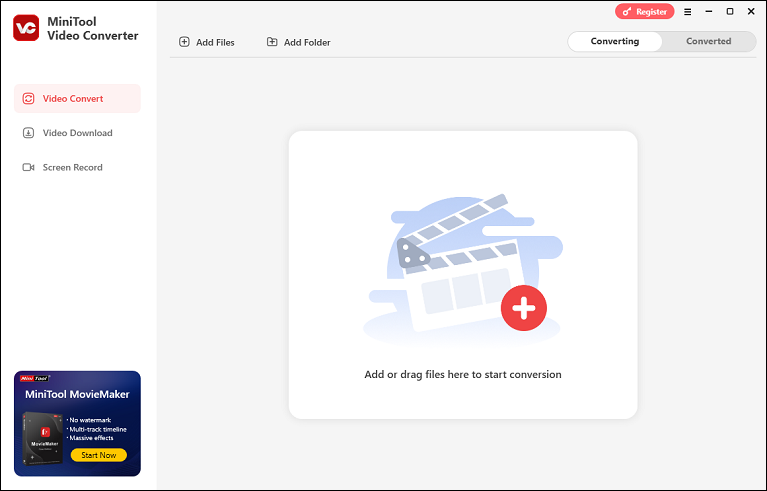
MiniTool Video Converter can help you get videos from various platforms, including Facebook, YouTube, Instagram, TikTok, and Twitter, allowing you to play and share videos across different channels. Additionally, you can save music, playlists, movies, and other content from YouTube in MP4, MP3, WAV, and WebM formats without watermarks. To speed up the downloading process, it allows the simultaneous download of up to 10 videos.
Step-by-Step Guide on How to Save Videos from Facebook to Computer
You can follow the step-by-step instructions below to download video from Facebook to computer.
Step 1: Click the download button below to download MiniTool Video Converter on your PC. Then, follow the on-screen instructions to install it.
MiniTool Video ConverterClick to Download100%Clean & Safe
Step 2: Launch MiniTool Video Converter and go to the Video Download section.
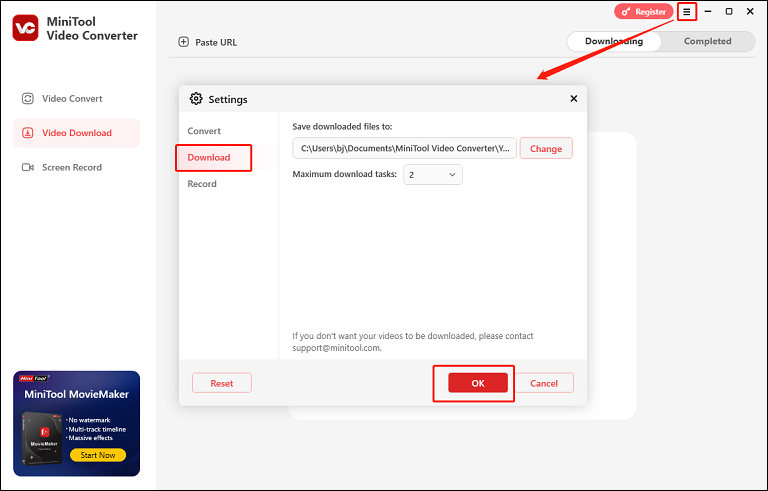
Step 3: Click the hamburger icon at the top right to expand the menu and choose the Settings option. Next, enter the Download section, where you can choose the output save path and set the maximum number of download tasks that can run simultaneously. After that, click OK to save the changes.
Step 4: Go to Facebook and copy the URL of the video you want to save to your computer.
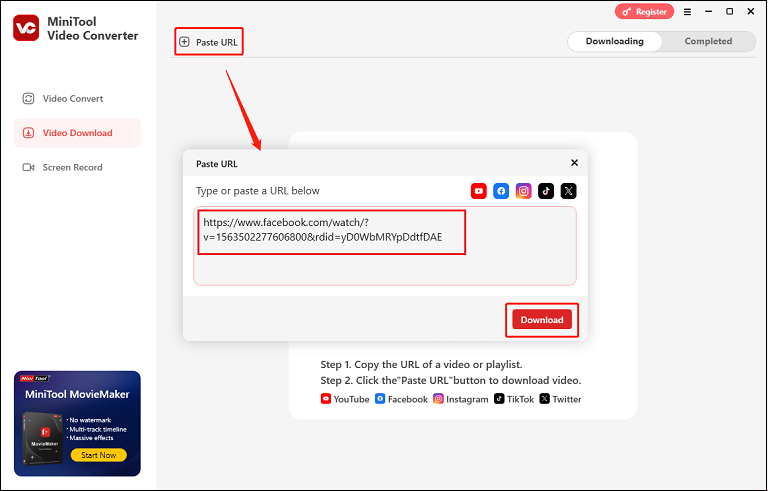
Step 5: Go back to MiniTool Video Converter, click the Paste URL button, and paste the URL you just copied into the pop-up box. Then, click Download to start analyzing.
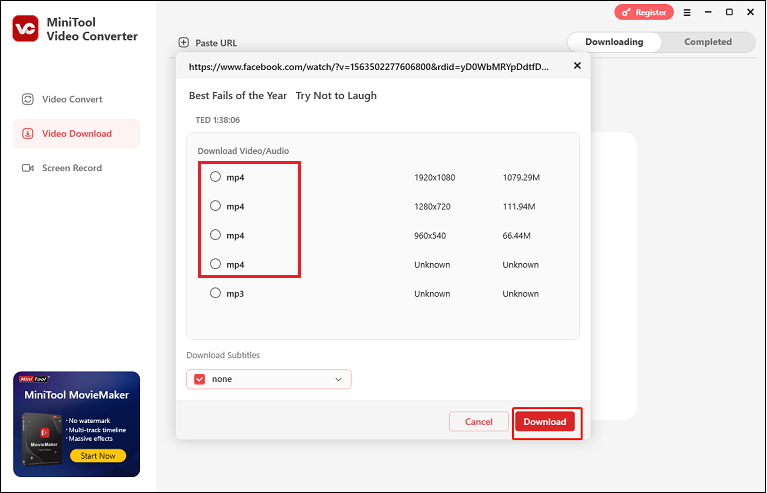
Step 6: Choose the output format you want (MP4 is highly recommended here). Then, click the Download button to start downloading.
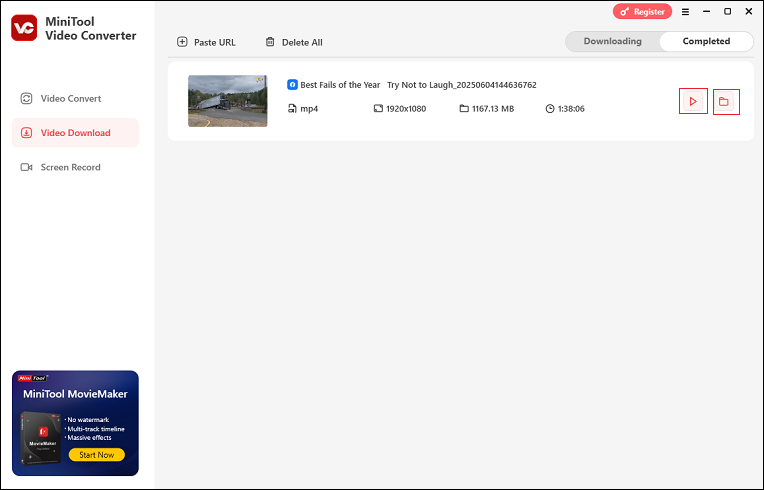
Step 7: Once the download is done, MiniTool Video Converter will automatically go to the Completed section. Then, click the Play icon to watch the video or click the Folder icon to locate the saved video in the local folder.
Way 2: Online Video Downloader on viddown.net
Online Video Downloader on viddown.net is an online, watermark-free video downloader that allows you to get videos from Facebook to computer easily. It’s free, and you can choose to save videos in high-definition MP4.
Here’s the guide on how to save videos from Facebook to computer with this online tool:
1: Find the target video on Facebook and copy its URL.
2: Open your browser, go to the page of viddown.net.
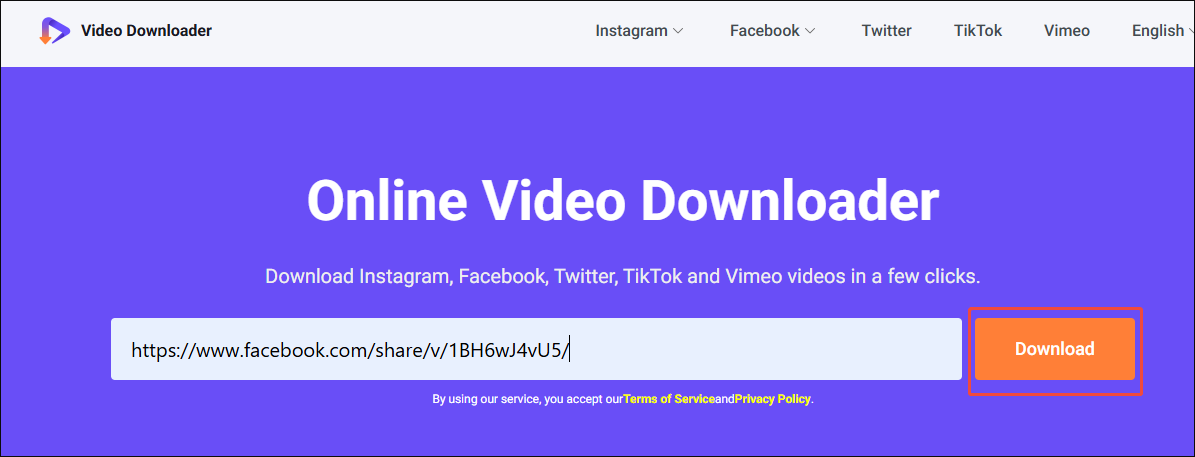
3: Paste the URL of the video you want to save into the box and click Download.
4: Select the desired resolution you want. Then, click on Download to begin the download process.
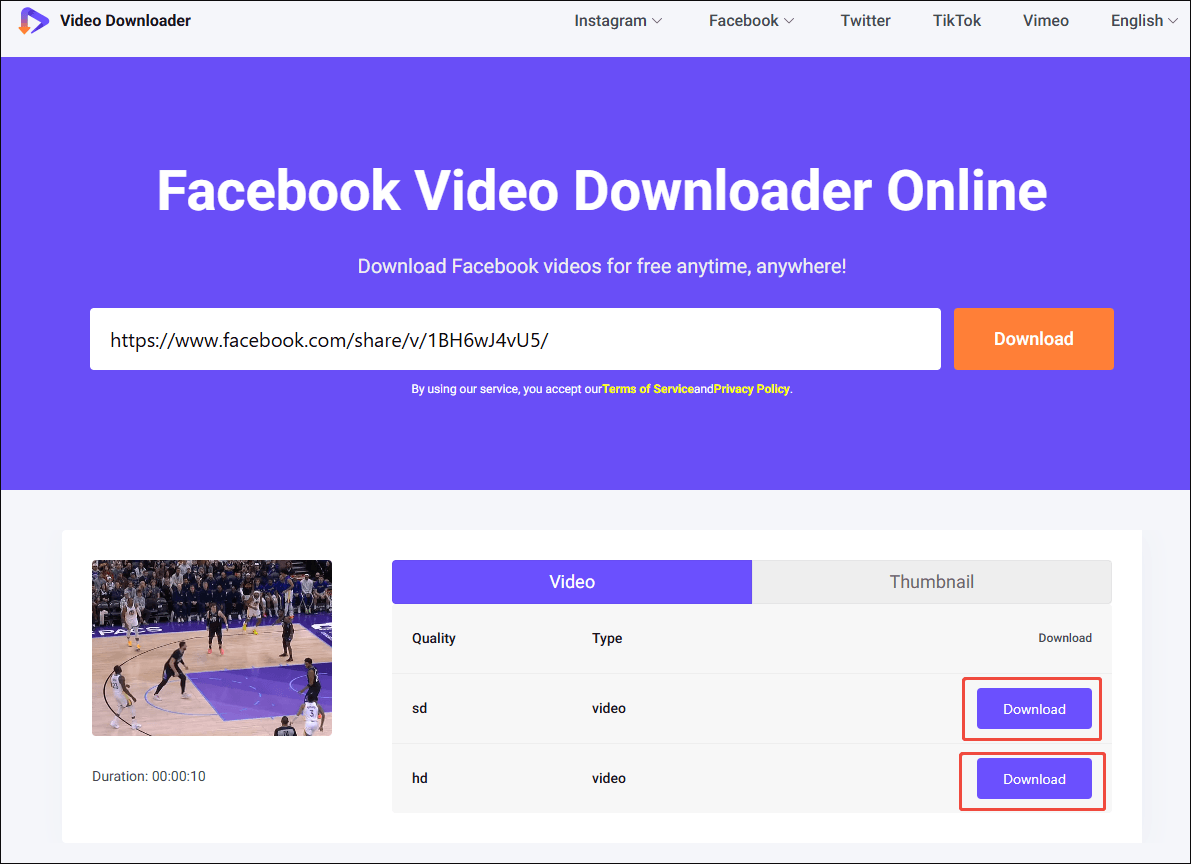
5: Once the download is done, you can check the video in your local folder.
With the above guidance, saving Facebook videos on a PC is never a problem.

Conclusion
How to download video from Facebook to computer? Both MiniTool Video Converter (offline) and viddown.net (online) can help. Please do not use the downloaded video for profit and make sure you are not violating Facebook's terms and conditions. You can contact support@minitool.com if you have any questions about using MiniTool Video Converter.
FAQs
2. Press the Ctrl + U keys to go to the page source.
3. Select and copy all the text on that source page.
4. Paste the content into Fsave.io Private Downloader to begin the download.