

Using a like button animation on YouTube is a great way to encourage viewers to like your videos. Here are two methods that get the YouTube like button animation free download, and then directly use it in your video.
YouTube like button animation is good for content creators to gain as many likes as for YouTube videos/ Shorts. Two easy and simple ways can be used to download YouTube like button animation templates below you can pick up.
Method 1. Download Feee YouTube Like Button Animation on YouTube
YouTube is a vast treasure for finding a large number of video production materials, including subscription button animation and like button animation. Can’t believe that you can download free YouTube like button animation on YouTube? Many talented designers upload free and appealing like button animation templates on YouTube for everyone to use.
You can find them by typing “like button animation” in the search box and scrolling down to find the favorite one for a YouTube video or Shorts.
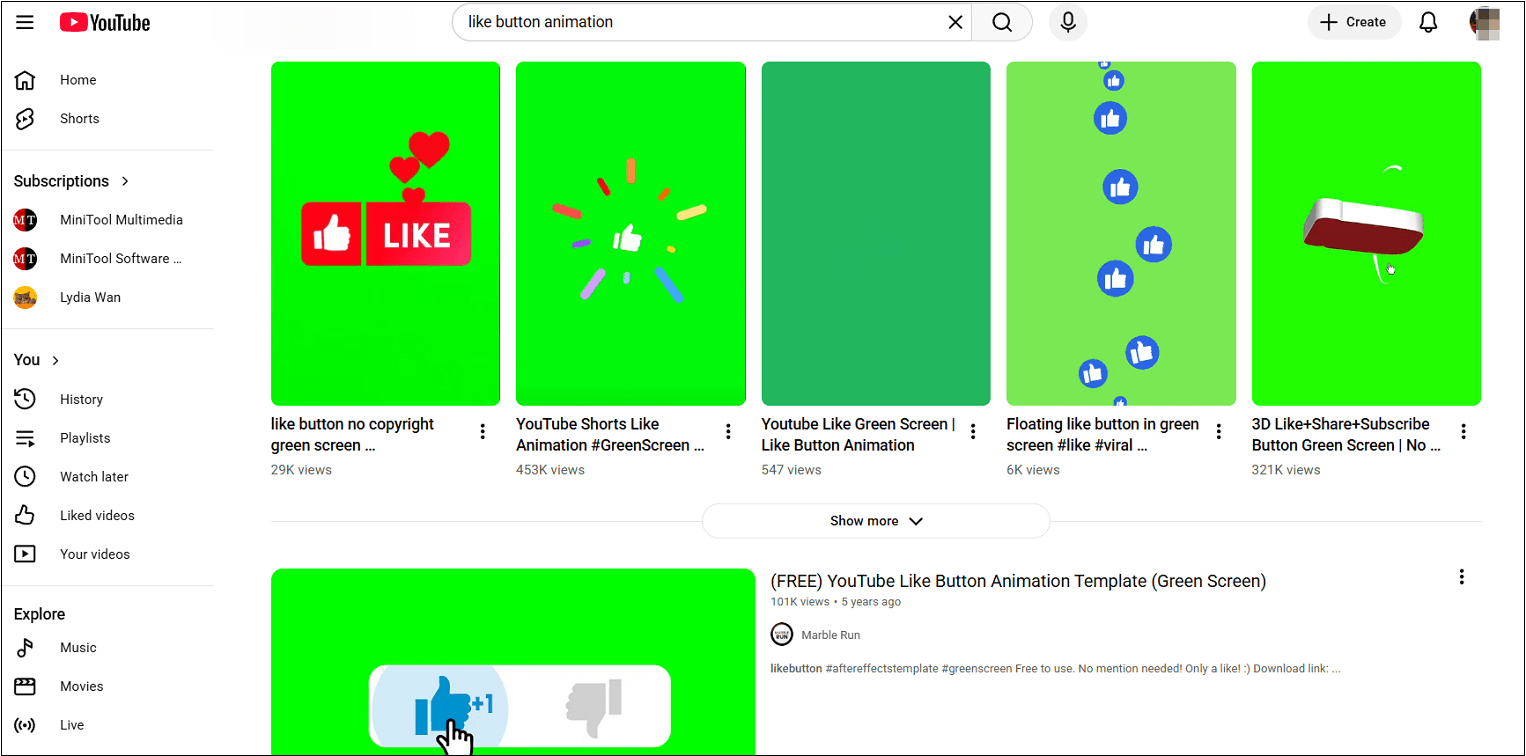
Whether you have already found one you are interested in, but don’t know how to download it without a Premium. I recommend a free download tool I use frequently – MiniTool Video Converter.
MiniTool Video Converter is a free yet versatile video download tool on the market. You can download free like button animation videos in MP4, WebM, WAV, and MP3 formats by providing the URLs. Plus, the long videos, movies, playlists, podcasts, and Shorts can also be saved in 1080 HD or even 4K resolutions without any watermark.
Here are the detailed steps on how to download a YouTube subscribe button animation on YouTube with MiniTool Video Converter.
Step 1. Download and Install MiniTool Video Converter
Click on the button below to download the latest version of MiniTool Video Converter.
MiniTool Video ConverterClick to Download100%Clean & Safe
Step 2. Get and Analyze the Like Button Animation Video Link
1. Go to YouTube, find the like button animation video you are interested in, and copy the video link from the address bar.
2. Launch MiniTool Video Converter, switch to Download Video, click on Paste URL, paste the copied link into the box, and click on Download.
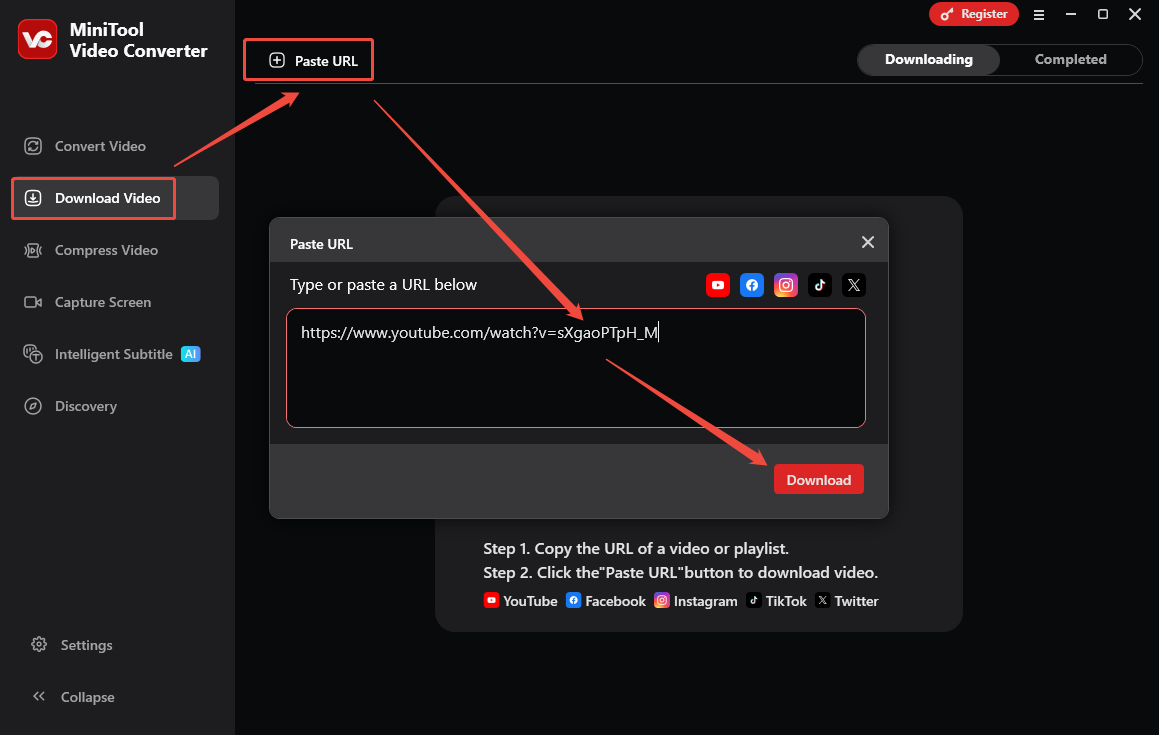
Step 3. Download the Like Button Animation Video
1. Choose a download video format (MP4 or WebM).
2. Click on Download to start downloading the like button animation video.
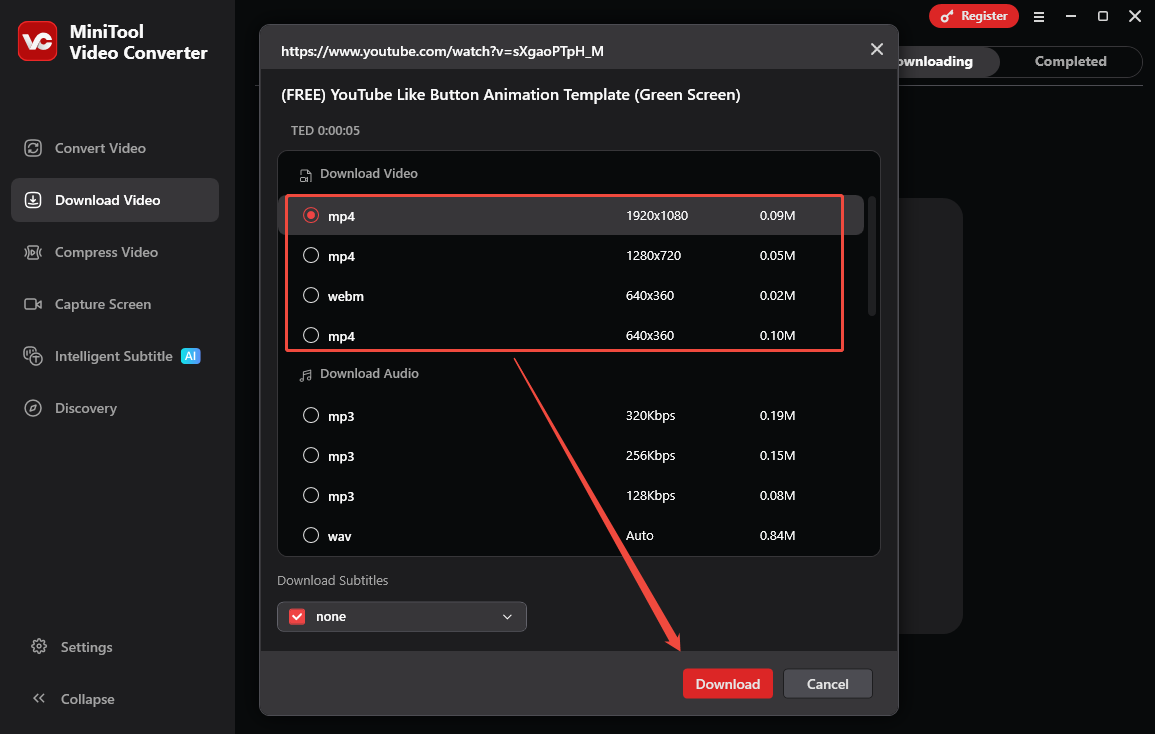
Step 4. Play and Locate the Downloaded Like Button Animation Video
Click on the play icon to watch the downloaded like button animation and click on the folder icon to find it on your computer.
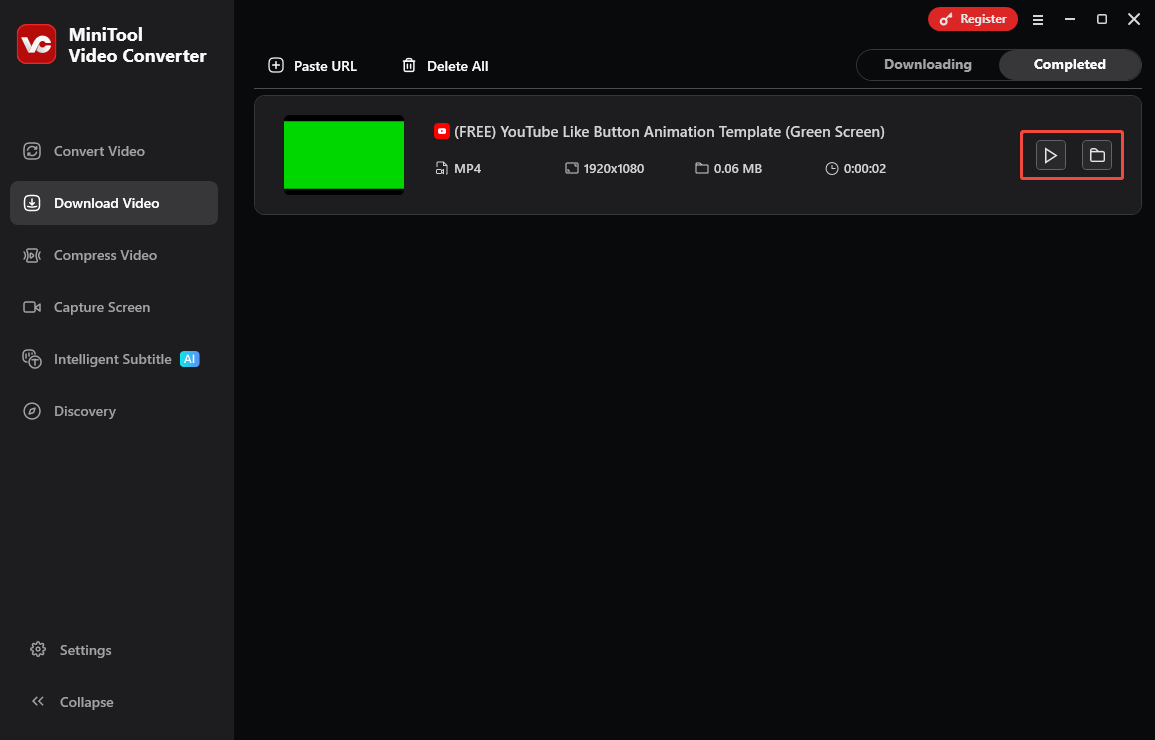
Method 2. Download Free YouTube Like Button Animation from Online Websites
Apart from the YouTube like button animation for download from the YouTube website, using online websites is feasible for everyone, too. We will introduce three tools.
1. Vecteezy
Website: https://www.vecteezy.com/free-videos/youtube-like-button?page=2
The first free and rich website for downloading button animations is Vecteezy. I used it to download a YouTube subscription button animation video last week, and I found that it is really free to use. When I search for YouTube like button on Veteezy, it offers over 1K high-resolution, royalty-free stock videos and footage matching this topic.
Apart from the video format, you can choose PND, PSD, SVG, Vector, and other formats before browsing search results. So, if you are looking for some icons, Vecteezy is a valuable website for you to download everything you want.
2. Pixabay
Website: https://pixabay.com/videos/search/youtube%20like%20button/
Pixabay is also a versatile website that contains numerous categories of YouTube video and image templates to download, such as YouTube intros, outros, background music, logos, bells, thumbnails, etc. The YouTube like button animation is also contained as a versatile website.
Although Pixabay has fewer templates to download than Vecteezy, 667+ free like button 4K & HD stock videos, it is enough to use.
3. LottieFiles
Website: https://lottiefiles.com/free-animations/youtube-like-button
The last website to download like button animation for YouTube is LottieFiles. It has a variety of free animations, and you can search for the relevant animation names on the LottieFiles official website, preview them, and then download them under the digital license.
There is also a dedicated YouTube like button animation that supports exporting in multiple formats, including GIF, MP4, MOV, and WebM, meeting the needs of different editing scenarios. However, when I use this website, I found that most of the like button animations require a Premium subscription to download. So you can choose whether to use it according to your budget.

All the download websites above have similar steps to get the YouTube like button animation videos, so here I picked the first tool mentioned above as an example to guide you on how to use it. Only two steps, and you get the free YouTube like button animation video with Vecteezy.
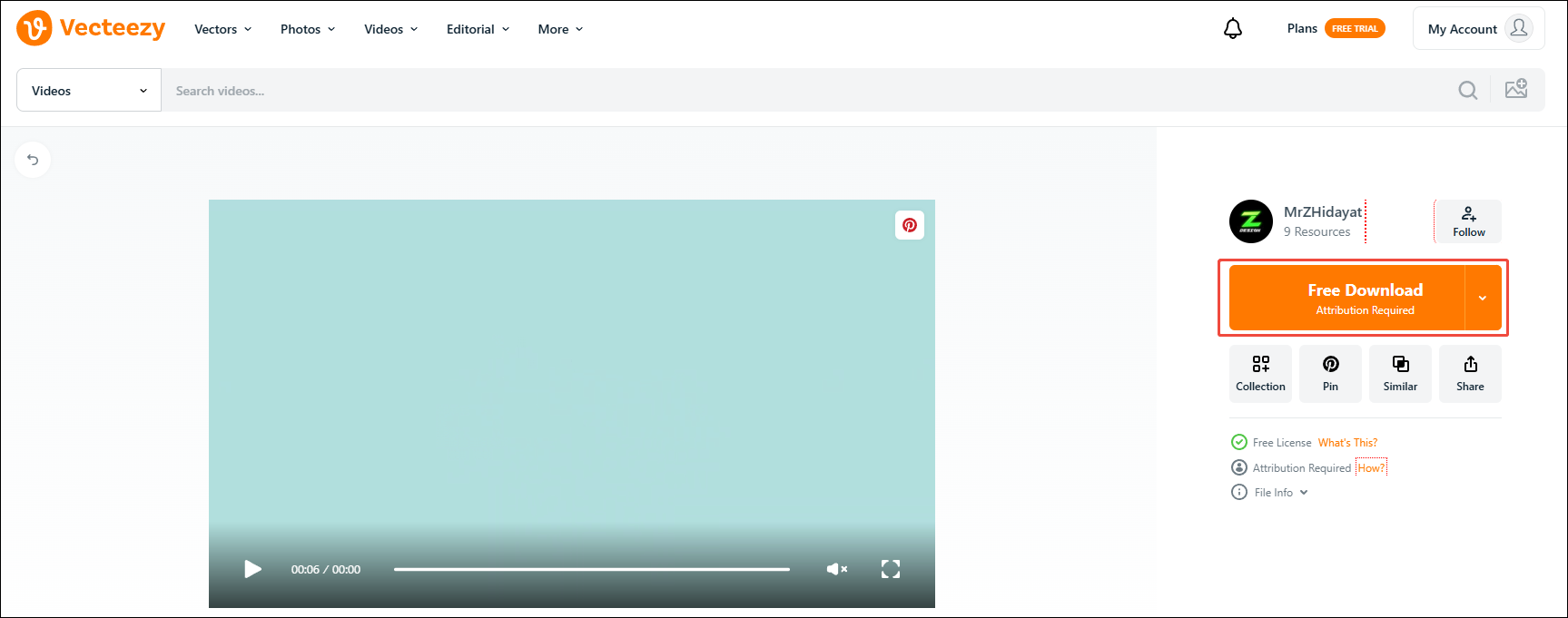
1. Visit the official website of Vecteezy’s YouTube like button above and click on one of the preferred animation videos.
2. Click on the Free Download button on the right side of the video to download.
Final Words
Adding a YouTube like button animation can encourage people to like your videos. To let your favorite YouTube like button animation free download, go to the YouTube website or online websites. Hope this article can assist you!