

This article recommends 2 fabulous video downloaders, including MiniTool Video Converter and Online Video Downloader, to help accomplish Instagram link download. The general steps involve copying the Instagram URL, pasting it into the video downloader, and starting the download process.
Instagram is a free and popular social media platform available on iOS, Android, and Windows, owned by Meta. Recently, I wanted a method for Instagram link download. This way, I can view Instagram videos offline on my way to work. After viewing various video tutorials on YouTube, I have grasped how to do that. Next, I will share the findings with you.
Why You Download Instagram Videos
- Offline Enjoyment
- Preserve Memories
- Share Beyond the Platform
- As the Reference Material
![3 Quick Methods for Twitter Link Download [2026 Update]](https://images.minitool.com/youtubedownload.minitool.com/images/uploads/2025/06/twitter-link-download-thumbnail.jpg)
How to Download Instagram Videos via Links (Offline Tool)
- Copy the Instagram link.
- Paste the Instagram URL into the video downloader.
- Start the download process.
As a free and stable Instagram video link downloader, MiniTool Video Converter helps save my favorite Instagram videos and Reels on my computer in HD, 4K, or even 8K for free, and I can share these downloaded videos with my friends without watermarks. All the videos can be downloaded at a fast speed. Plus, MiniTool Video Converter supports downloading up to 10 videos or sound clips at once to save your time.
Step 1. Install and Open MiniTool Video Converter
- Download and install the latest version of MiniTool Video Converter on your Windows.
- Launch it after installation.
MiniTool Video ConverterClick to Download100%Clean & Safe
Step 2. Get the Instagram Video Link
- Visit Instagram and find the video or Reels you want to download.
- Click on More > Copy link to get its video link.
Step 3. Analyze the Instagram Video
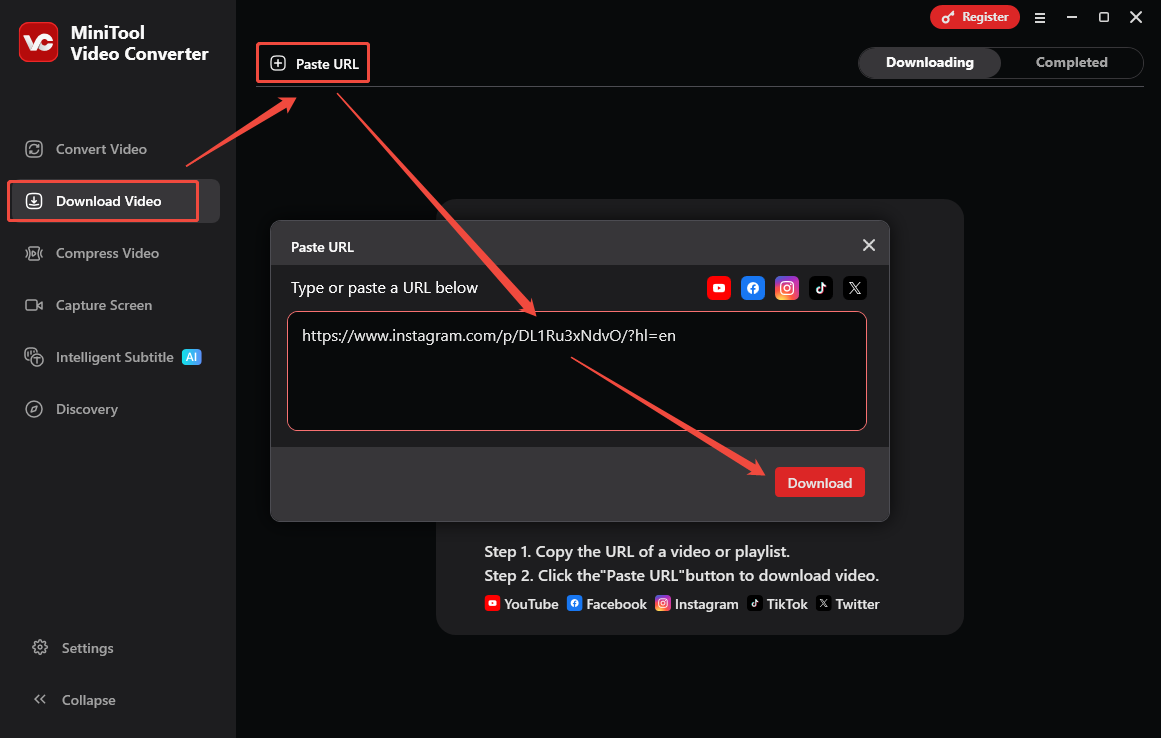
- Switch to the Download Video module in MiniTool Video Converter.
- Click on Paste URL, paste the copied Instagram link into the address bar, and click on Download.
Step 4. Download the Instagram Video with Its Link
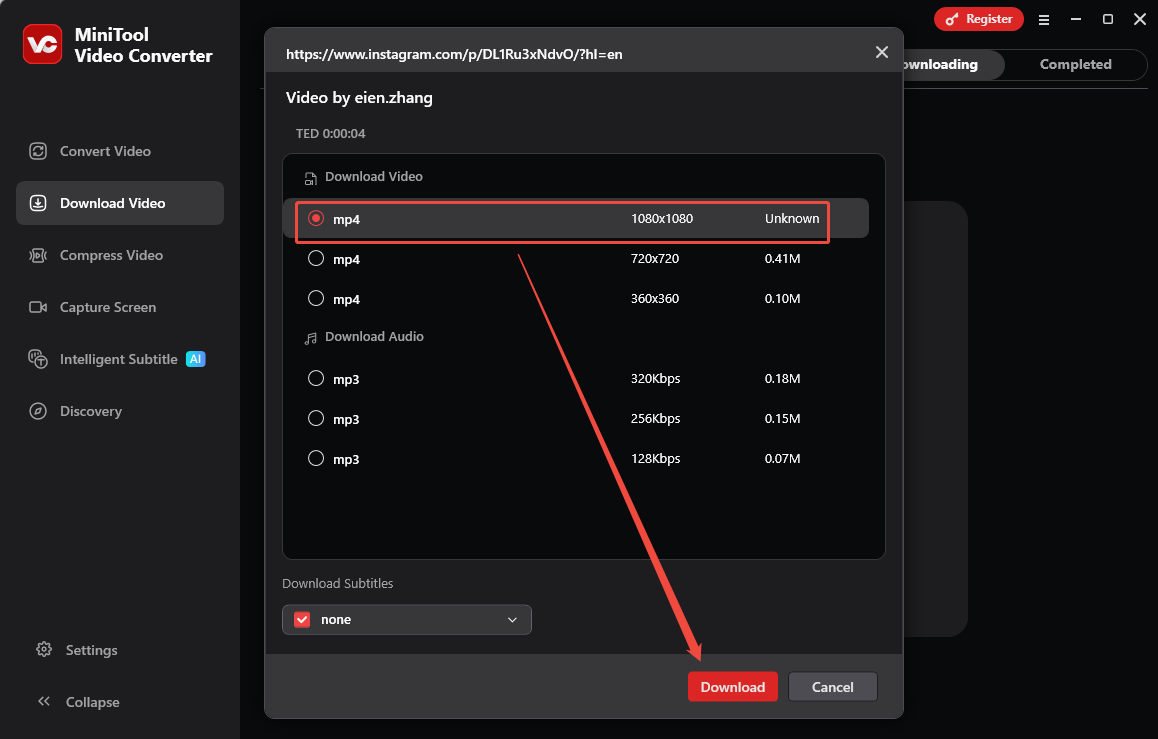
- Choose an output format and resolution under Download Video/Audio.
- Click on Download to start downloading the Instagram video.
Step 5. Locate the Downloaded Instagram Video
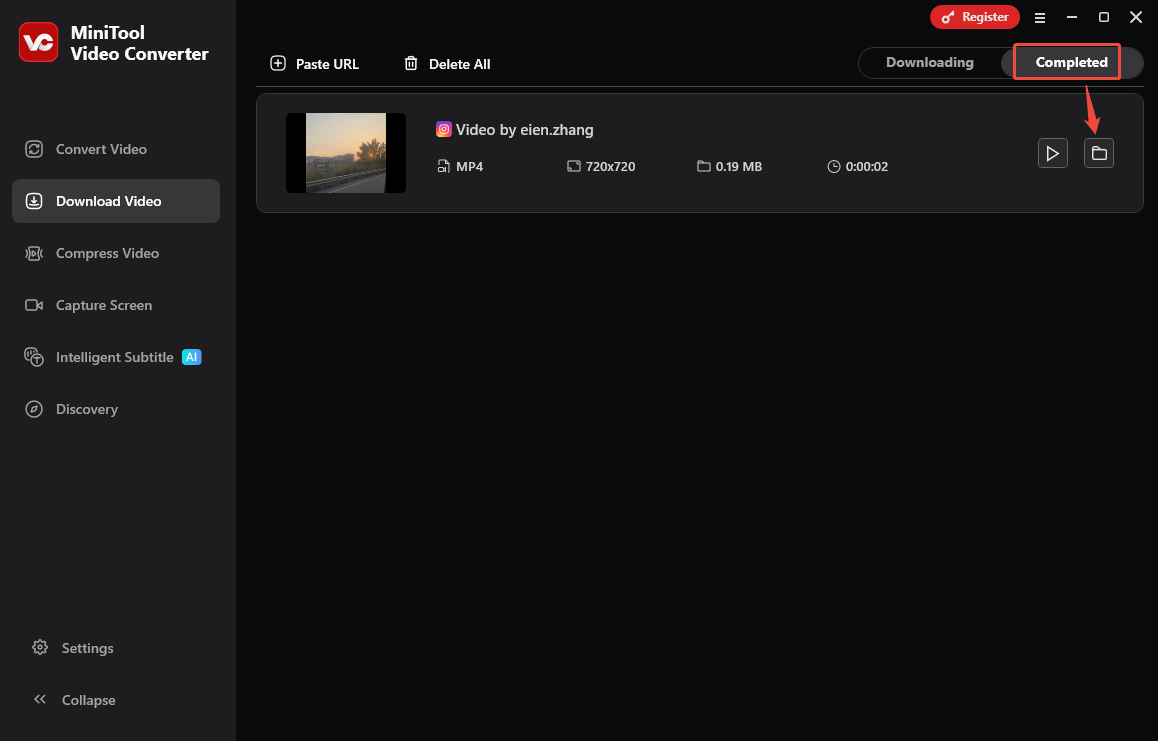
- Once the Instagram video downloading finishes, you will be taken to Completed.
- Click on the folder icon to locate it.
It’s easy to use MiniTool Video Converter to download Instagram videos and Reels. All right? Another 3 great features for this versatile application, like video conversion, video compression, and screen capture, sincerely recommend you try them, too.
How to Download Instagram Videos via Links (Online Tool)
- Copy and paste the Instagram URL.
- Choose the output resolution.
- Begin the download process.
Online Video Downloader is a web-based MP4 downloader for Instagram links that requires no app installation or login. It allows me to save Instagram Reels and Stories. Moreover, this online tool supports downloading videos on all devices (iPhone, Android, macOS, Windows, or Linux) and runs smoothly on virtually all popular browsers.
Step 1. Copy the Instagram Video Link
Step 2. Go to Online Video Downloader to Analyze the Instagram Link
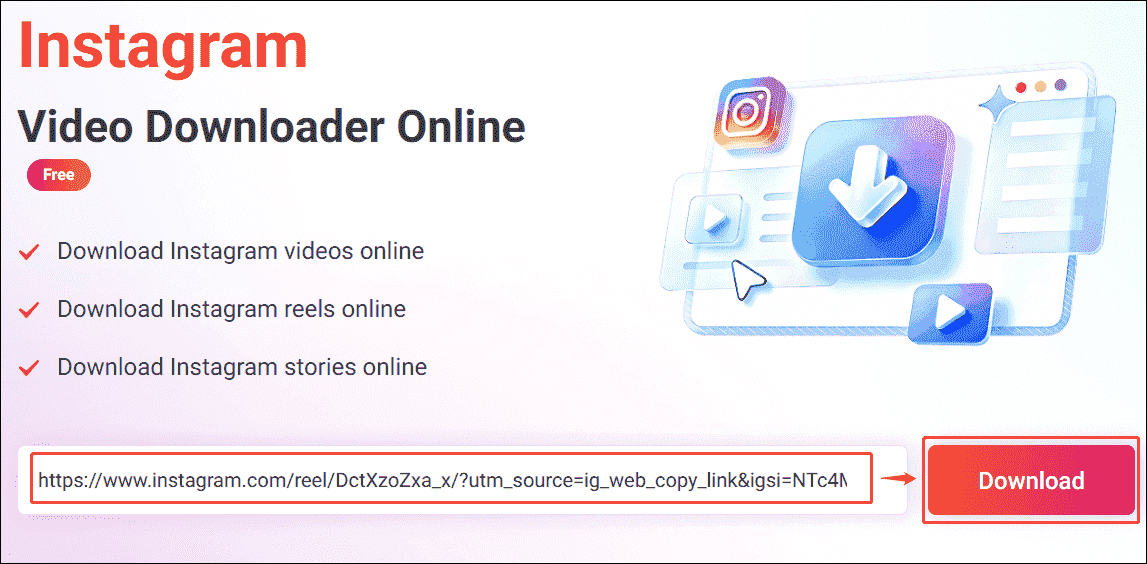
- Open the browser and visit Online Video Downloader.
- Paste the copied Instagram link into the address bar, then click the Download button to analyze it.
Step 3. Set the Output Format
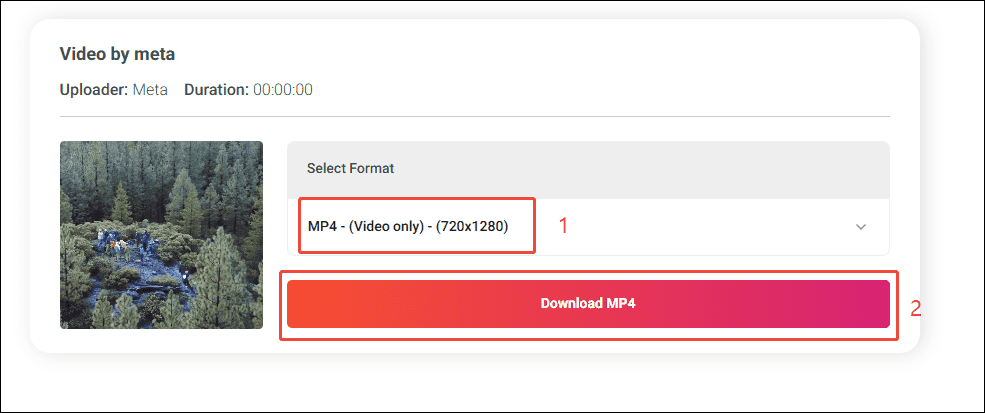
Expand the Select Format option to choose the desired resolution. Then, click the Download MP4 option to preview the Instagram video.
Step 4. Download the Instagram Video
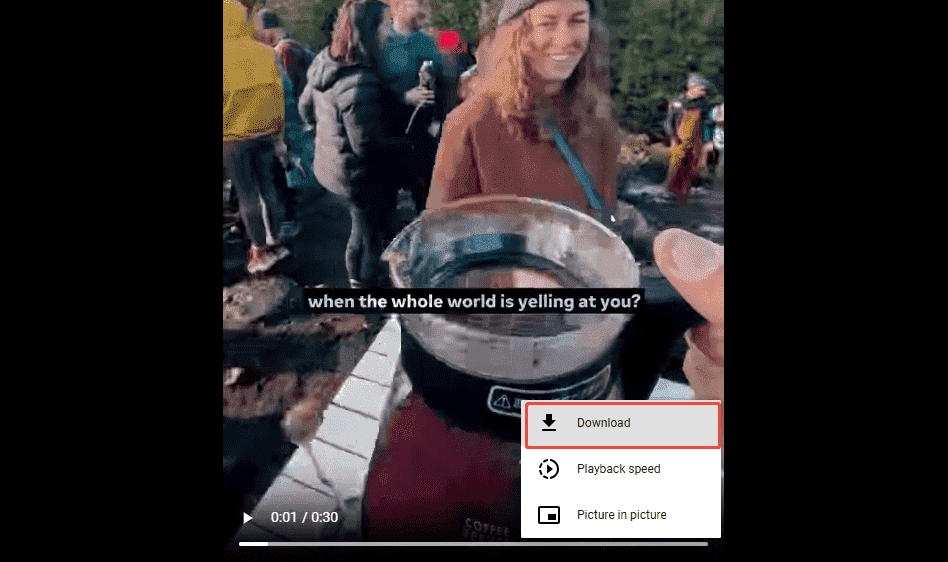
Click the More option in the bottom-right corner, and select the Download option to begin the downloading process.
Step 5. Locate the Downloaded Instagram Video
All the downloaded Instagram videos will be saved in the Downloads folder on your browser.
![How TikTok Download MP4 – 2 Detailed Methods [2026 Update]](https://images.minitool.com/youtubedownload.minitool.com/images/uploads/2025/06/tiktok-download-mp4-thumbnail.jpg)
Final Words
Both MiniTool Video Converter and Online Video Downloader are third-party Instagram download tools available. If you encounter problems while using MiniTool Video Converter, please send an email to support@minitool.com& ;for assistance.
People Also Ask
About The Author

Position: Columnist
Jade is an experienced multimedia tech writer who has authored hundreds of guides on screen recording, video editing, and software troubleshooting. Dedicated to bridging the gap between complex technical concepts and user-friendly solutions, she specializes in providing clear, actionable advice.