

This post recommends MiniTool Video Converter and Online Video Downloader on viddown.net to help complete Facebook short download. The general steps involve copying the Facebook URL, pasting it into a Facebook downloader, and starting the download process.
Facebook has become one of the most popular social media platforms globally. Sincerely, I really love various interesting short videos on this platform. To view them offline, I have watched a lot of YouTube videos to find a quick download method. Next, I will share the Facebook short download tutorial with you.
Why Download Facebook Short Videos
- Offline Viewing
- Sharing Videos
- Archiving Content
- Content Creation and Inspiration
- Avoiding Disappearing Content
How to Download Facebook Short Videos with an Offline Tool
- Copy and paste the Facebook video link.
- Set the output resolution and format.
- Start the download process.
MiniTool Video Converter has a user-friendly interface. This tool doesn’t just work with Facebook. It also allows you to download videos from other websites, such as YouTube, Instagram, TikTok, and Twitter. With MiniTool Video Converter, you can download up to 10 Facebook videos at the same time. Plus, it doesn’t add watermarks to your downloaded videos, so you get clean, high-quality content.
Let’s see how to download Facebook short videos using MiniTool Video Converter.
Step 1: Download and Install MiniTool Video Converter
Click the button below to download the installation file and follow the on-screen instructions to install the software. Once the installation is complete, open MiniTool Video Converter to begin.
MiniTool Video ConverterClick to Download100%Clean & Safe
Step 2: Locate the Video Download Tab
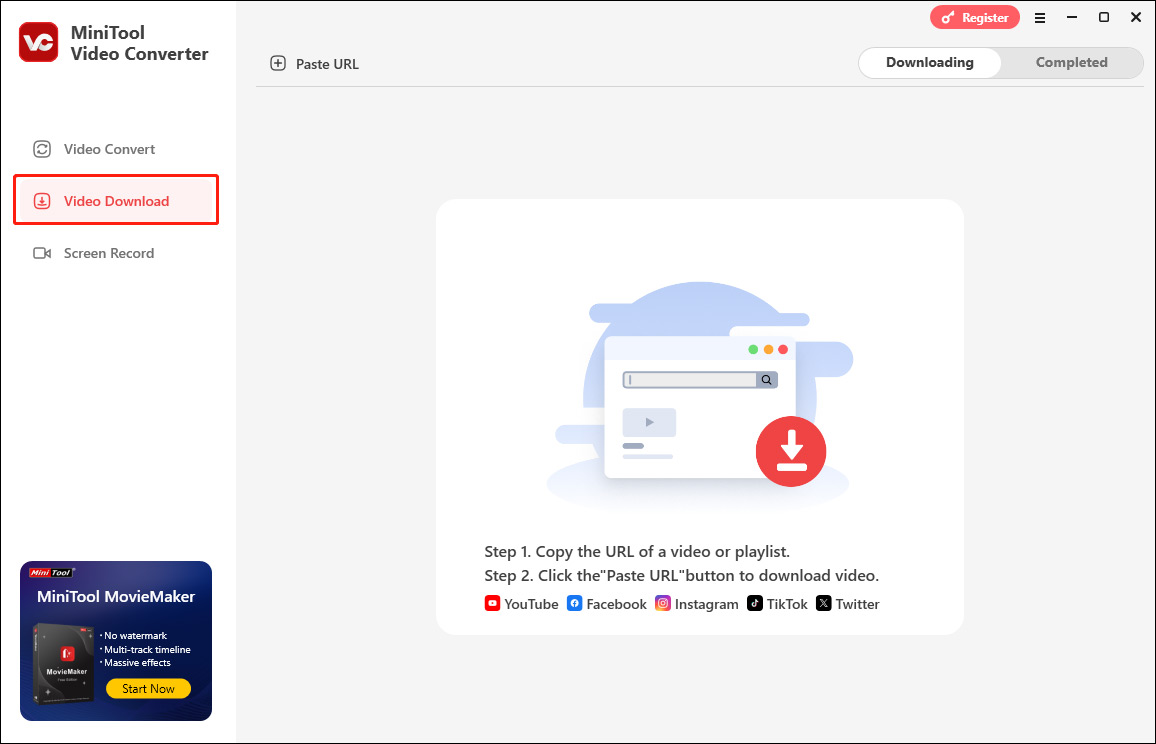
After opening the software, click on the Video Download tab in the left sidebar. This will open an interface where you can paste the URL of the video you wish to download.
Step 3: Copy Link
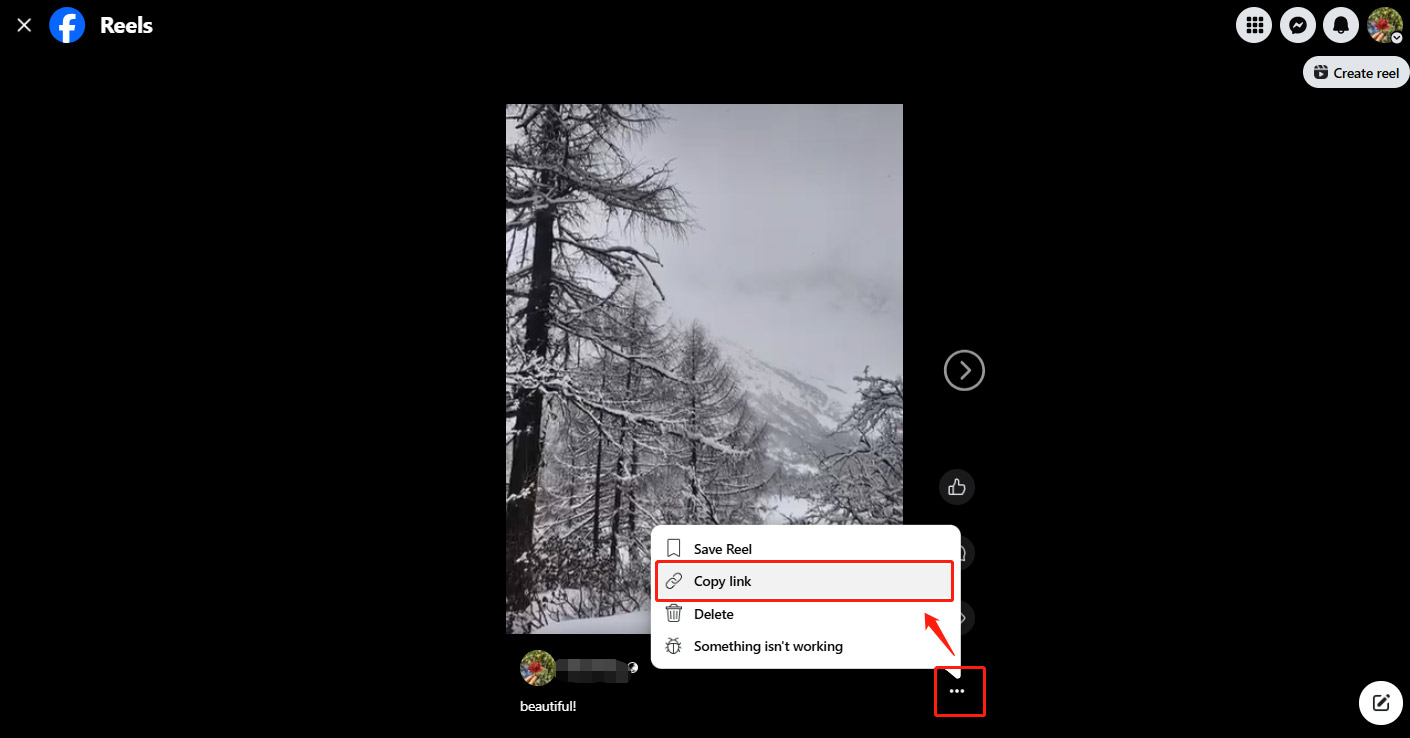
To download a Facebook short video, you need to get the video link. Open Facebook in your browser and navigate to the short video you want to download. Click on the three dots in the lower right corner of the video post, then select Copy link. The link to the video is now copied to your clipboard.
Step 4: Paste the Video URL
Now that you have the video URL, return to MiniTool Video Converter:
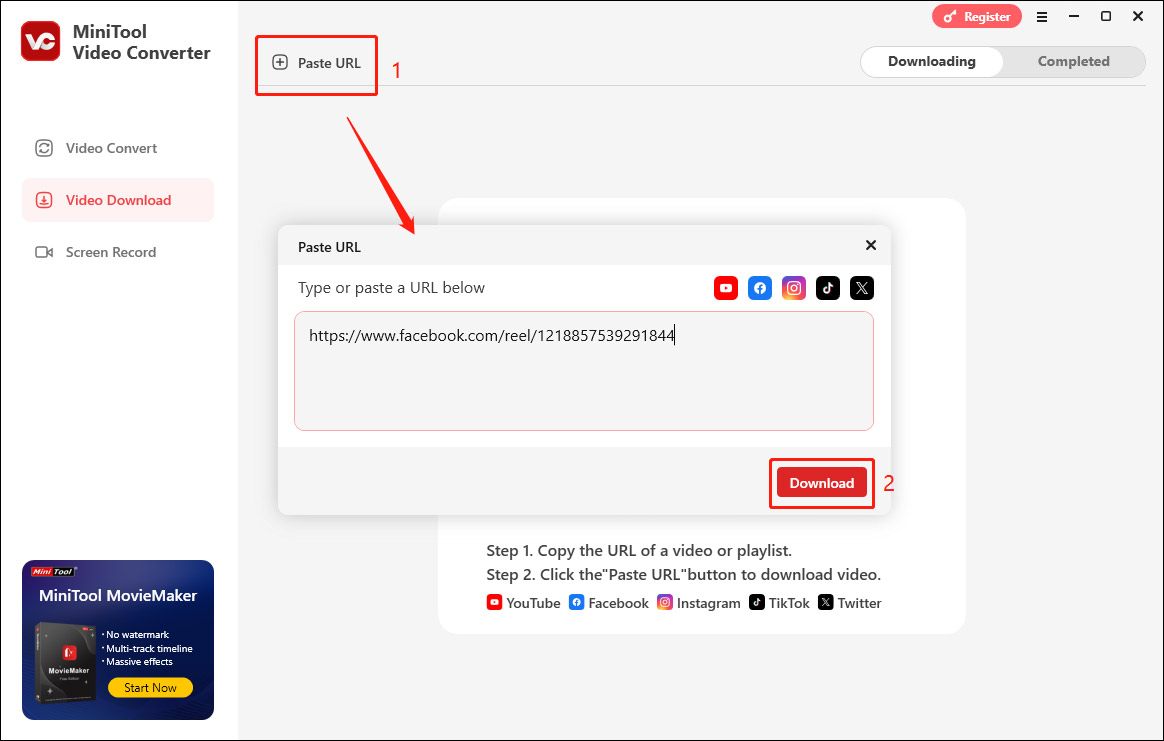
- In the Video Download tab, click on the Paste URL button.
- Paste the copied link into the pop-up input box.
- Click on the Download button to let the software analyze the video details.
Step 5: Choose the Video Quality and Format
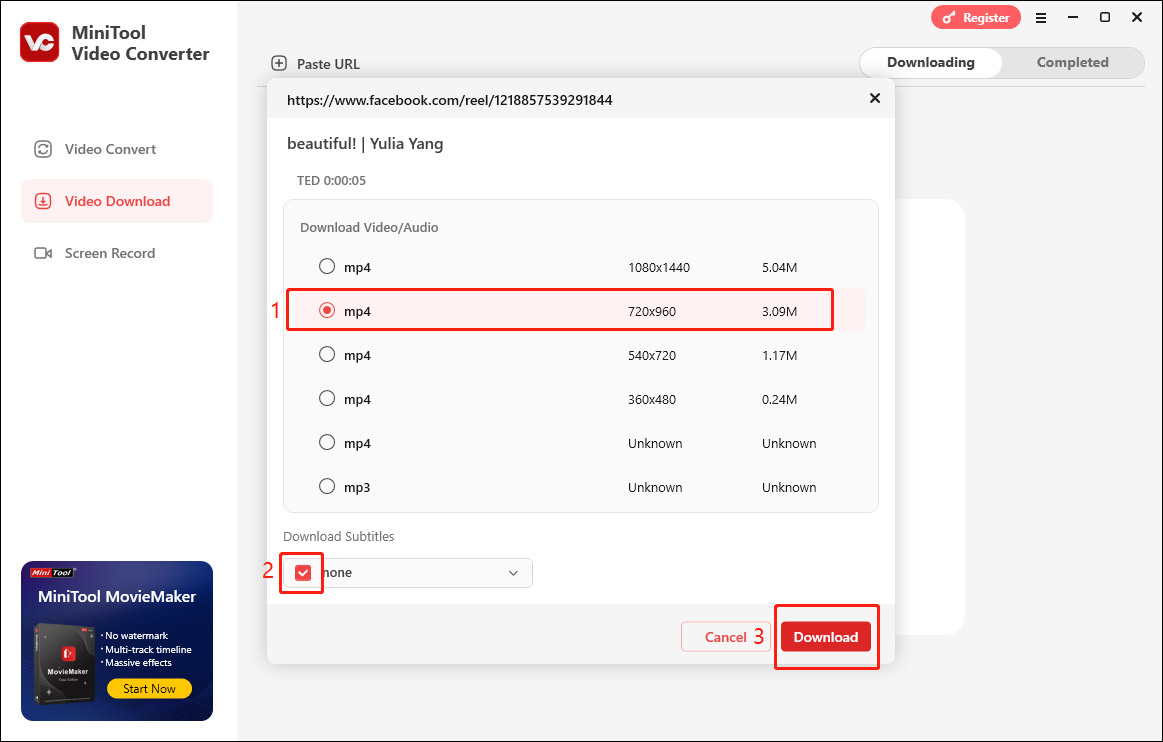
Once MiniTool Video Converter has analyzed the link, it will display the available download options. You can choose the video quality and format. MP4 is the most commonly used format and works well for most devices. You can also select the MP3 option to export only the audio. If the video has subtitles, you can choose whether to check the box under Download Subtitles as needed. Then, click the Download button to start saving the video.
Step 6: Locate the Downloaded Video
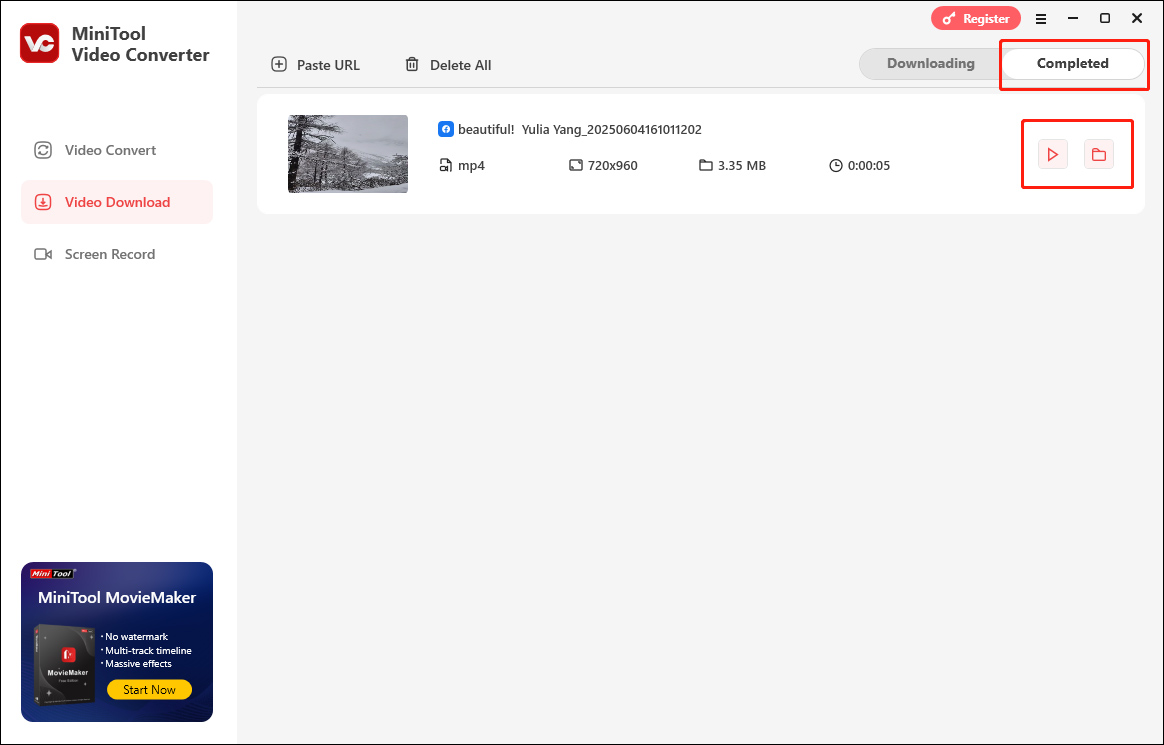
Once the download is finished, you will be taken to the Completed tab. Here, you can click the play icon to watch the video immediately or click the folder icon to find where the video is saved.
As you can see, MiniTool Video Converter is a great Facebook short video downloader.
How to Download Facebook Short Videos with an Online Tool
- Copy and paste the Facebook URL.
- Configure the output format and resolution.
- Begin the download tasks.
If there is a need to download watermark-free Facebook videos online, never miss Online Video Download on viddown.net. It allows for getting videos from many platforms, like Facebook, Instagram, Twitter, YouTube, Vimeo, and TikTok, without any watermarks. Meanwhile, viddown.net has an intuitive interface and is easy to use for beginners. Below are the detailed steps.
Step 1. Copy the Facebook Video Link
Find the Facebook short video you want download and copy the video link from the address bar.
Step 2. Analyze the Video Link
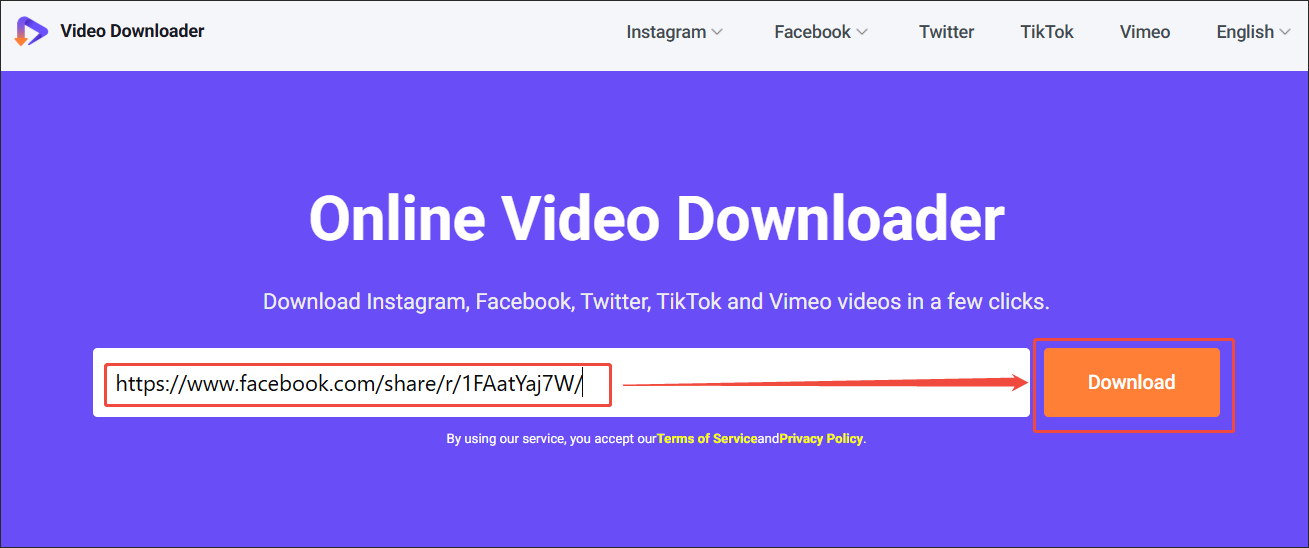
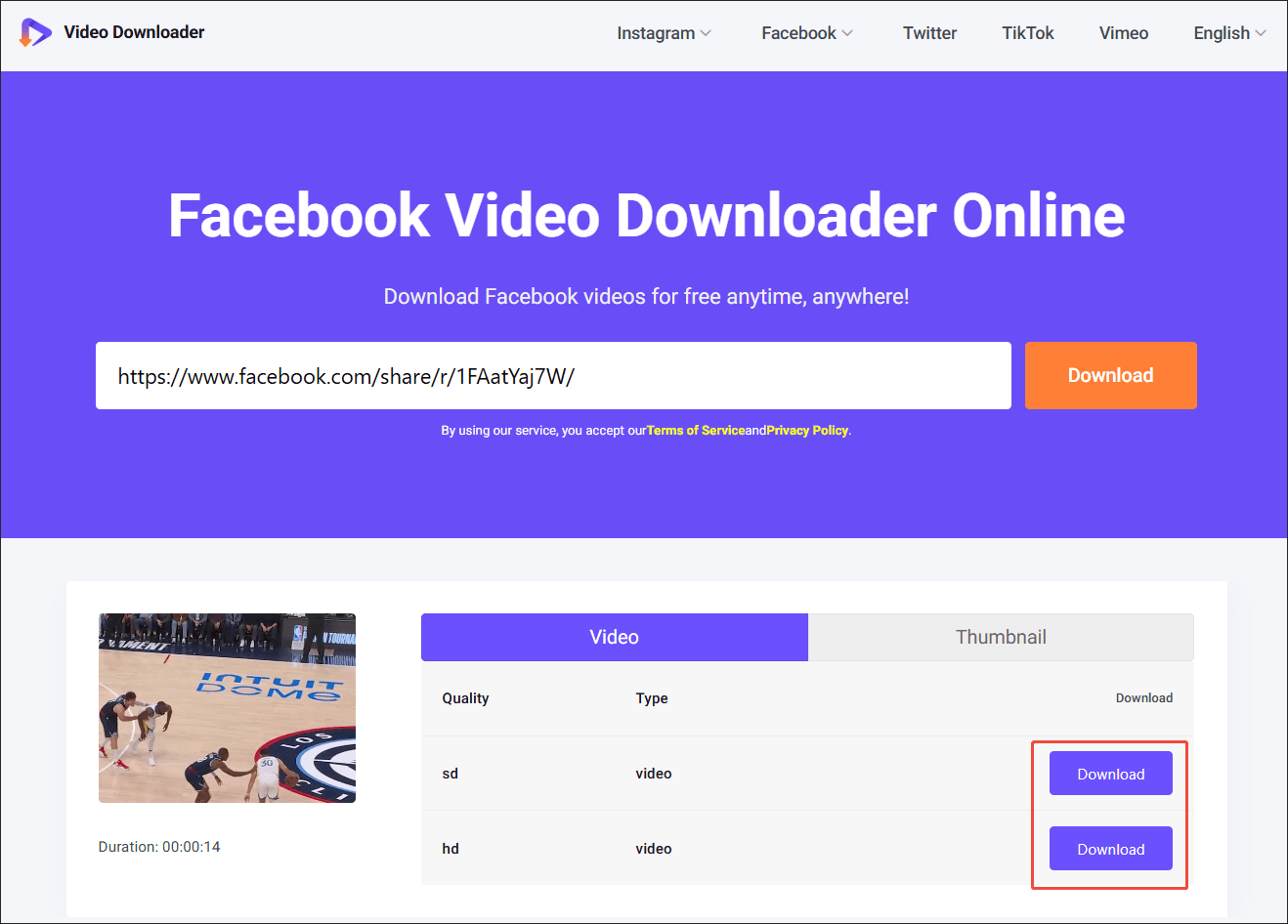
Go to the viddown.net page and paste the link into the URL box. Then, click on the Download option to begin the link analysis process.
Step 3. Set an Output Resolution and Start Download
Select the desired resolution and click on Download to start the download process.
Step 4. Check the Output Video
When the download process ends, go to the Downloads section of the web browser to check the Facebook short video.
With the above-detailed steps, it is effortless to get Facebook short videos without any installation.
Bottom Line
Both MiniTool Video Converter (Offline) and viddown.net (Online) can help accomplish the Facebook short download. If you encounter any problems while using MiniTool Video Converter, please feel free to contact us via support@minitool.com for help.