

This article recommends 2 100% safe-to-use programs: MiniTool Video Converter and Online Video Downloader, to help download Twitter audio without hassle. The general steps include getting Twitter videos with the video download function and extracting audio from these videos using the video conversion feature.
Twitter, which is also called X, is a popular social media platform that allows people to view all kinds of posts. Recently, I have wanted to save some Instagram audio music for offline listening. Hence, I viewed a lot of videos to learn how to download Instagram audio. Currently, I have grasped how to do that. Next, I will walk you through the method.
Part 1: How to Download Twitter Videos on the PC
- Copy Twitter URL.
- Select the output format.
- Start the download process.
Option 1: Use MiniTool Video Converter
MiniTool Video Converter is a robust video saver that enables you to get videos and audio from various platforms, including Twitter, Facebook, TikTok, Instagram, and YouTube. In addition, this application has a well-organized interface. Therefore, novices can use MiniTool Video Converter to save audio or videos without effort. Below is the detailed guidance on how to download Twitter audio using MiniTool Video Converter.
Step 1. Download and install MiniTool Video Converter on your PC.
Download MiniTool Video Converter by clicking on the download button below. Then, follow the on-screen prompts to install this program on your computer. Then, run MiniTool Video Converter.
MiniTool Video ConverterClick to Download100%Clean & Safe
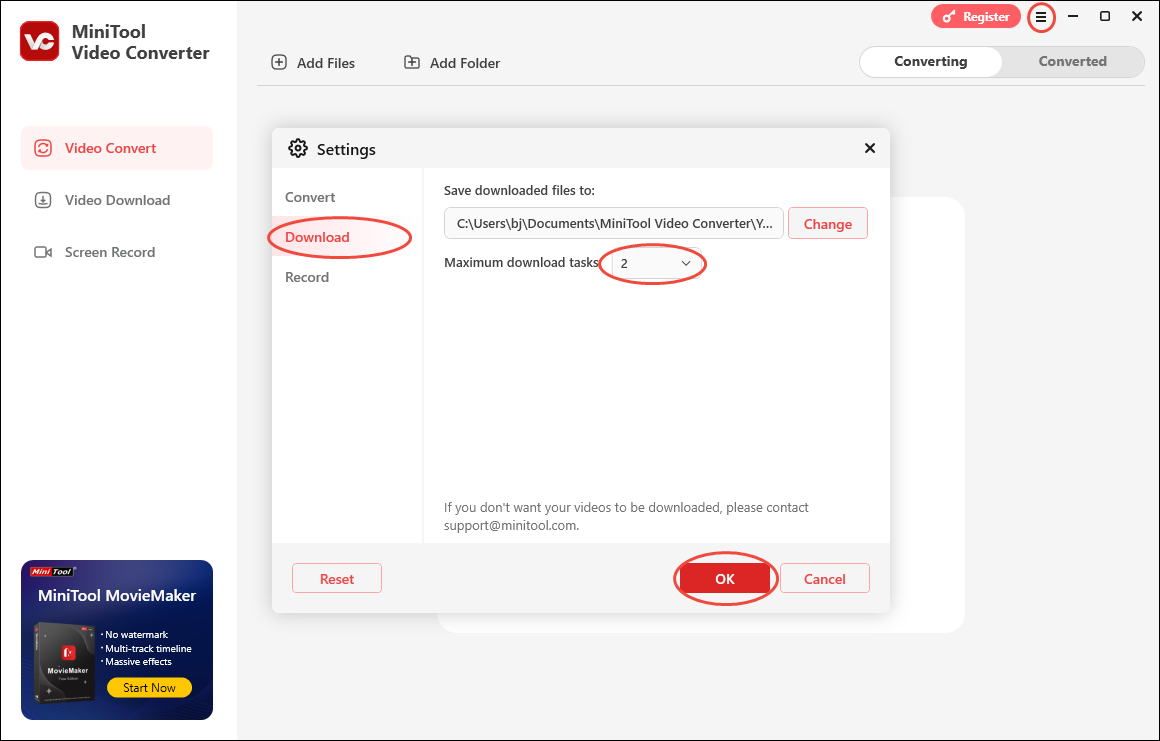
Step 2. Paste the video link into MiniTool Video Converter.
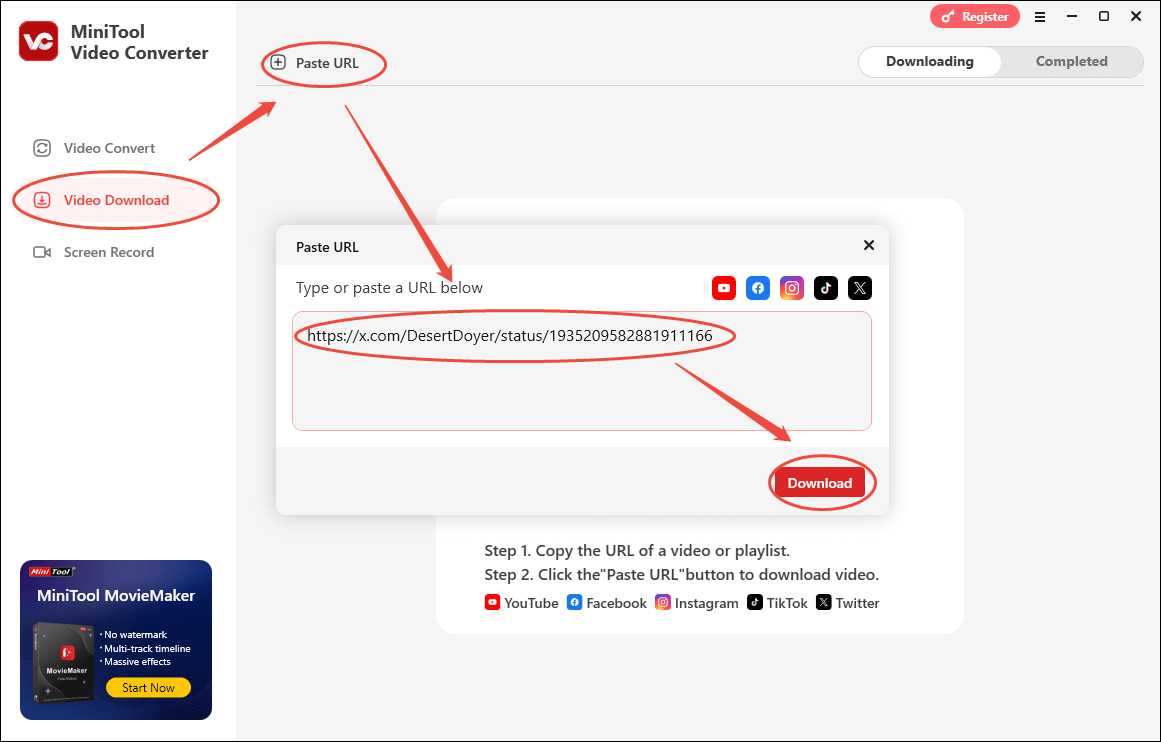
Find the Twitter content you want to save. Then, copy the link from the address bar. Next, go back to MiniTool Video Converter. Navigate to the Video Download tab and click on the Paste URL button. Then, paste the link into the text box and click on the Download button to begin the link analysis process.
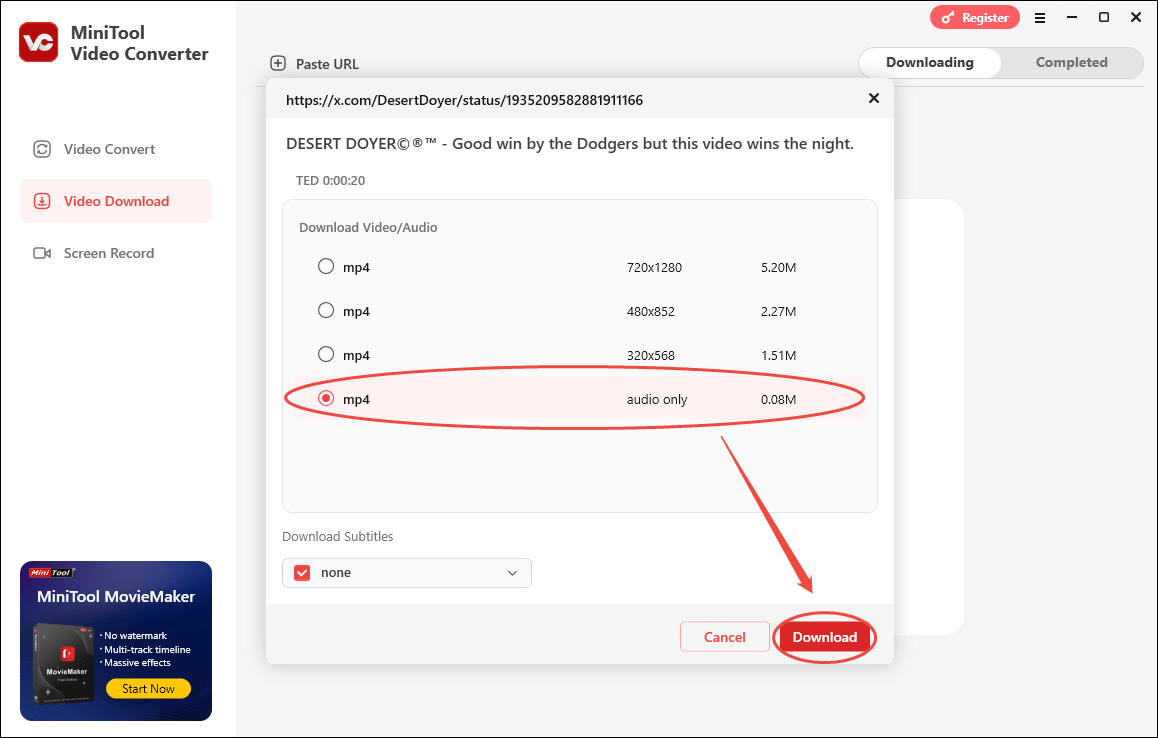
Step 3. Choose audio only as the output format and begin the download process.
After the link analysis is done, you will see a profile list that includes MP4 with different quality presets. Considering that you want to download Twitter audio, choose mp4 audio only as the output format. Finally, click on the Download button to start the audio saving process.
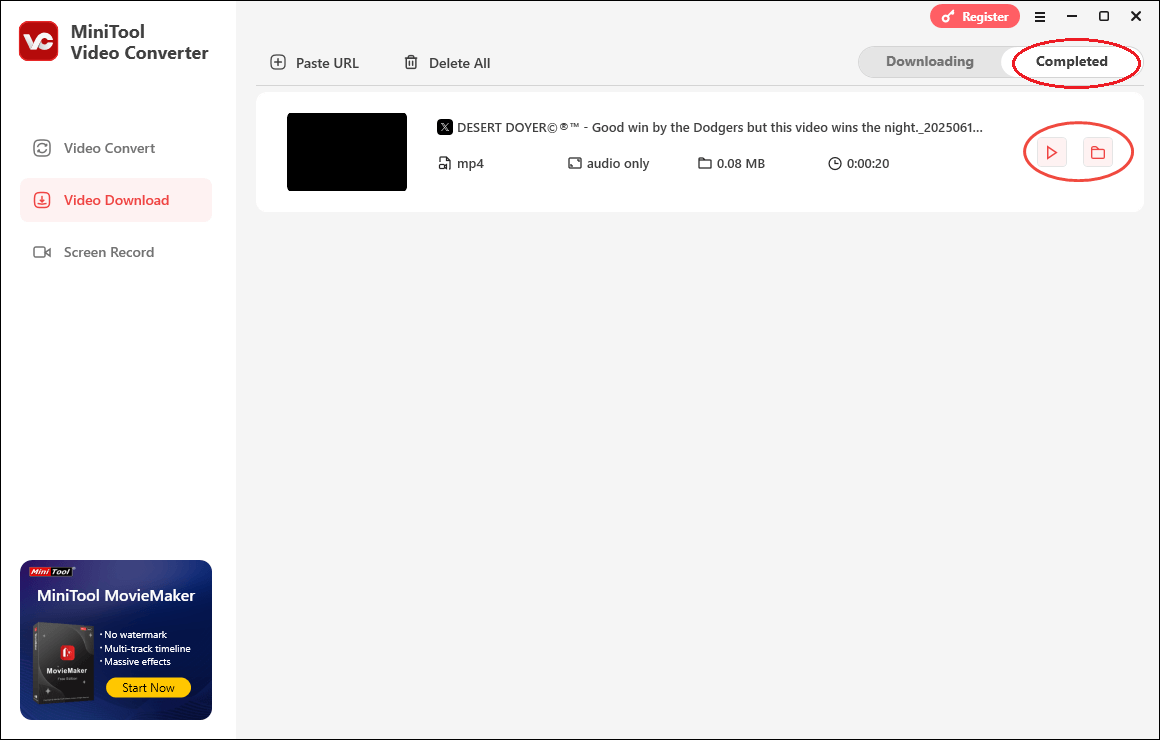
Step 4. Check the saved file.
When MiniTool Video Converter has saved Twitter audio successfully, this application will automatically switch to the Completed section. If you want to view the file directly, click on the Play icon. Also, you can locate the file by clicking on the Folder icon.
How to get audio from Twitter with ease and efficiency? This post can be helpful!Click to Tweet
Option 2: Use Online Video Downloader
If you are looking for a more time-saving way to download Twitter audio, you can use this free online tool: Online Video Downloader. In addition to saving Twitter audio, it allows users to download Twitter videos as well as videos from platforms like Facebook, Instagram, and TikTok.
Furthermore, Online Video Downloader runs seamlessly across Windows, macOS, Linux, iPhone, and Android platforms. Here is a step-by-step guide for saving Twitter audio.
Step 1. Copy the Twitter Audio Link
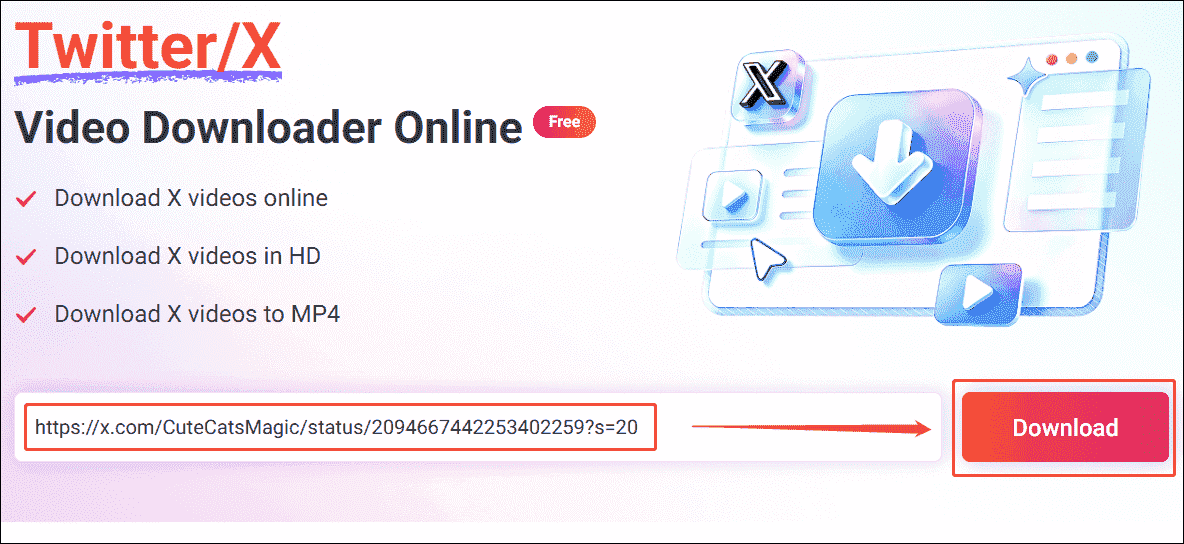
Step 2: Paste the URL & Analyze It
Go to the website of the Online Video Downloader. Then, paste the audio URL into the box and click the Download option to analyze it.
Step 3. Set the Output Format
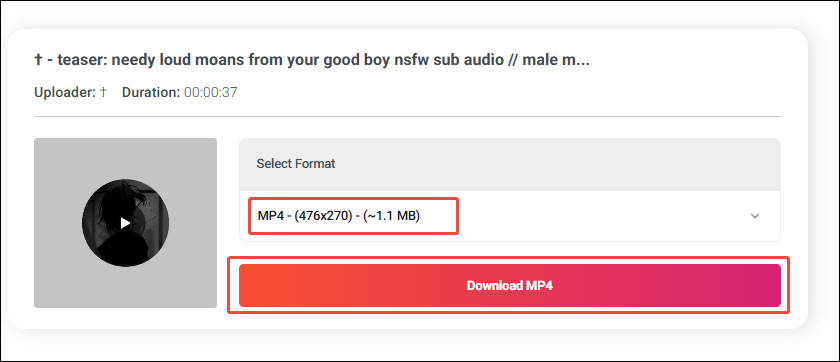
In the new interface, expand the Select Format option and choose a suitable resolution. Next, click the Download MP4 option to enter the preview section.
Step 4. Download the Audio
In the preview section, click the More option, then in the expanded menu, choose the Download option to begin the Twitter audio downloading process.
Step 5. Check the Downloaded Twitter Audio
Finally, check the downloaded Twitter audio in the Downloads section in the browser.
With the above-detailed steps, it will never be difficult for you to download Twitter audio.
Part 2: How to Extract Audio from Downloaded Videos on the PC
- Upload the video file.
- Set the output format.
- Start the conversion process.
MiniTool Video Converter can also help convert downloaded videos to audio. Below is a step-by-step tutorial on how to convert saved Twitter content to an audio format.
MiniTool Video ConverterClick to Download100%Clean & Safe
Step 1. Switch to Video Convert Section
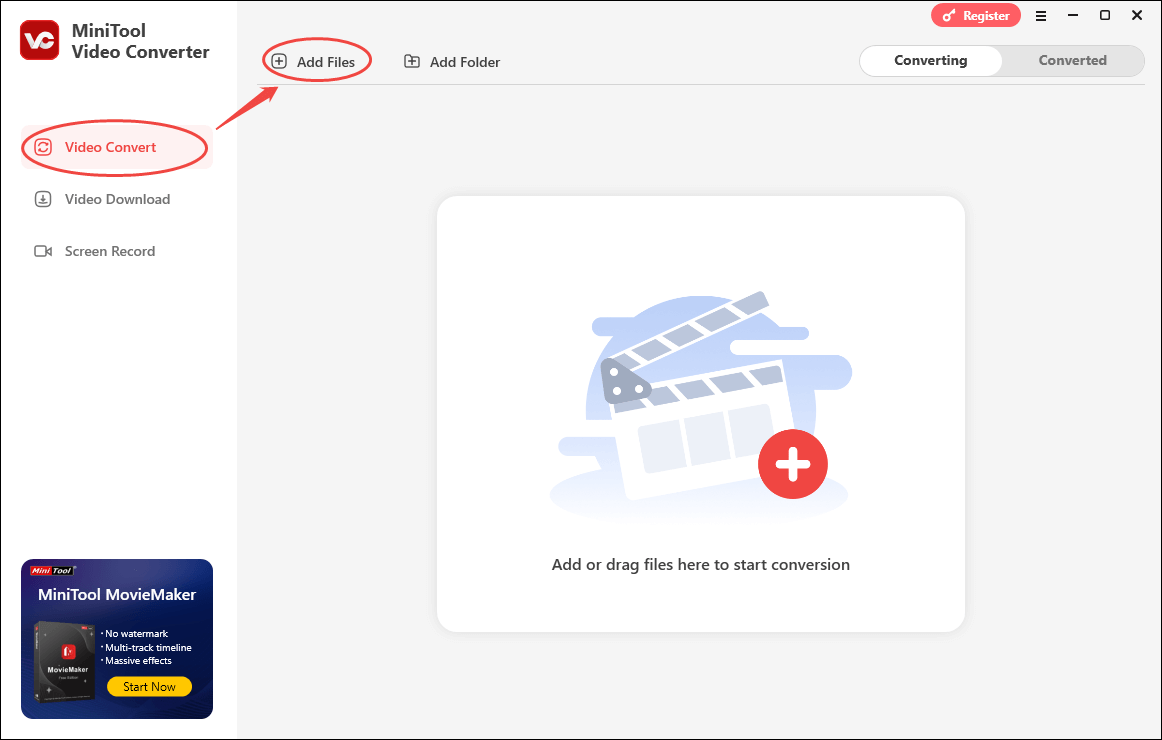
After the Twitter content is saved successfully, switch to the Video Convert module and click on the Add Files button to import the Twitter content.
Step 2. Input Audio File and Choose a Format
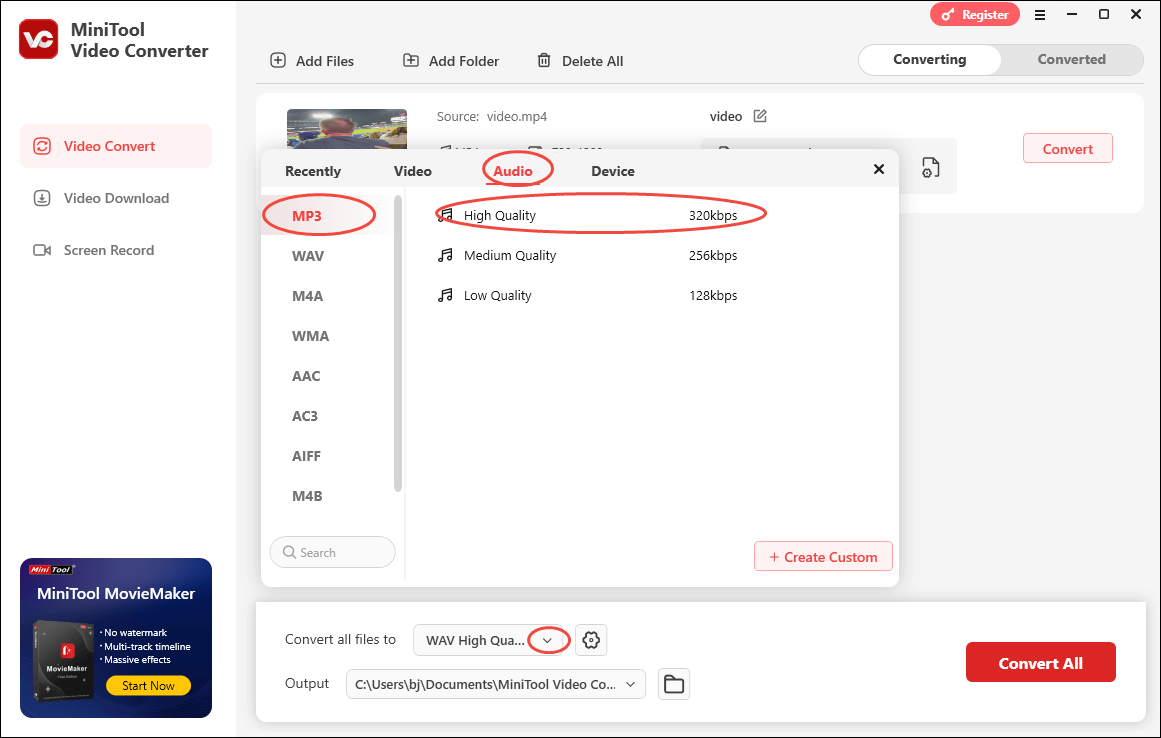
Expand the bottom-right Convert all files to option to access the output format window. Then, switch to the Audio tab. Next, choose a specific audio format and select the quality you want. Here, I take MP3 High Quality as an example.
Step 3. Determine the File Save Location
Expand the Output option to choose a destination folder for your converted file.
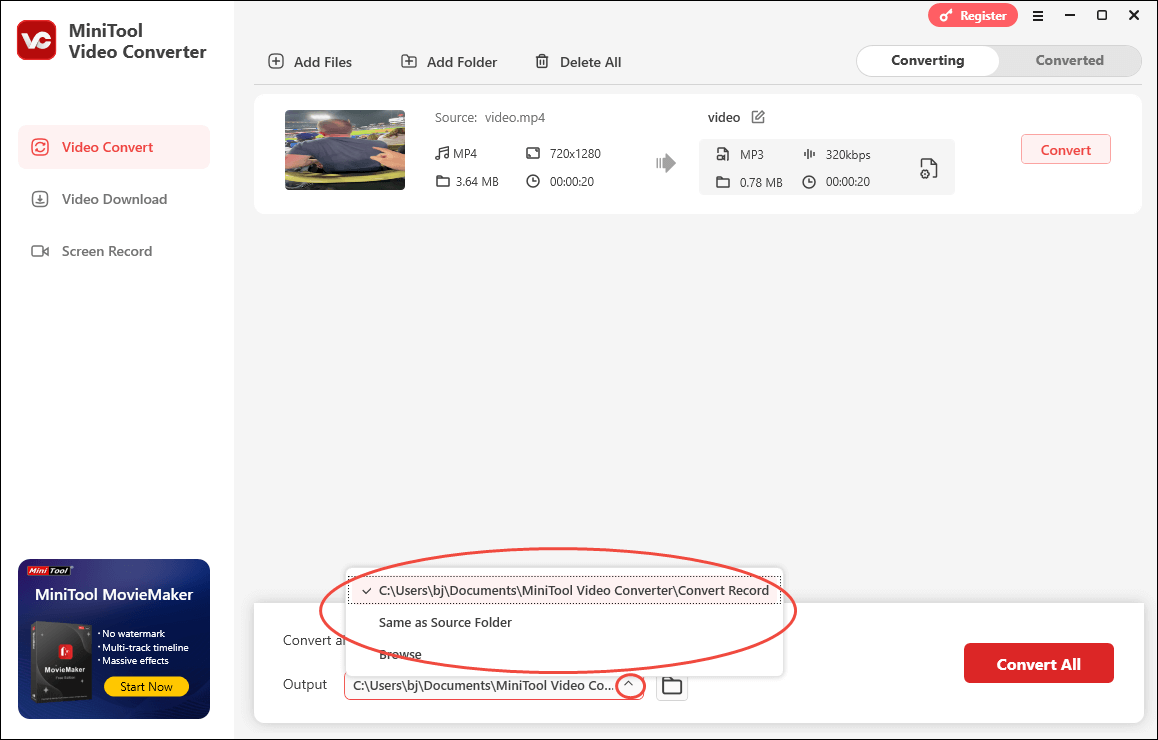
Step 4. Start Conversion
Begin the conversion process by clicking on the Convert or Convert All button.
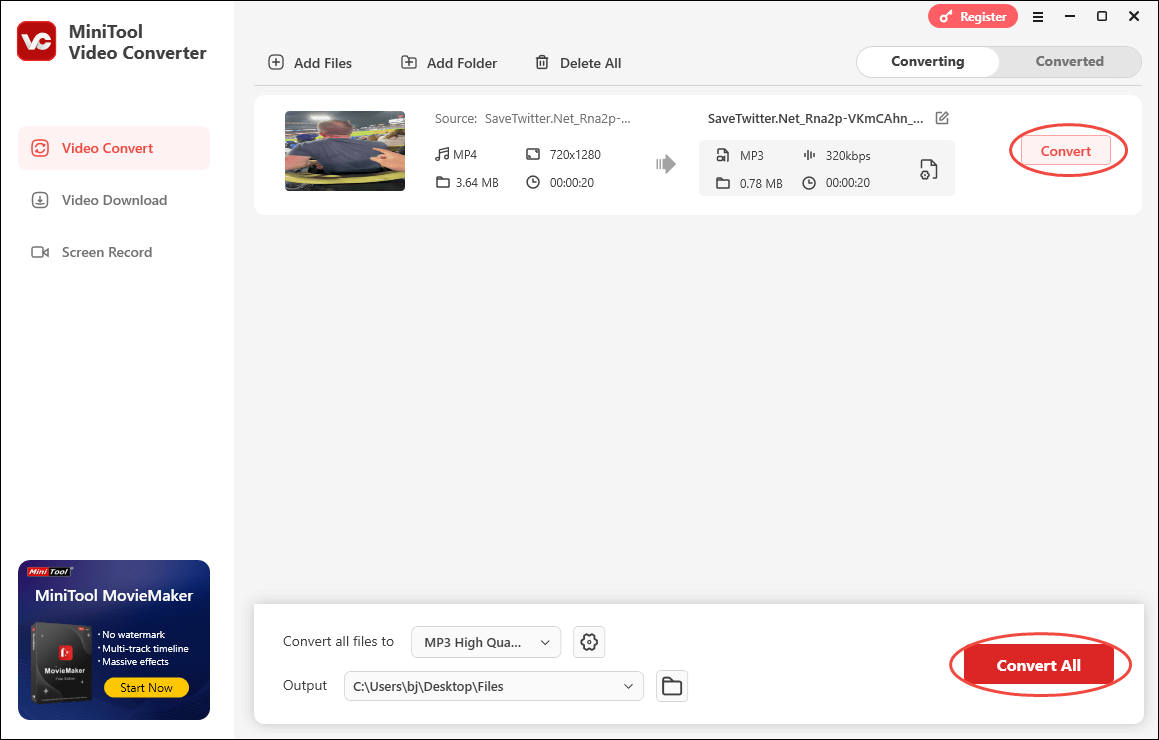
Step 5. Check the Converted File
When the conversion is done, MiniTool Video Converter will automatically switch to the Converted section. Then, click on the Folder icon to locate and check the output file.
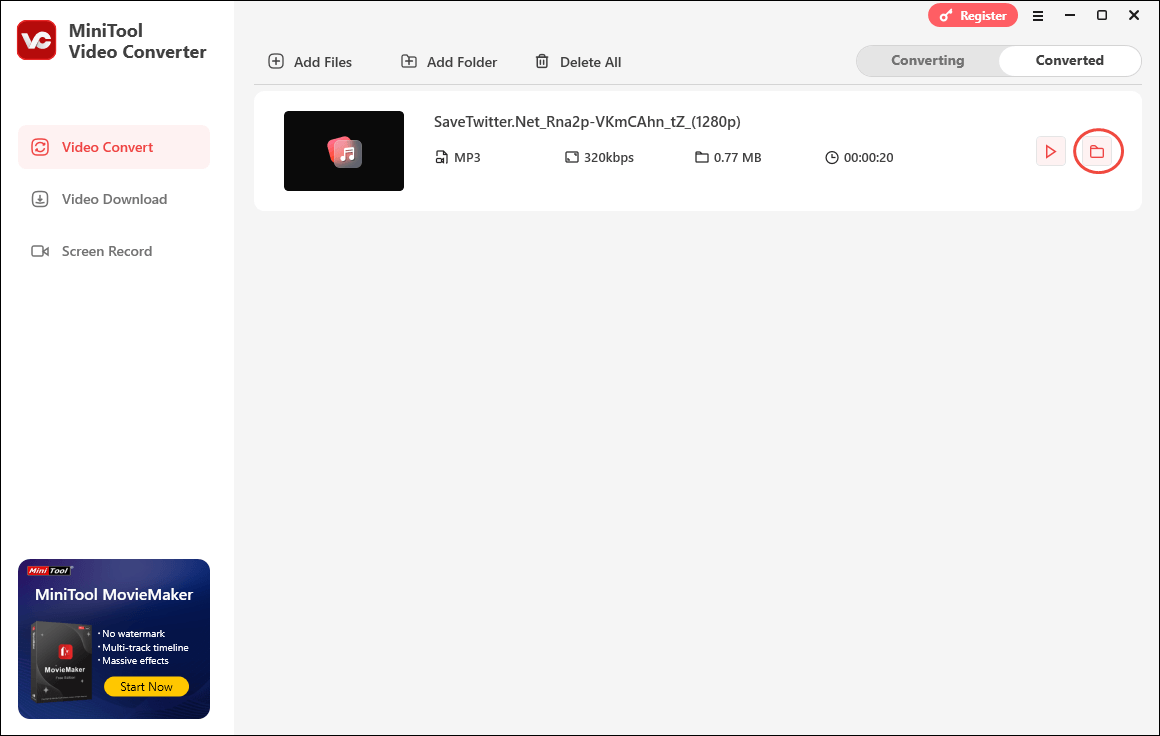
With the above-detailed tutorial, you can extract a wide range of audio formats from your saved Twitter content.
![3 Quick Methods for Twitter Link Download [2026 Update]](https://images.minitool.com/youtubedownload.minitool.com/images/uploads/2025/06/twitter-link-download-thumbnail.jpg)
To Wrap Things Up
MiniTool Video Converter and Online Video Downloader enable you to download Twitter audio easily and quickly. If you are confronted with any problems while using MiniTool Video Converter, please ask for help by contacting support@minitool.com.
FAQs
1. Unlock your phone and launch the Twitter app.
2. After finding the content you want to save, click on the Share icon and choose Copy Link to copy the link.
3. Launch the web browser and visit https://savetwitter.net/en/twitter-to-mp3.
4. Paste the link into the input box and click on Download.
5. For Android users, choose Download MP3 to start the saving process. If you are an iPhone user, hit Convert to MP3 to get the MP3 audio from Twitter.
About The Author

Position: Columnist
Jade is an experienced multimedia tech writer who has authored hundreds of guides on screen recording, video editing, and software troubleshooting. Dedicated to bridging the gap between complex technical concepts and user-friendly solutions, she specializes in providing clear, actionable advice.