

This article explains what does IB mean on YouTube. It mainly means inspired by. Meanwhile, the post explains the meanings of IB in different contexts. Finally, it shows how to get a YouTube video that inspires you using MiniTool Video Converter.
Some YouTube users report that they have seen the word IB so many times when watching YouTube videos. To help them clarify what does IB mean on YouTube, the following content is written here.
What Does IB Mean on YouTube
What does IB mean on YouTube? Generally speaking, IB stands for Inspired By. You can find it in video titles, comments, or video descriptions. A video creator often uses IB to give credit and show respect to another creator whose video idea, style, or concept has inspired the former’s video production.
If you want to use IB in a caption, you can write it in this form: IB: @username. On condition that you want to insert IB into the video description, write the IB text as Idea IB: [Creator Name].
By the way, IB on YouTube is commonly used for general inspiration. In the process of video creation, if you want more specific tags, I will give you two. The first is DC, which stands for Dance Credit. It is more accurate than IB if you need to perform the exact same choreography.
Another alternative to Inspired By is RM (Remake). If you need a direct, close replication of other users’ content, using RM is better than IB.
In addition to Inspired By, IB on YouTube also has other possible meanings. If you are watching educational videos on YouTube, IB often stands for International Baccalaureate, which refers to a robust global academic program for students.
![What Does VOD Mean on YouTube & How It Works [Detailed Guide]](https://images.minitool.com/youtubedownload.minitool.com/images/uploads/2025/12/what-does-vod-mean-on-youtube-thumbnail.jpg)
How to Save a YouTube Video That Inspires You
Sometimes, you may be inspired by some YouTube videos. Do you want to save the YouTube videos for offline watching and brainstorming? If you do, never miss MiniTool Video Converter. It enables you to get a YouTube video easily and quickly. Below is the detailed guidance on how to save a YouTube video using MiniTool Video Converter.
Step 1. Download and install MiniTool Video Converter.
MiniTool Video ConverterClick to Download100%Clean & Safe
Download MiniTool Video Converter by clicking on the download button above. Then, follow the on-screen prompts to install this software on your PC.
Step 2. Set a destination folder.
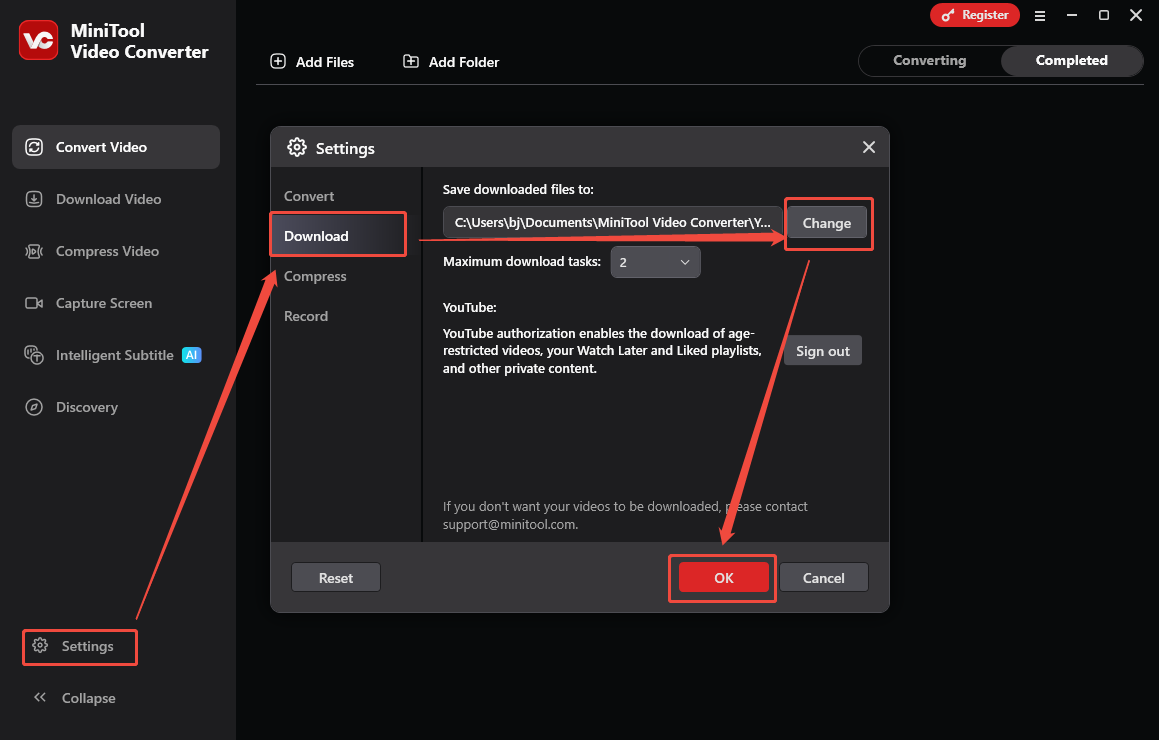
After launching MiniTool Video Converter, click on the bottom-left Settings option to enter the Settings window. There, switch to the Download section and click on the Change option to choose an output folder for the saved video. Finally, click on the OK button to save the changes.
Step 3. Copy the YouTube video link.
Go to the YouTube website and play the video you want to save. Next, copy the video URL from the address bar.
Step 4. Analyze the video link.
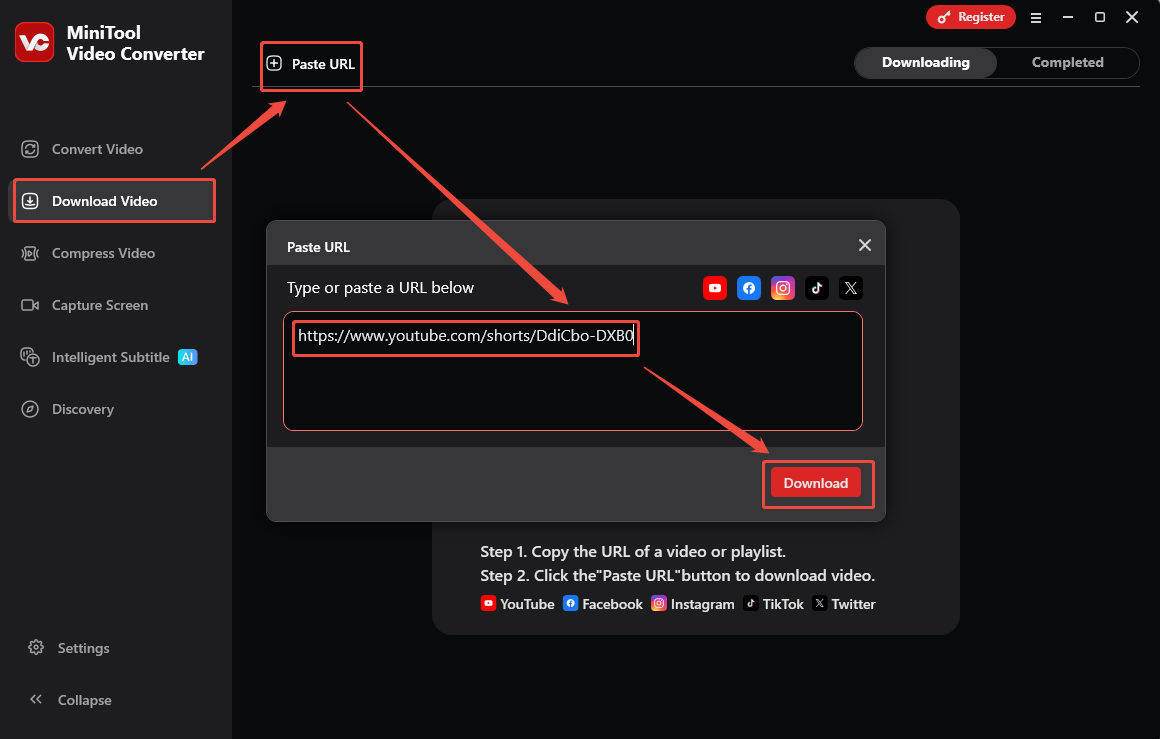
Go back to the MiniTool Video Converter interface and navigate to the Download Video section. There, click on the upper-left Paste URL option to activate the URL box where you need to paste the video link. Next, begin the video link analysis process by clicking on the Download option.
Step 5. Specify the output format.
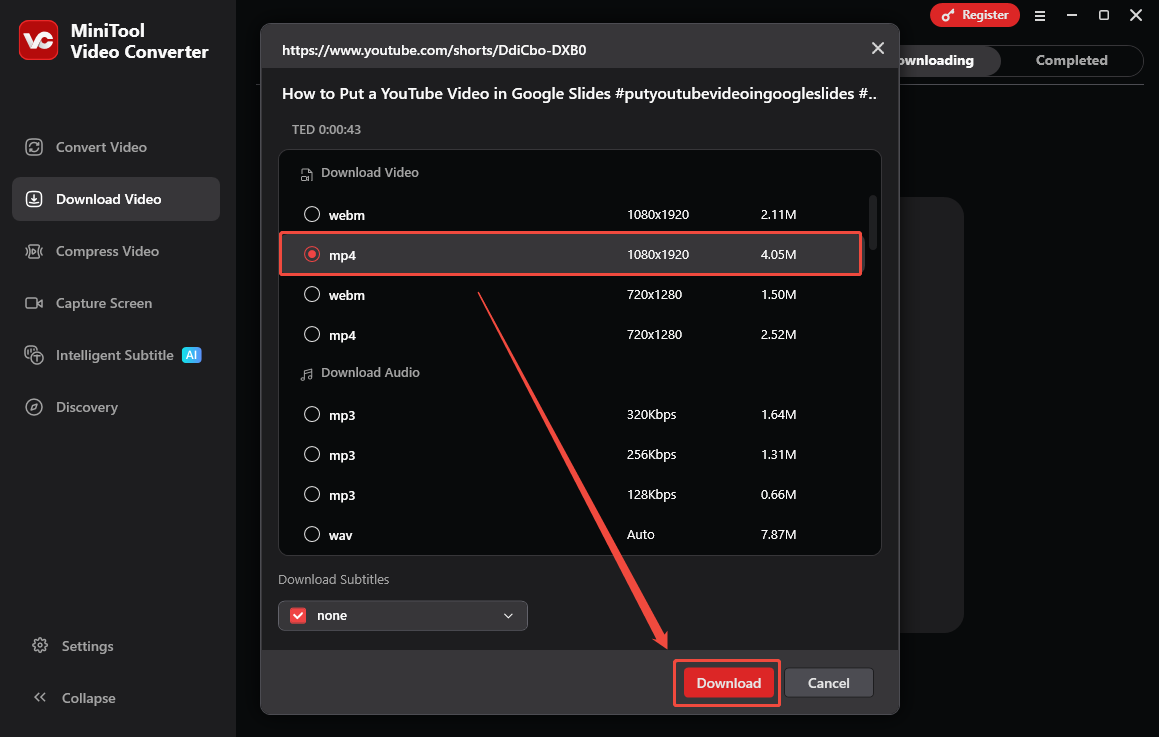
When the link analysis completes, the output format window will pop up. In this window, select the video format and resolution you want. Here, I take MP4 1080x1920 as an example. Then, begin the download process by clicking on the bottom-right Download option.
Step 6. Check the output video.
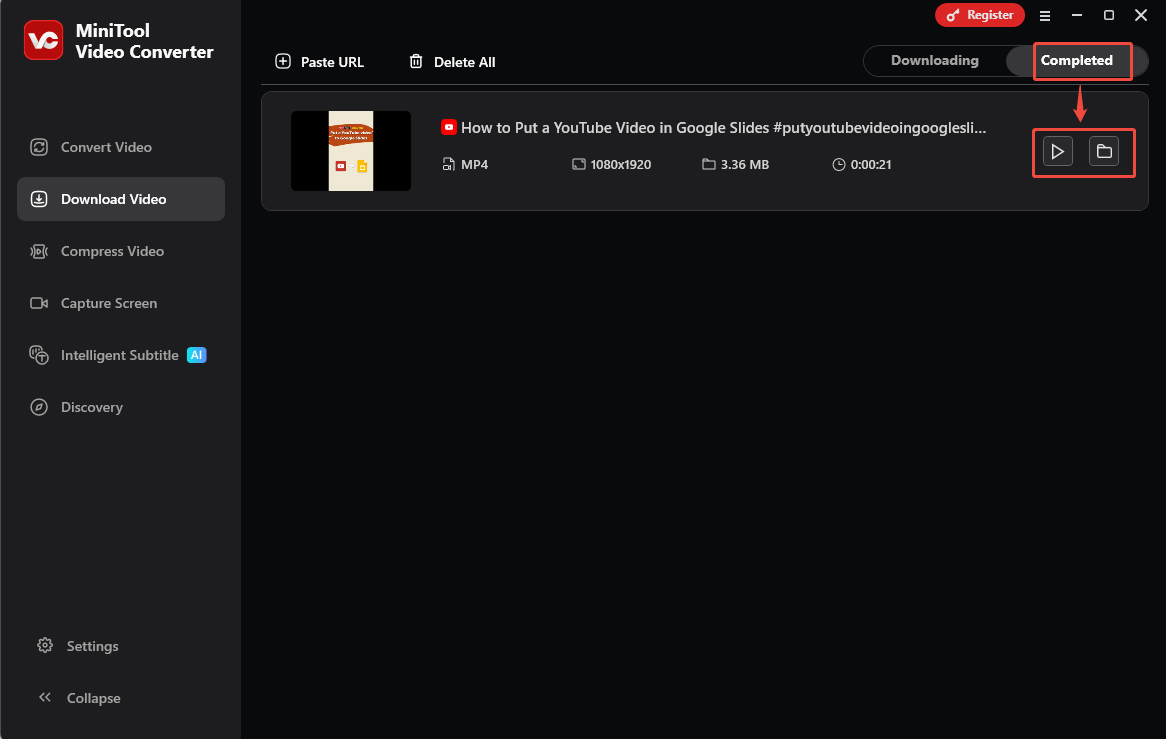
When the download process finishes, this YouTube video saver will automatically switch to the Completed section. There, click on the Play icon to view the output video. If you want to locate it, click on the Folder icon.
With MiniTool Video Converter, you can save various YouTube videos that inspire you.
In Summary
What does IB mean on YouTube? The primary meaning is inspired by. Specifically, IB shows how the created video is influenced by other creators. In addition, in the context of education, the meaning of IB on YouTube often refers to an academic program.