

What Is a YouTube Meme
Unlike static memes, YouTube memes are video content that uses sound effects and dynamic visuals to enhance humor and resonance. These videos often originate from viral clips within YouTube videos. As these clips rapidly spread, creators re-edit or adapt them into new memes, blending into diverse forms that collectively constitute today's YouTube meme ecosystem.
YouTube memes have evolved into a highly effective media marketing strategy. Creators leverage these elements to forge emotional connections with audiences, boost comment engagement rates, and ignite sharing enthusiasm.
Common types of YouTube memes:
- Reaction meme: Short video clips expressing exaggerated emotions.
- Sound meme: Popular music snippets repeatedly used across numerous YouTube videos.
- Template meme: Customizable video templates where users can modify text or images to create new memes.
Where to Download YouTube Meme Templates
There are countless meme templates available online, but you don't have to waste time searching for them. This article provides two methods for downloading meme templates from YouTube. Just choose the one that works best for you.
#1 Download Meme Templates from YouTube
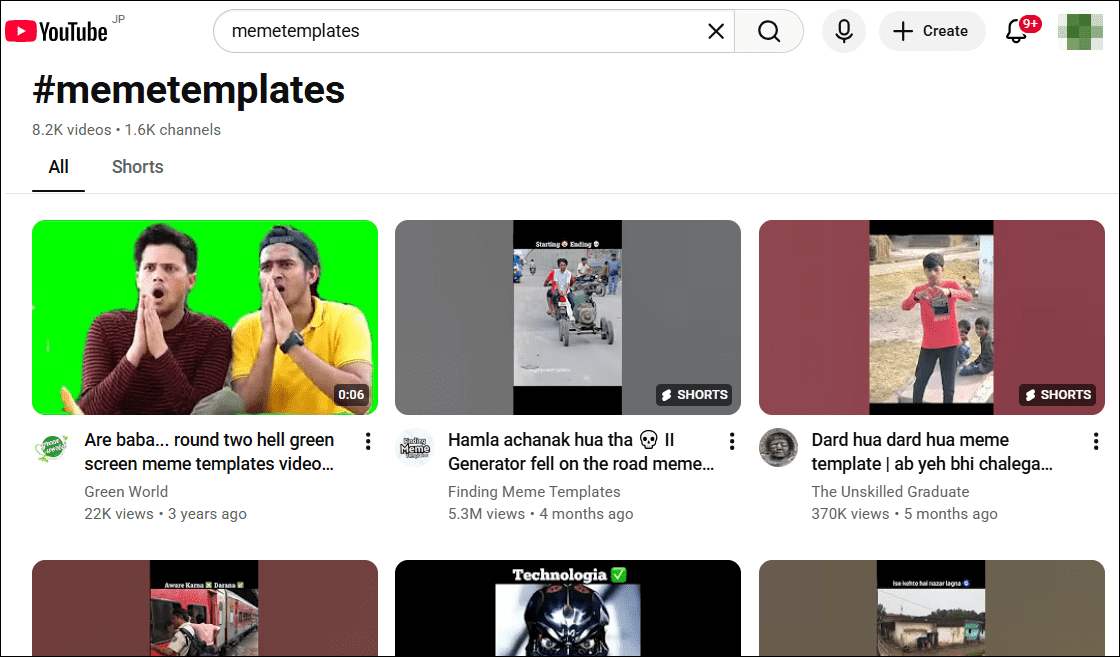
YouTube, as a treasure trove of video resources, offers a vast collection of video meme templates. Numerous creators have meticulously curated extensive playlists of these templates. You can find them by entering “meme templates” in the homepage search bar. These templates can be downloaded directly and used at any time during video editing.
Here, I highly recommend using this free video download tool, MiniTool Video Converter. It supports downloading YouTube videos, playlists, music, Instagram videos, Reels, as well as videos from platforms like TikTok, Facebook, and Twitter. Additionally, MiniTool Video Converter allows downloading up to 10 videos simultaneously, and downloaded videos won't have watermarks added.
Below are the detailed steps to download meme templates from YouTube using MiniTool Video Converter:
Step 1: Download and Install
Click the button below to download and install the latest version of MiniTool Video Converter on your PC.
MiniTool Video ConverterClick to Download100%Clean & Safe
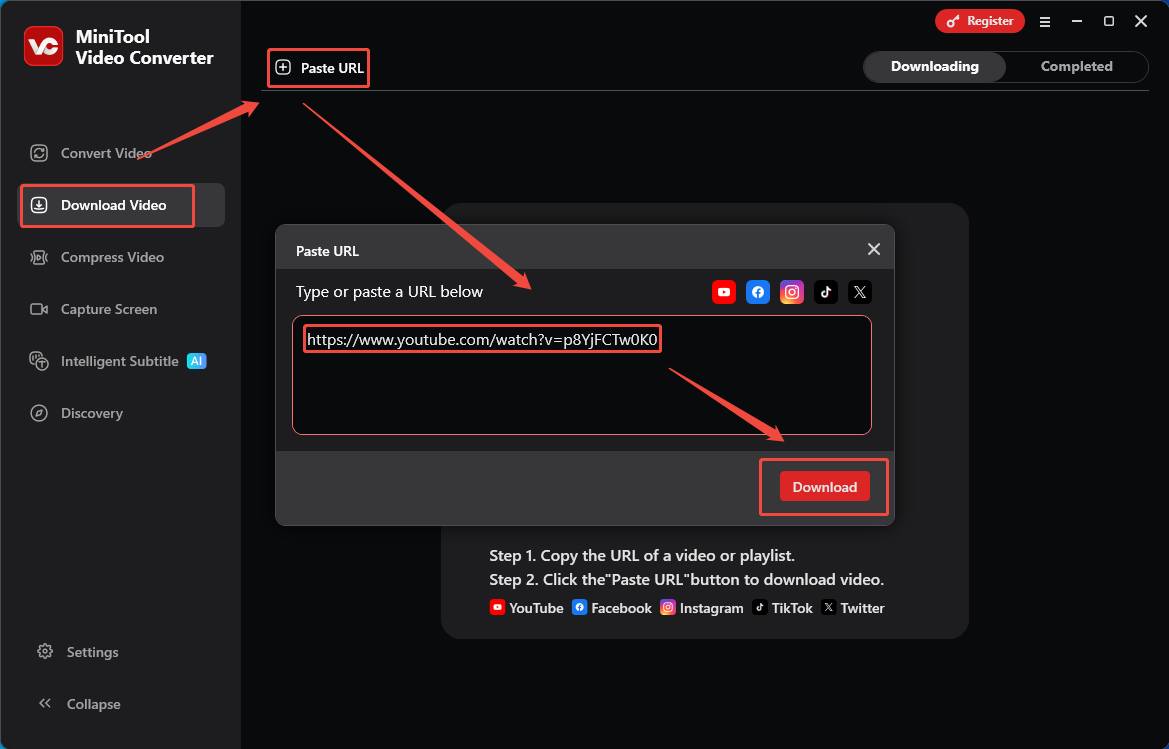
Step 2: Copy and Analyze the Video’s URL
1. Go to the YouTube website to find the meme video template you want to download, then copy its URL from the address bar.
2. Launch MiniTool Video Converter on your PC and go to the Download Video module.
3. Click on Paste URL and paste the copied URL into the box, then click on Download to analyze it.
Step 3: Download the YouTube Meme Template
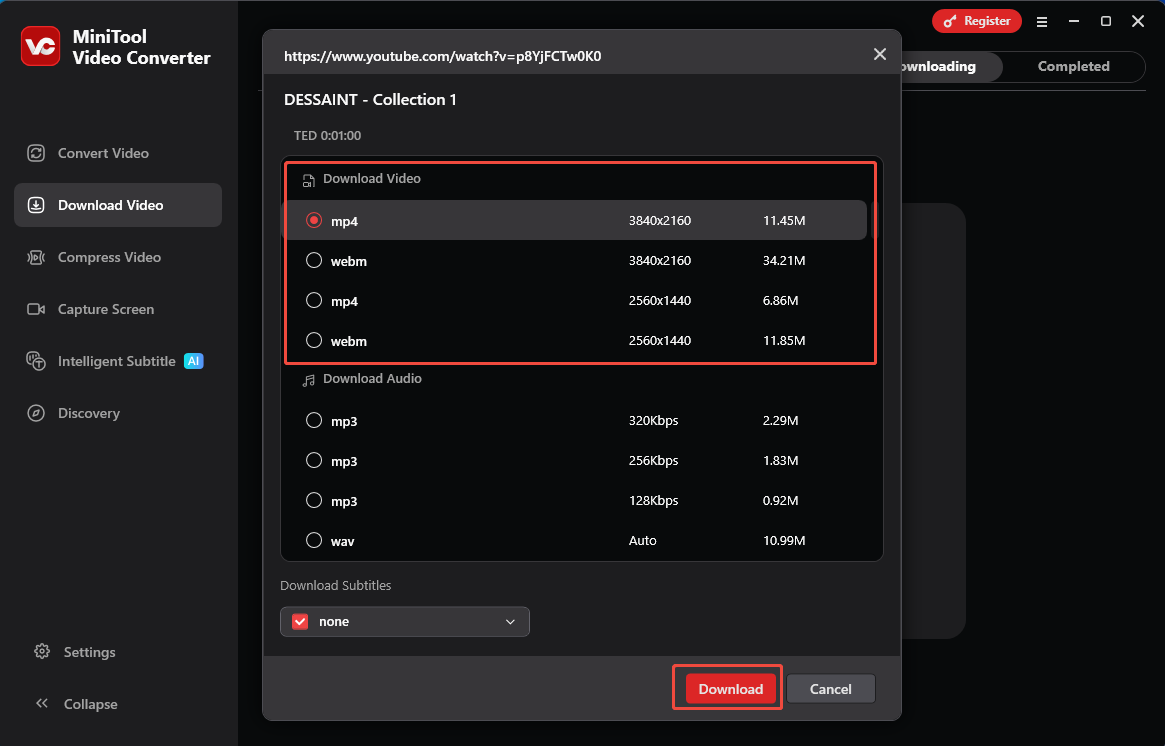
1. In the new pop-up window, choose the format and resolution for the YouTube Meme Template.
2. Then, click on Download again to save the YouTube Meme Template.
#2 Download Meme Templates from Online Websites
If you're looking for more customizable meme templates for YouTube, consider these two recommended online websites.
Kapwing
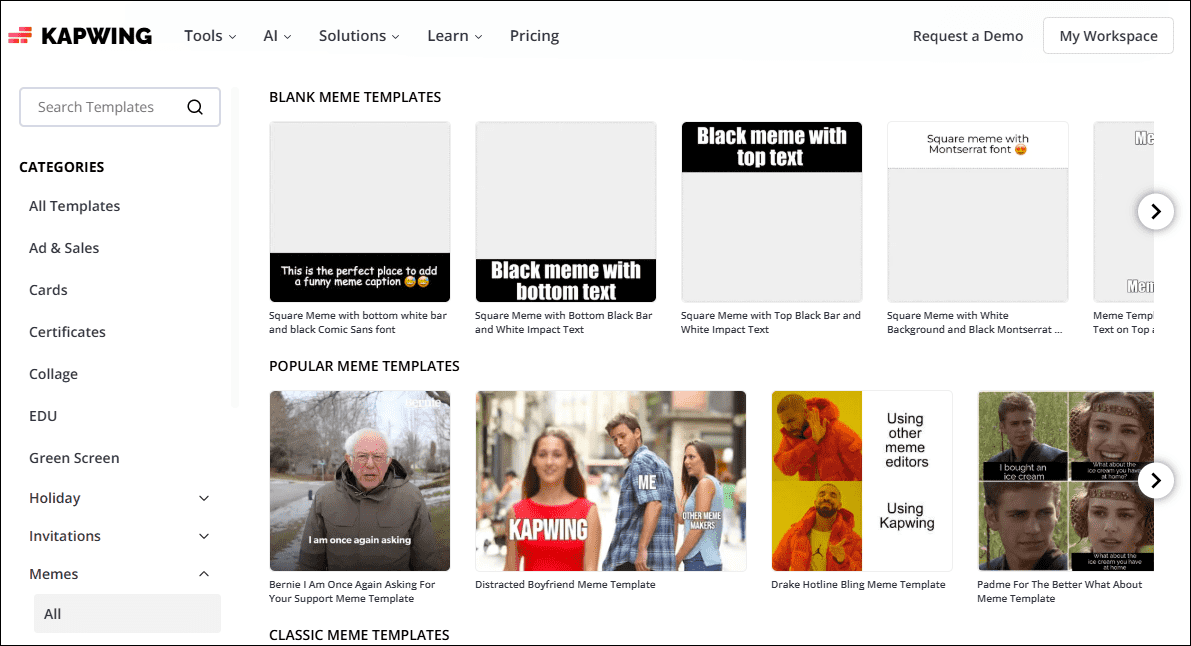
Kapwing is an easy-to-use online design editor featuring an extensive library of meme templates for YouTube. Users can choose from classic or trending templates based on their needs. Additionally, Kapwing offers blank meme templates, allowing users to unleash their creativity and design entirely new meme templates, which can be saved in MP4 or GIF formats.
Beyond meme templates, Kapwing also offers a wide selection of YouTube intro templates, thumbnail templates, banner templates, and more for users to choose from.
Canva
Canva, an online design editor, also offers customizable meme templates for YouTube, making it particularly suitable for users who prefer simple operations. After entering “YouTube meme templates” in the search bar, users can filter their desired YouTube video meme templates by selecting themes, colors, and features from the top menu bar.
How to Use YouTube Meme Templates
To make the most of your downloaded meme templates for YouTube, consider following these guidelines below:
#1 Maintain Consistent Video Themes
Not all meme templates suit every channel. Creators should select appropriate meme templates based on their video themes.
#2 Integrate Brand Identity
When customizing meme templates, incorporate brand elements, whether logos, text, or icons and stickers familiar to subscribers, which subtly reinforces the channel's presence in viewers' minds.
#3 Adding Narration to the YouTube Meme
When using meme templates, incorporating narration helps viewers grasp the underlying meaning behind the meme. This not only explains the origin to those unfamiliar with the reference but also connects it to the video's theme.
#4 Control Placement Timing
The effectiveness of YouTube memes in videos lies not in quantity, but in strategic placement. For instance, placing them at the beginning can ignite the atmosphere, while placing them in the middle or at the end can spark audience engagement.
Bottom Line
In short, YouTube memes are a powerful tool for boosting audience engagement. By utilizing the YouTube meme templates and usage guidelines provided in this article, you can unleash your creativity to customize them into content that aligns with your channel's style, as well as maximize their viral potential by following best practices.
About The Author

Position: Columnist
Jade is an experienced multimedia tech writer who has authored hundreds of guides on screen recording, video editing, and software troubleshooting. Dedicated to bridging the gap between complex technical concepts and user-friendly solutions, she specializes in providing clear, actionable advice.