

Adding overlays to YouTube live streams is key to enhancing professionalism and improving the viewer experience. This article carefully selects the top 5 YouTube live stream overlay makers to optimize your broadcasts.
YouTube live stream overlays, similar to YouTube video overlays, refer to graphical elements superimposed on the live stream feed to add text, branding, and other information. These overlays serve as supplementary content to enhance visual appeal, boost viewer engagement, and elevate the professionalism of the broadcast without interfering with the main live stream content.
Why Use Overlay to YouTube Live Stream
Using overlay elements in YouTube live streams serves not only decorative purposes but also fulfills more substantive functions.
Enhance Live Stream Professionalism
Using consistent overlays during YouTube live streams helps create a unified and professional visual presentation. Additionally, this helps streamers establish a stable brand image, thereby enhancing the credibility of their live content.
Boost Viewer Engagement
Live stream overlays not only showcase brand identity but also display real-time notifications for new subscribers and donations. This instantly energizes the live stream atmosphere while enhancing viewer engagement, allowing audiences to genuinely feel the host's appreciation for their donations or subscriptions.
Enhance Brand Recognition
Using consistent typography, color schemes, and brand elements will strengthen brand recognition. Additionally, overlays can continuously display key information during live streams, such as brand logos, social media accounts, or even familiar slogans shared with viewers.
Since viewers cannot choose to turn off these elements, your brand image will gradually leave a lasting impression over time.
5 YouTube Live Stream Overlay Makers for You
Mastering live stream overlay tools empowers both newcomers and seasoned streamers to create overlays more efficiently. Below, we've curated the five best YouTube live stream overlay tools for your consideration.
#1 Strmaker.com
Website: https://app.strmaker.com/#/tool/overlay
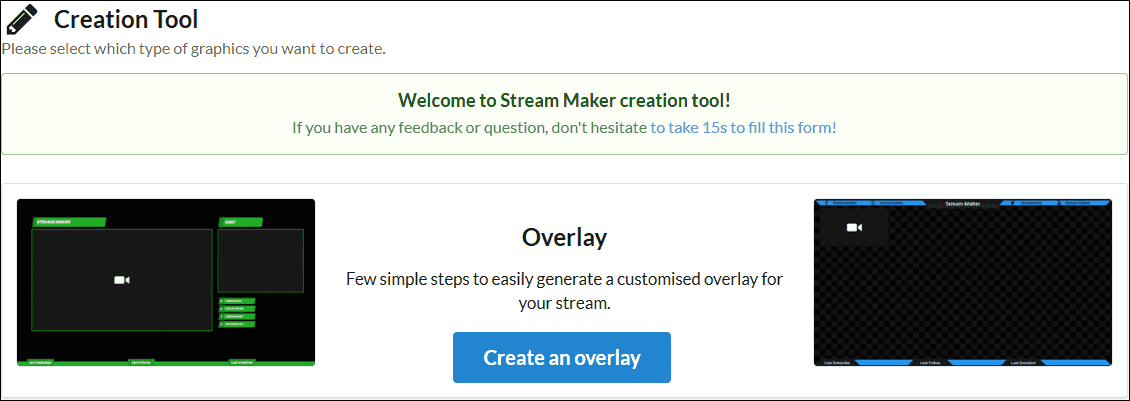
Strmaker.com is a user-friendly YouTube live stream overlay maker that lets you start creating instantly without needing to register for an account. It offers customizable live overlay themes, allowing users to adjust content and color schemes according to specific needs.
Additionally, Strmaker.com boasts an extensive library of YouTube banners, logos, background images, and other assets. Its operation is remarkably straightforward: simply select your preferred template, add your live stream title and platform information, customize camera placement and color schemes, then click Make to complete the entire process.
#2 Videobolt.net
Website: https://app.videobolt.net/
If you're searching for more diverse YouTube live stream overlay templates, Videobolt.net is an excellent choice. No professional design or editing skills required, you can create and export custom live overlays in seconds.
Videobolt.net offers a library of professional animated overlay packs that break from traditional styles, covering unique themes like minimalism, glitch art, cyberpunk, and 3D art. If you already have your brand logo and text elements ready, you can embed them directly into these stunning templates.
#3 Pixelcut
Website: https://www.pixelcut.ai/create/stream-overlay-generator
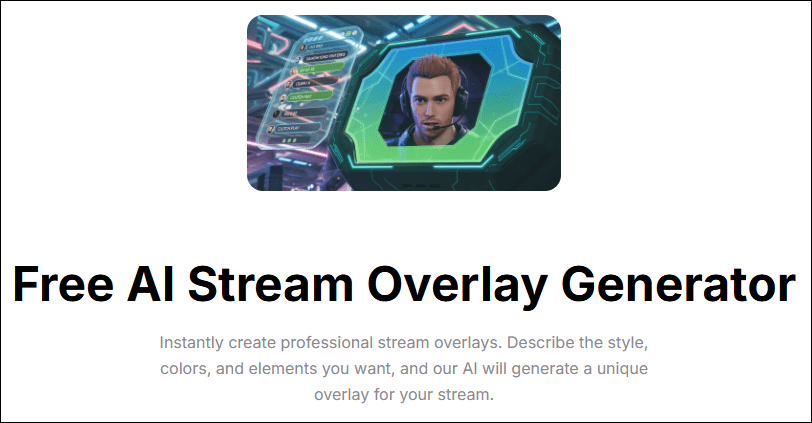
Unlike tools that merely offer YouTube live stream overlay templates, Pixelcut stands out by simplifying graphic design through artificial intelligence. Users simply describe the desired live overlay style and text prompts to the AI, while precisely specifying the placement of elements like chat boxes, camera borders, and notifications.
Additionally, you can send pre-prepared graphic elements, such as brand logos and subscribe buttons, to the AI. The AI will then synthesize style, layout, and composition to generate a YouTube live overlay that meets your expectations.
#4 OWN3D Pro
Website: https://www.own3d.tv/en/shop/youtube-overlays/
For game streamers, OWN3D Pro is an indispensable YouTube live streaming overlay maker renowned for its professional-grade overlay packages. Users need not prepare banners, reminder animations, or other elements in advance.
OWN3D Pro's comprehensive overlay packages cover everything from stream break banners and notification templates to tags, plus opening effects and closing scenes. Each element is provided as a separate file, allowing users to freely adjust layouts and create a unique visual presentation tailored to their specific needs.
#5 StreamElements
Website: https://streamelements.com/features/overlays
StreamElements is a completely free live stream overlay maker for YouTube. It not only offers simple and intuitive live stream overlay templates but also provides super themes crafted by top designers at no cost. Unlike other platforms that require downloading overlays to your device, StreamElements features a free cloud-based overlay editor. Once created, live stream overlays can be saved directly to the cloud.
To add them to your live stream in real time, simply link your StreamElements account to your YouTube account. Then, load them directly into YouTube via your browser to achieve seamless cross-platform resource updates.
MiniTool Video ConverterClick to Download100%Clean & Safe
Final Words
In the fiercely competitive world of live streaming, personalization is the key to success. Adding overlays to your YouTube live streams not only boosts professionalism but also helps shape a unique brand identity. The five YouTube live stream overlay makers featured in this article will not only save you significant time but also empower you to effortlessly create personalized live stream overlays.
About The Author

Position: Columnist
Jade is an experienced multimedia tech writer who has authored hundreds of guides on screen recording, video editing, and software troubleshooting. Dedicated to bridging the gap between complex technical concepts and user-friendly solutions, she specializes in providing clear, actionable advice.