

This article recommends 2 methods to watch YouTube videos together, including using a video sync app and saving YouTube videos with video downloaders. The general download steps involve inputting the YouTube URL, choosing the output format, and beginning the download process.
It’s great to watch YouTube videos together with friends at home. In the process, I can talk about the plot of the show or your feelings with friends. Recently, to make the watching experience smoother, I have learned 2 robust methods. Next, I will share them with you.

How to Watch YouTube Videos Together (with Video Sync App)
- Copy the YouTube link.
- Open Sync Tube.
- Go to CREATE ROOM
Sync Tube has a clean and simple interface with no ads. On this website, you can create a room or browse other rooms. If you want to listen to YouTube music with friends in real time, here’s how:
Step 1. Log in to your YouTube account after going to YouTube.
Step 2. Find the song you’d like to listen to it with your friends. Then copy the URL in the address bar.
Step 3. Go to Sync Tube and tap on CREATE ROOM.
Step 4. When the room is created, paste the URL in the search bar and the video will appear. Click on it to add this video.
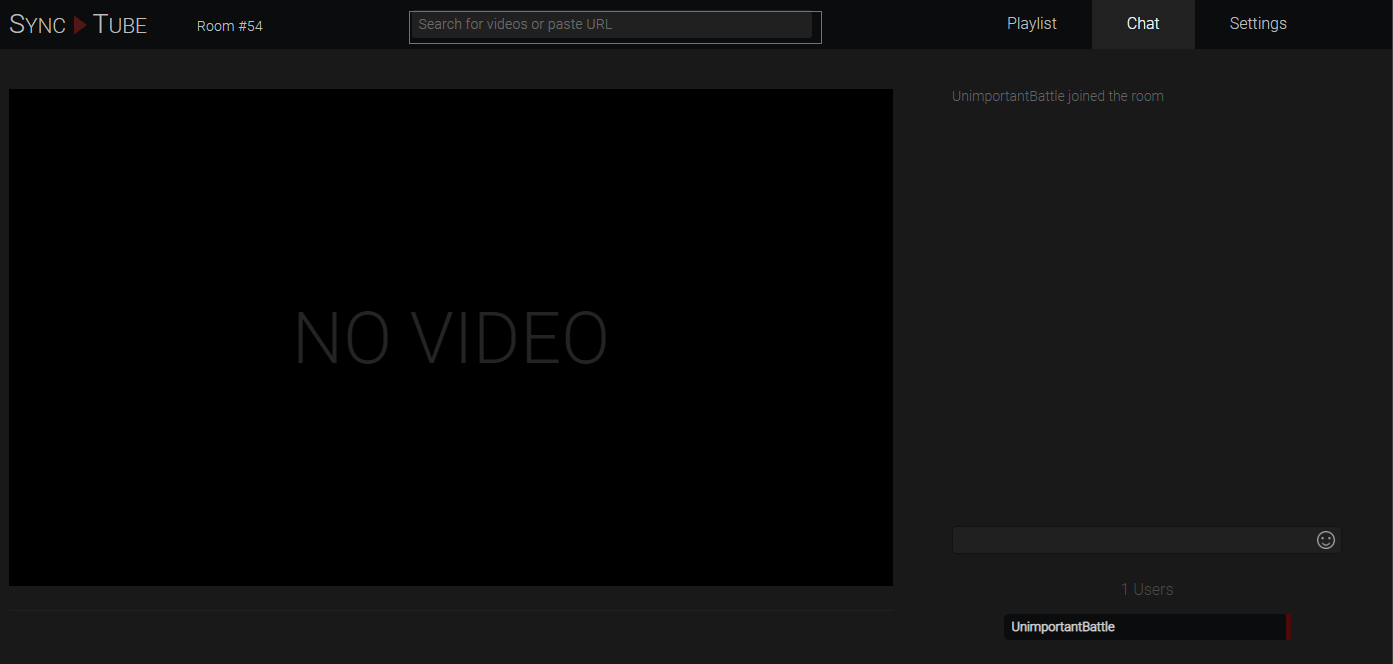
Step 5. Share the video URL with your friends. Once they join in, click the play button to watch YouTube with friends.
How to Watch YouTube Videos Together (with YouTube Downloaders)
- Copy the YouTube URL.
- Select the output format.
- Start the download process.
Option 1. MiniTool Video Converter (Offline)
MiniTool Video Converter is an easy-to-use video downloader and supports many platforms, including YouTube, X, Facebook, TikTok, and Instagram. Meanwhile, this watermark-free program supports downloading up to 10 YouTube videos at the same time.
1. Get MiniTool Video Converter
Download, install, and run MiniTool Video Converter.
MiniTool Video ConverterClick to Download100%Clean & Safe
2. Analyze the YouTube URL
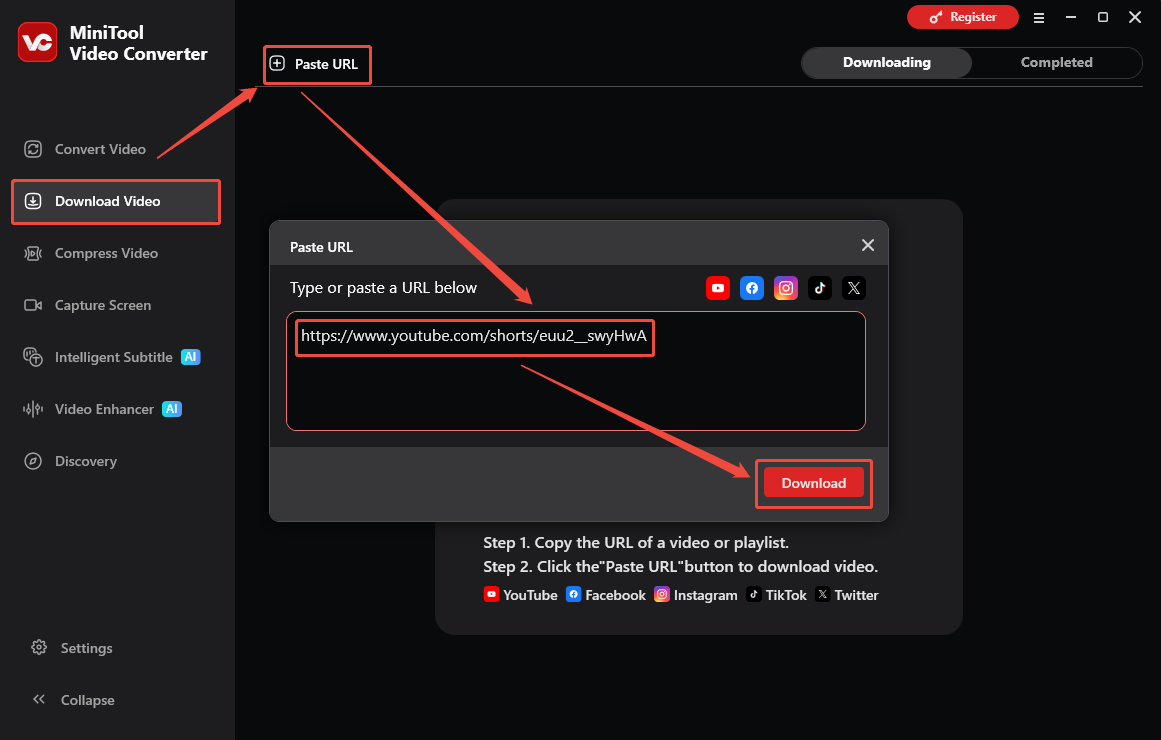
Find the YouTube video you want to get and copy its URL. Go back to the Download Video section of MiniTool Video Converter and click the upper-left Paste URL option. Next, paste the YouTube link into the URL box. Finally, click the Download option to begin the link analysis process.
3. Select the Output Format and Start Download
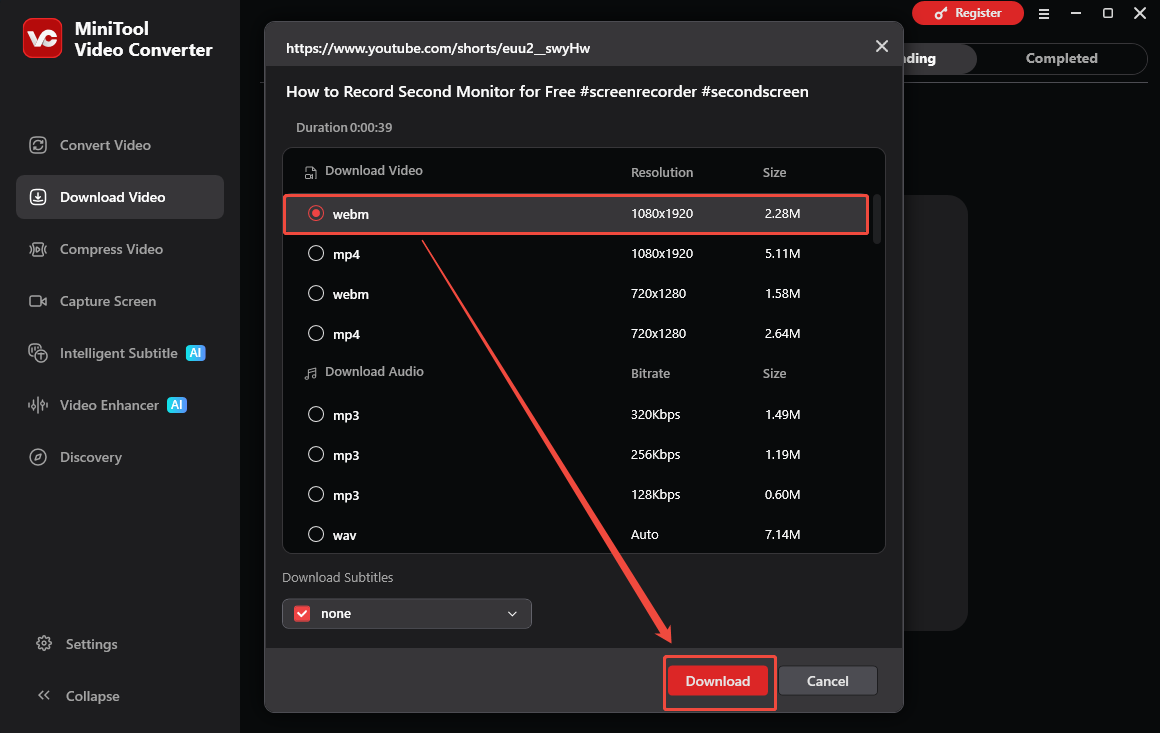
After selecting the output format you want, click on the Download option to begin the download process.
4. Check the Output Video
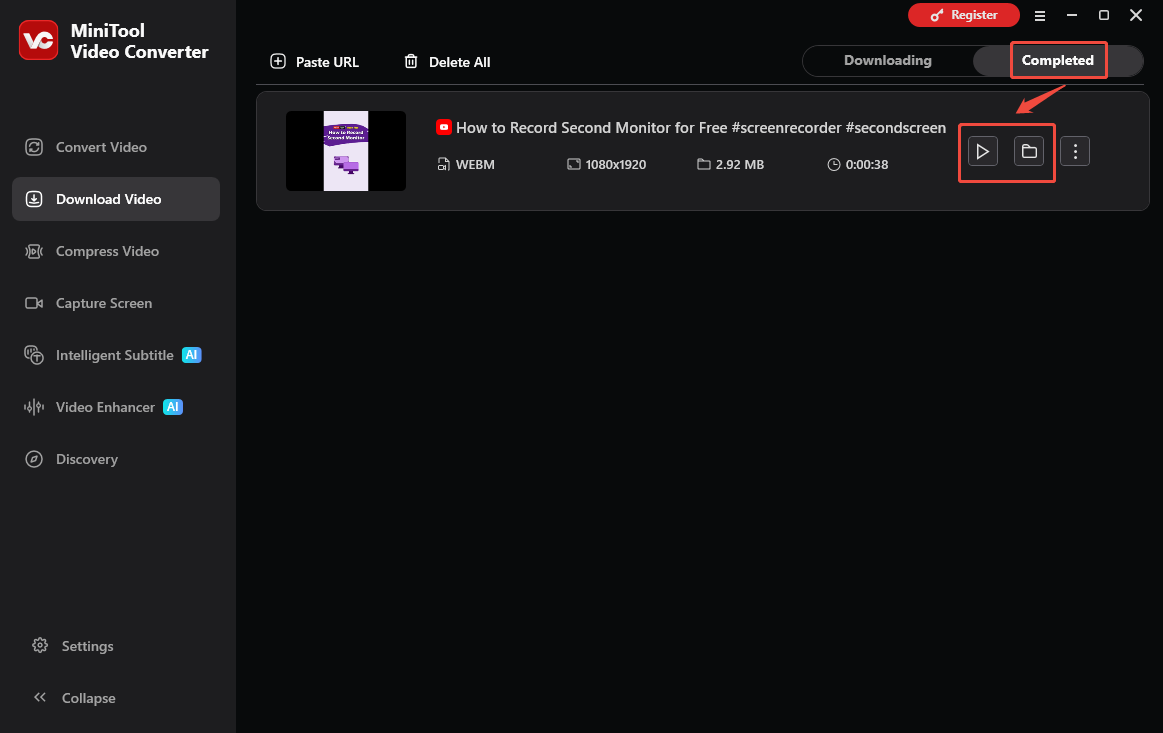
When the download process ends, this downloader will automatically switch to the Completed section. There, click on the Play icon to view the output video. To locate the output file, click on the Folder icon.
Now, though there is no Internet connection, you can watch YouTube videos together with your friends.
Option 2. Viddown.net (Online)
Viddown.net is an easy-to-use online tool for novices. With a watermark-free nature, it supports multiple platforms, including YouTube, X, Facebook, Vimeo, Instagram, and TikTok. More importantly, it is completely free, and there aren’t any advertisements.
1. Copy YouTube URL
2. Analyze the YouTube URL
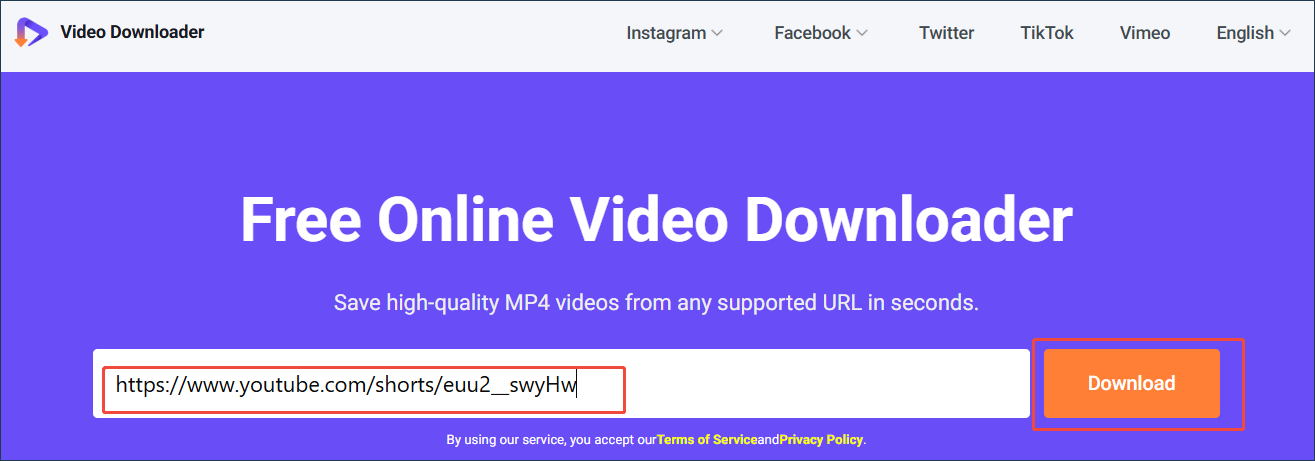
Visit https://www.viddown.net/ and paste the YouTube link into the URL box. Next, click the Download option to analyze the YouTube video link.
3. Start Download
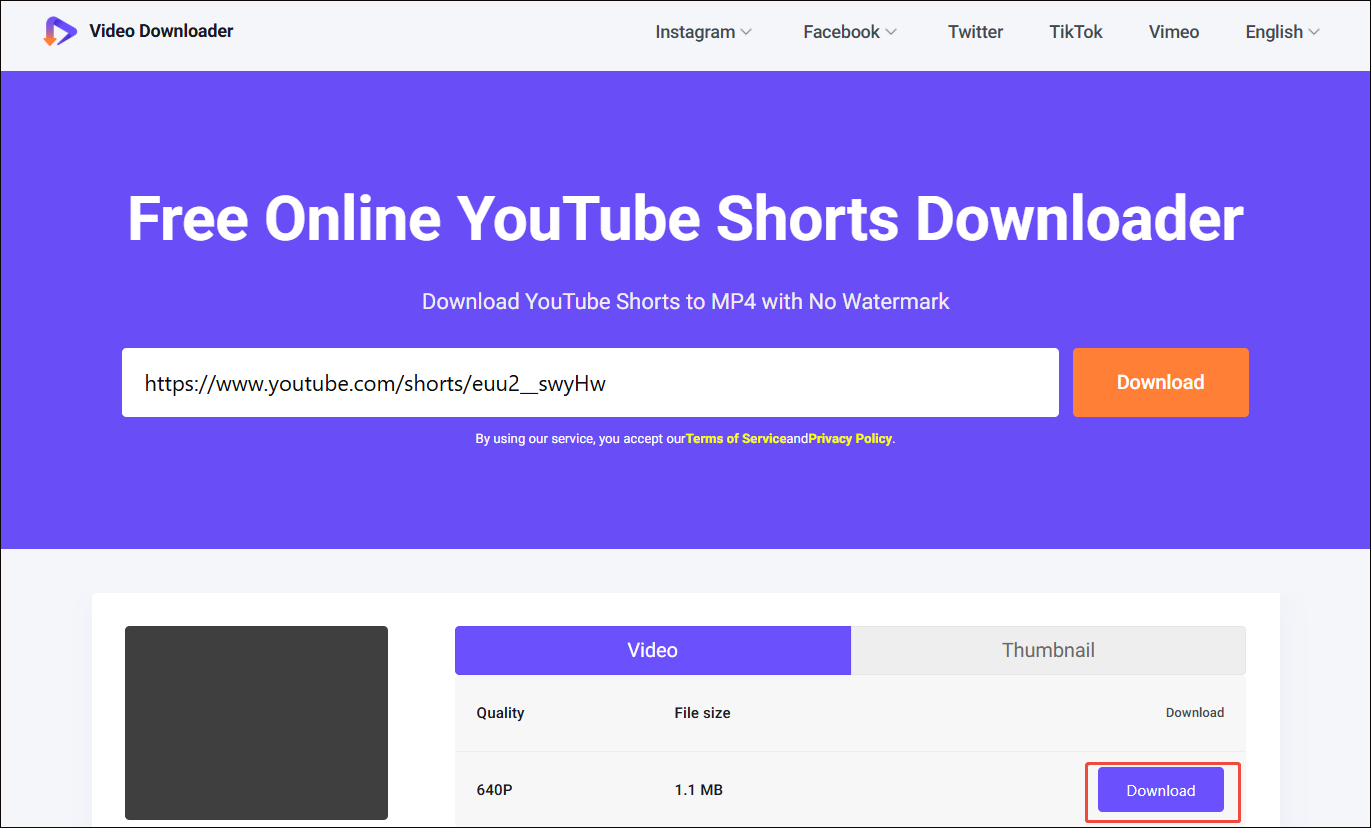
After selecting the desired resolution, click the Download option to begin the download process.
4. Check the Output Video
When the download process finishes, go to the Downloads section of the web browser to check the output file.
With viddown.net, you can get YouTube videos for offline watching effortlessly.
Final Words
To watch YouTube videos together, never miss the video sync app or a YouTube downloader. If you have any problems when using MiniTool Video Converter, just send an email to support@minitool.com to ask for help.