

When you are interested in watching YouTube videos offline, please try MiniTool Video Converter.
MiniTool Video ConverterClick to Download100%Clean & Safe
If we want to get in touch with some YouTubers, social media is not an effective solution to communicate with them because they always receive so many messages there.
The effective solution to get in touch with them is by sending an email to them. The likelihood that they will read your message via email is higher because it is a far less busy platform.
The following is the guide on how to find email associated with YouTube account. Let's get started!
Solution 1: Check the “About” Section
YouTube users have the option to share their email addresses with the world so that others can get in touch with them, mainly for business cooperation. From the “About” area, you can check if the YouTuber has made it available.
Here is how to do it:
Step 1: Go to YouTube’s official website and log into your account.
Step 2: Go to the YouTube user’s account.
Step 3: Head to the person’s ABOUT section.
Step 4: Scroll down to the Details section and click on the View Email Address button.
Step 5: Fill out the captcha to protect from bots, then click on Submit.
Step 6: You will have access to view the person's email address.
Solution 2: Check the Social Media Profiles
The "About" section also lists the social media accounts linked to their YouTube channels. If you want to find email associated with YouTube account, you can browse the email in the YouTuber's profiles.
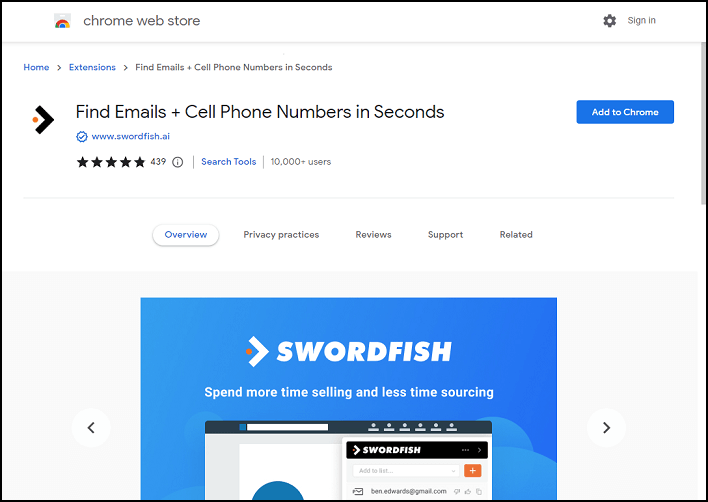
Even better, you can try an email finder chrome extension like Swordfish AI. It is one of the most effective chrome extensions for you to find the YouTuber’s phone numbers and other contact information.
If the email isn't listed on YouTube, check the YouTuber's other social media platforms, if they have any. For instance, you can consider other websites of all kinds, like Facebook, Twitter, Google, Bing, LinkedIn, GitHub, Dribbble, StackOverflow, and so on.
Swordfish AI is distinctive in that it does not breach the terms of service of social media sites as it does not scrape such sites.
The only information reference used is the user's profile web address. Then, Google is used to check that this is the right person you are searching for. Last but not least, Swordfish AI simultaneously connects to more than 200 web data partners in real time to get that person's most recent email address and contact details.
Solution 3: Use Email Permutation Tools
You can find a lot of email permutation tools with only one Google search. With the email permutation tool, you can also know how to find the email associated with a YouTube account. You don't have to email everyone. Alternatively, you can find a work email address by using an email validator. This way has been very effective for many people.
Try Different Ideas
Simply Ask
If you want to work with a YouTuber, please try to comment on their YouTube channel and be honest about your thoughts. Or, simply express your desire to connect with them.
![[Solved] How to Find YouTube Comments by YouTube Comment Finder?](https://images.minitool.com/youtubedownload.minitool.com/images/uploads/2022/07/youtube-comment-finder-thumbnail.png)
Get on Their Mailing List
You can subscribe to an email list maintained by YouTube producers by following a link in their account or video details. After you sign up, you can find a reply address. It will also enable you to customize your outreach and get to know the author of the email by being familiar with its content.
Do a Name-check on Other Websites
There are a variety of alternative contact options available on different platforms. Even if someone's email address isn't available on the YouTube account, it might be searched elsewhere. Try looking for their Facebook or Instagram email. Check to see whether their website has a contact detail. Linkedin DM is also worth a try.
You may also like: 2022 10 Best Free Email Services/Providers to Manage Emails
Conclusion
You might need to know a YouTuber's associated email address if you wish to get in touch with them professionally. The most effective ways to find email associated with YouTube account that match everyone have been given below. Try it right away!